Diving into law firm collaboration software, this article is your go-to guide for understanding how these tools can make a world of difference in your legal practice.

We’ll look at what these tools do, like making it easier to share files securely, keeping everyone on the same page, and not letting anything slip through the cracks. We’re covering the essentials: chat apps for quick messages, video conferencing for those important face-to-face discussions, and client portals that keep everything organized and accessible.

We’ll also walk you through choosing the right tools for your firm, making sure they actually match what you need and how you work.

Let’s get into it!

Collaboration in a law firm is essential to optimal efficiency, minimal confusion, and consistent client satisfaction. Use this guide to ensure your law firm collaboration software reflects these key priorities.

Introduction to Law Firm Collaboration Software

Staying connected and efficiently managing workload can be the difference between thriving and barely surviving. Enter law firm collaboration software.

This isn’t about adding another layer of complexity to your daily grind but about streamlining operations, ensuring you and your team can focus on what you do best practicing law.

At its core, law firm collaboration software is designed to facilitate seamless interaction within your team and with your clients. It’s about breaking down barriers geographical, temporal, and communicational ensuring that everyone involved in a case is on the same page.

From sharing documents securely to scheduling meetings without the back-and-forth emails, this software is about making each process within your firm as smooth and efficient as possible.

But why is this important, specifically for law firms? The answer lies in the nature of legal work itself.

With cases and clients demanding utmost attention to detail and prompt responses, the ability to communicate effectively, manage documents securely, and keep track of deadlines can make or break your success. Collaboration software tailored for law firms is built with these needs in mind, incorporating features that respect the confidentiality and sensitivity of legal documents, while also enhancing team productivity.

So, as we delve deeper into the specifics of what collaboration software can offer, remember this: adopting the right tools is not just about keeping up with technology. It’s about empowering your firm to handle more cases with greater precision, ensuring client satisfaction, and ultimately, securing a competitive edge in the legal marketplace.

Case-Study-5

“Uptime Legal was a true miracle when the pandemic struck. We moved to Uptime Legal and were working immediately.”

Todd Tracy
The Tracy Law Group, PLLC

Features and Benefits of Collaboration Software for Law Firms

Law firms need tools that not only enhance productivity but also safeguard client confidentiality and foster teamwork.

Collaboration software tailored for legal practices comes packed with features designed to address these unique requirements. Here’s a closer look at these features and the benefits they bring to the table:

Centralized Document Management

Security & Compliance are Non-Negotiable for Law Firms

With Uptime Manage, get:

  • Multi-Factor Authentication
  • Email Encryption
  • Compliant Backups
  • Desktop Protection
  • Ransomware Protection
  • and More!

Through these features and benefits, collaboration software for law firms represents a transformative investment.

It not only streamlines administrative tasks and enhances productivity but also elevates the level of service provided to clients, ensuring that law firms can meet the demands of the modern legal landscape with confidence and efficiency.

Types of Collaboration Software

Collaboration software is not a one-size-fits-all solution.

Different types of software cater to various aspects of legal work, each designed to enhance efficiency, communication, and case management in its unique way. Understanding these types can help law firms select the right mix of tools to meet their specific needs.

Here’s a rundown of the primary types of collaboration software used in law firms.

Chat Tools

Chat tools are the digital equivalent of having a conversation across the desk.

They provide instant messaging capabilities for quick, informal communication among team members.

Key Features:

  • Instant messaging for real-time communication.
  • Group chats for team discussions.
  • File sharing for quick document exchanges.
  • Integration with other software tools.

Benefits:

  • Speeds up the exchange of information.
  • Reduces email clutter.
  • Facilitates a more dynamic and responsive team environment.

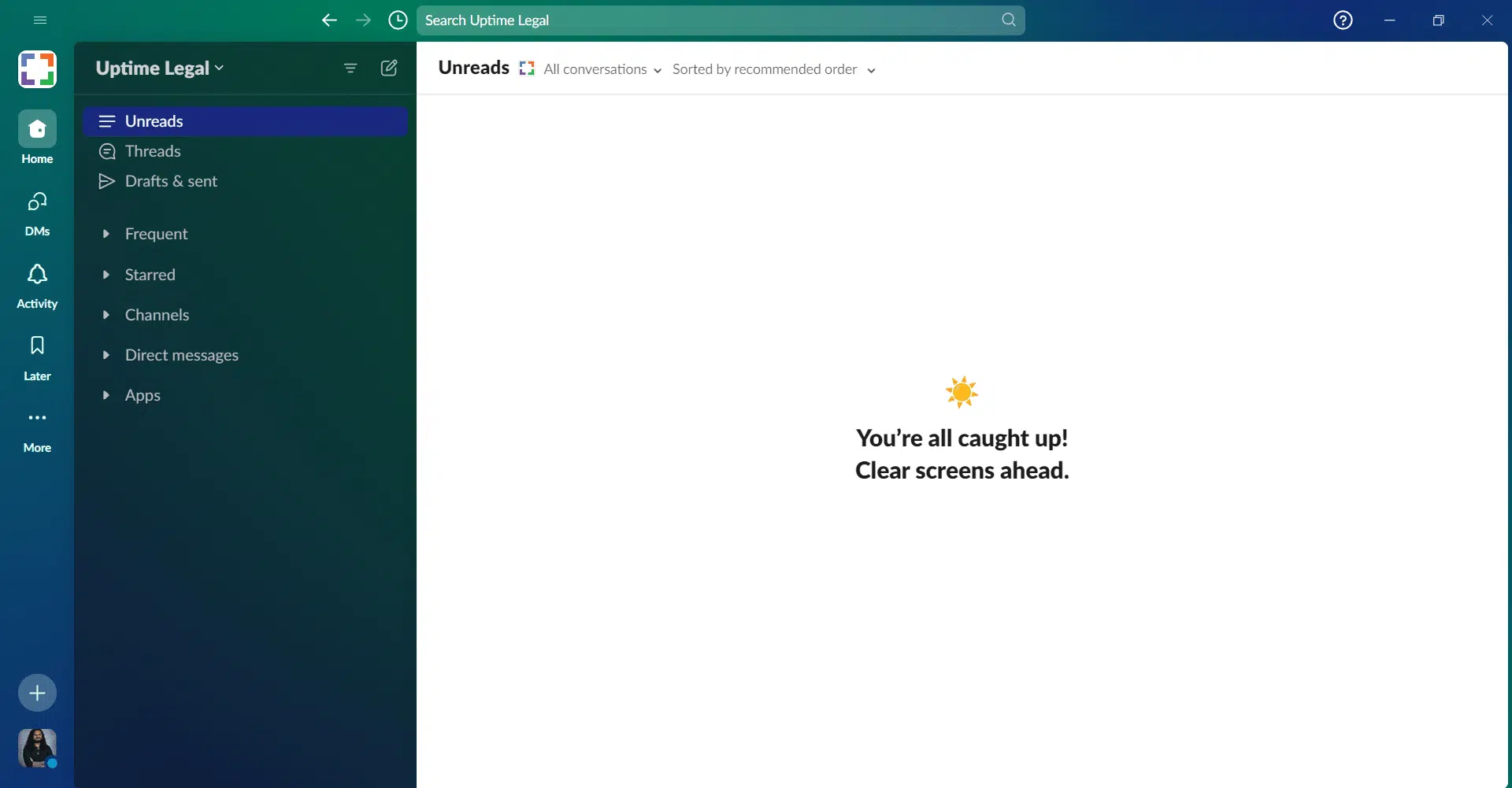
Slack

slack screenshot

Slack is a widely popular communication platform that facilitates instant messaging, file sharing, and integration with a vast array of other tools and software. It’s known for its organized chat channels, direct messaging capabilities, and customizable notifications.

STAND-OUT FEATURES

  • Channels: Organize conversations by topic, project, or department.

  • Messaging: Direct messaging and group chats, with rich text formatting.

  • File Sharing: Easily share files and documents within conversations or channels.

  • Integrations: Robust integration capabilities with over 2,000 third-party apps.

  • Search: Powerful search functionality to find messages, files, and mentions.

  • Security: Enterprise-grade security features, including data encryption in transit and at rest.

PRICING

  • Free: Limited message history and features.

  • Pro: $7.25 per user/month, when billed yearly.

  • Business+: $12.50 per user/month, when billed yearly.

  • Enterprise: Contact Slack for pricing details.

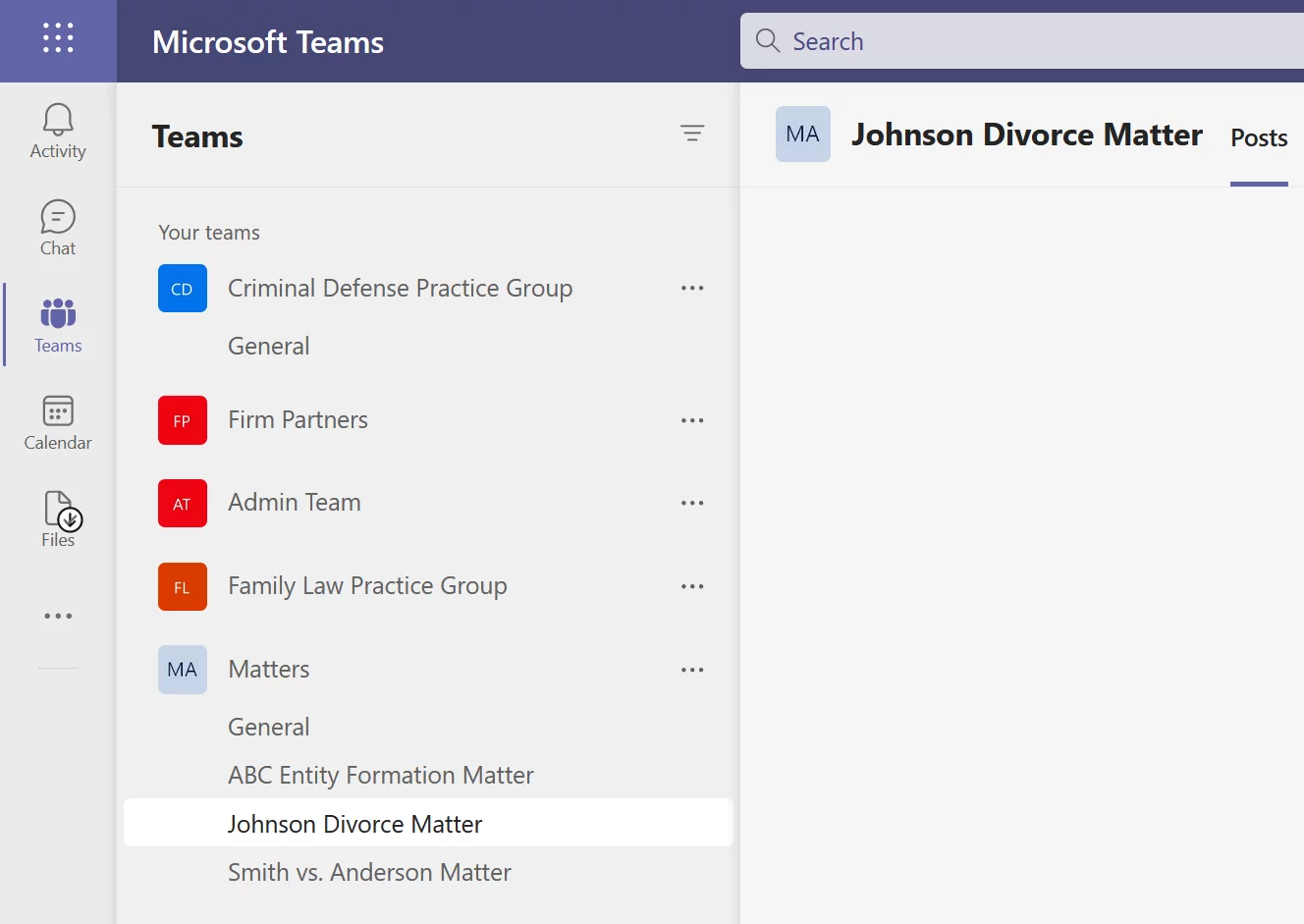
Microsoft Teams

teams-matter-channels

Part of the Microsoft 365 suite, Teams is a unified communication and collaboration platform. It combines chat, video meetings, file storage, and integration with other Microsoft apps and services.

STAND-OUT FEATURES

  • Chat and Collaboration: Persistent chat, team channels, and the ability to collaborate on documents directly within Teams.

  • Meetings and Calls: High-quality audio and video meetings, screen sharing, and meeting recordings stored in the cloud.

  • File Storage: Integrates with OneDrive and SharePoint for file storage and sharing.

  • Integrations: Access to a wide range of Microsoft and third-party apps and services.

  • Security and Compliance: Advanced security and compliance capabilities, integrated into Microsoft 365.

  • Teams Live Events: Host live events for up to 10,000 attendees, with interactive features for participants.

PRICING

  • Essentials: $4.00 per user/month, when billed yearly.

  • Business Basic: $6.00 per user/month, when billed yearly.

  • Business Standard: $12.50 per user/month, when billed yearly.

Virtual Meeting Software

With teams often working remotely or across different locations, virtual meeting software has become indispensable for face-to-face communication without the need for physical presence.

Key Features:

  • Video and audio conferencing for personal interaction.
  • Screen sharing for collaborative reviews of documents or presentations.
  • Recording capabilities for later review or for those who can’t attend live.
  • Scheduling features integrated with calendars.

Benefits:

  • Enables more personal communication, strengthening team cohesion.
  • Saves time and costs associated with travel.
  • Allows for real-time collaboration and decision-making.

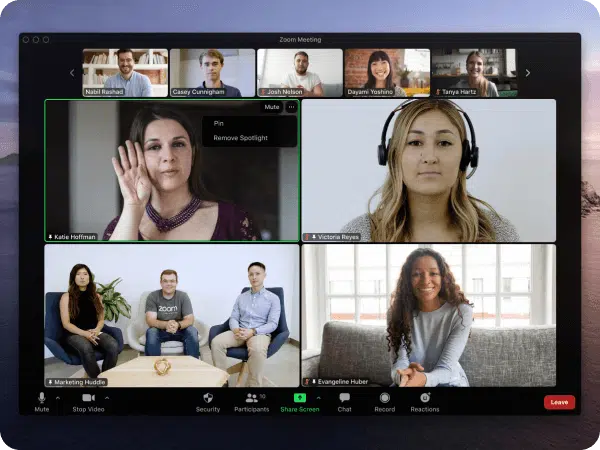
Zoom

Zoom-Screenshot

Zoom is a leading virtual meeting platform known for its reliability and ease of use. It facilitates video and audio conferencing, webinars, and live chats, making it a popular choice for businesses, educational institutions, and personal use.

STAND-OUT FEATURES

  • HD Video and Audio: High-quality video and audio conferencing, supporting up to 1,000 video participants and 49 videos on screen.

  • Breakout Rooms: Divide your meeting into smaller groups for more focused discussions.

  • Webinars: Host large-scale events with up to 10,000 attendees and 100 interactive video participants.

  • Screen Sharing and Collaboration: Share your screen with participants, use virtual backgrounds, and collaborate on documents in real-time.

  • Recording and Transcripts: Record meetings to the cloud or your device, with automatic transcription.

  • Security: End-to-end encryption for all meetings, role-based user security, and password protection.

PRICING

  • Free: Limited meeting duration and other features.

  • Pro: $13.33 per user/month, when billed yearly.

  • Business: $18.33 per user/month, when billed yearly.

  • Business Plus: $22.49 per user/month, when billed yearly.

  • Enterprise: Contact Zoom for pricing details.

Legaler

Legaler-Screenshot

Legaler is a virtual meeting platform specifically designed for legal professionals, offering secure video meetings integrated with practice management software. It’s built to streamline client consultations, team meetings, and online mediation.

STAND-OUT FEATURES

  • Secure Video Meetings: End-to-end encryption for client consultations and internal meetings.

  • Integration with Legal Practice Management Software: Seamlessly integrates with popular legal practice management tools to streamline workflows.

  • Client Portal: Provides a secure space for clients to schedule meetings, share documents, and communicate with their legal team.

  • Meeting Archive: Automatically archives meetings, including notes and recordings, directly into case files.

  • Compliance: Complies with legal industry standards, including client confidentiality and data protection requirements.

PRICING

  • Free: Limited message history.

  • Active: $19 per user/month

  • Enterprise: Contact Legaler for pricing details.

Microsoft Teams

MS-Teams-Screenshot

Part of the Microsoft 365 suite, Teams is a unified communication and collaboration platform. It combines chat, video meetings, file storage, and integration with other Microsoft apps and services.

STAND-OUT FEATURES

  • Seamless Integration with Office 365: Direct access to Microsoft Office tools and documents during meetings.

  • High-Quality Video Calls: Supports large meetings with up to 10,000 participants, featuring background blur and custom backgrounds.

  • Live Events: Organize live events with interactive discussions, Q&A sessions, and real-time feedback.

  • Collaboration: Collaborate on documents in real-time during meetings, with screen sharing and digital whiteboards.

  • Security and Compliance: Advanced security features, including meeting recording, data encryption, and compliance with global standards.

PRICING

  • Essentials: $4.00 per user/month, when billed yearly.

  • Business Basic: $6.00 per user/month, when billed yearly.

  • Business Standard: $12.50 per user/month, when billed yearly.

Client Portals (Practice Management & Document Management Software)

Client portals provide a secure online space where lawyers and clients can communicate, share documents, and manage case-related information.

Key Features:

  • Secure messaging for confidential communications.
  • Document sharing and management with controlled access.
  • Task and appointment scheduling for better coordination.
  • Real-time updates on case progress.

Benefits:

  • Enhances client service and satisfaction by providing transparent, direct access to case information.
  • Strengthens client-lawyer relationships through improved communication.
  • Ensures the security and confidentiality of shared information.

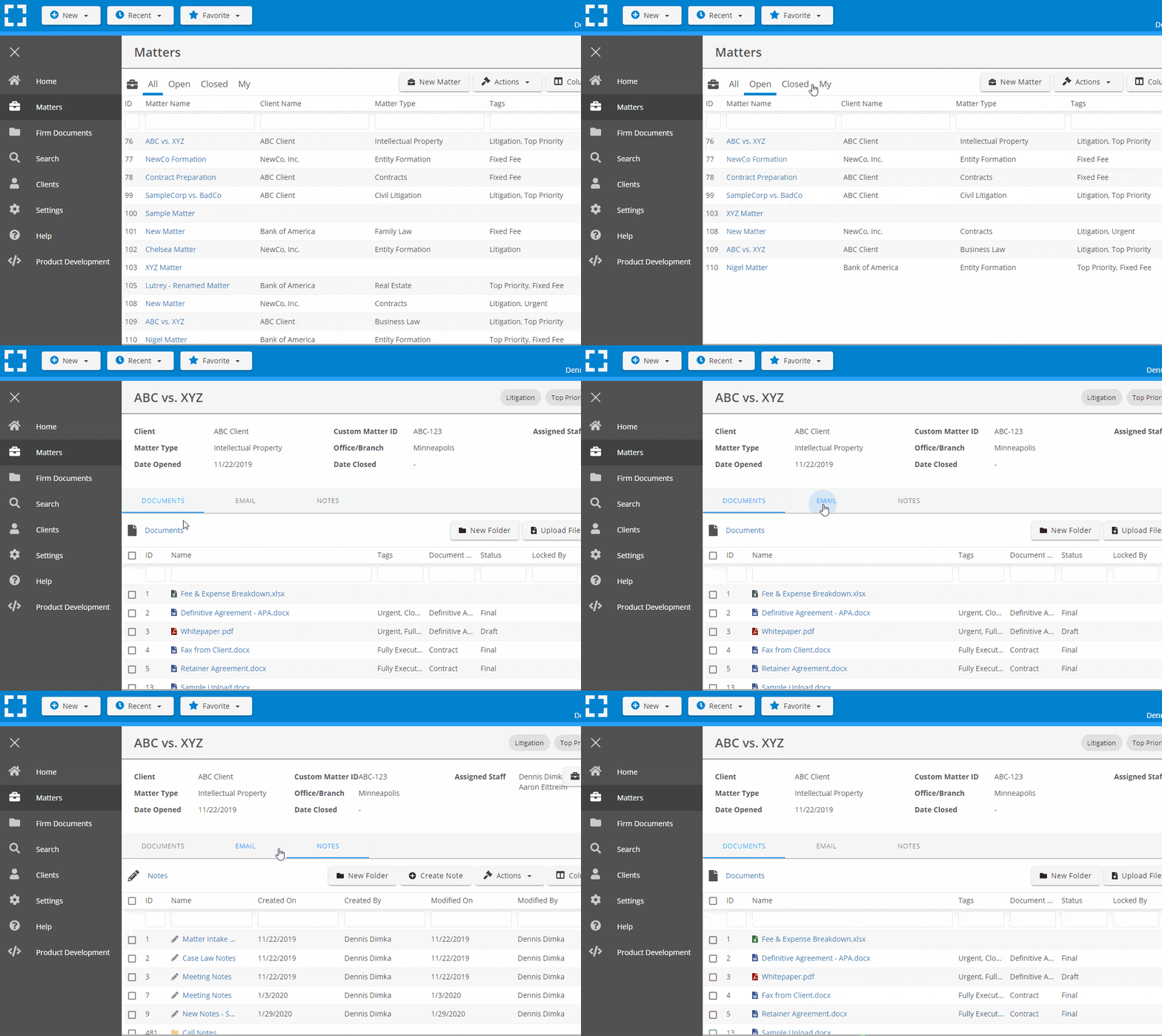
LexWorkplace

lexworkplace-matter-centric (3)

LexWorkplace is a cloud-based document and email management system designed specifically for law firms. It includes a secure client portal feature, enabling law firms to collaborate efficiently with clients by sharing documents and communicating in a secure environment.

STAND-OUT FEATURES

  • Document Management: Organize, manage, and search for documents and emails with ease, tailored for legal workflows.

  • Secure Client Portal: Share files and communicate with clients securely, ensuring confidentiality and data protection.

  • Matter Management: Organize documents, emails, and notes by matter, making information retrieval quick and straightforward.

  • Cloud-Based: Access your files and communicate with clients from anywhere, at any time, enhancing flexibility and remote work capabilities.

PRICING

  • Starter: Free for Uptime Cloud Users.

  • Core: $395 /month (includes 3 users)

  • Advanced: $595 /month (includes 5 users)

Clio Manage

Clio-Client-Portal-Screenshot

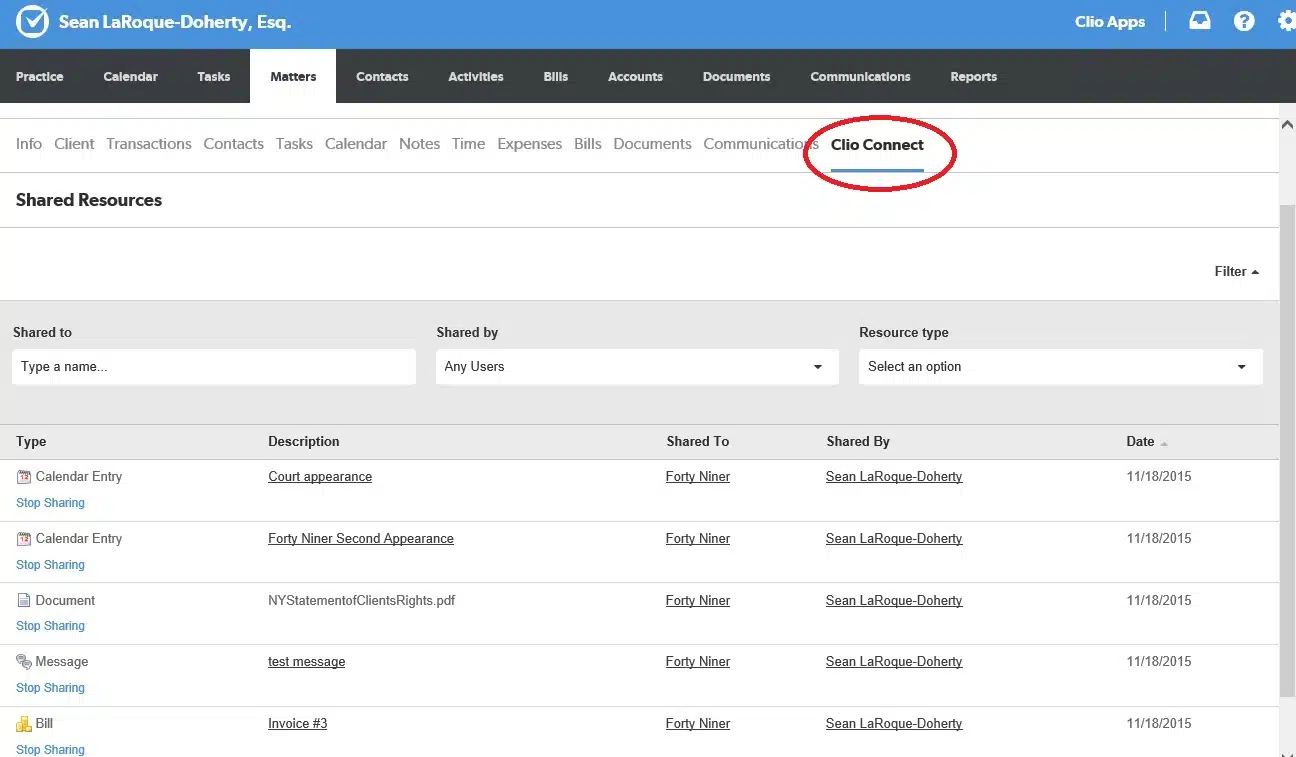
Clio Manage is a comprehensive legal practice management platform that includes a secure client portal, known as Clio for Clients. It facilitates seamless communication and collaboration between law firms and their clients, streamlining document sharing, communication, and case updates in a secure environment.

STAND-OUT FEATURES

  • Clio for Clients: Secure client portal for messaging, document sharing, and status updates on cases.

  • Comprehensive Practice Management: Integrates billing, case management, document management, and time tracking within a single platform.

  • Mobile App: Enables lawyers and clients to communicate and access documents on the go.

  • Robust Integration: Integrates with over 200 legal and productivity apps, enhancing flexibility and workflow automation.

PRICING

  • EasyStart: $39 per user/month, when billed yearly.

  • Essentials: $69 per user/month, when billed yearly.

  • Advanced: $99 per user/month, when billed yearly.

  • Complete: $129 per user/month, when billed yearly.

MyCase

mycase-screenshot

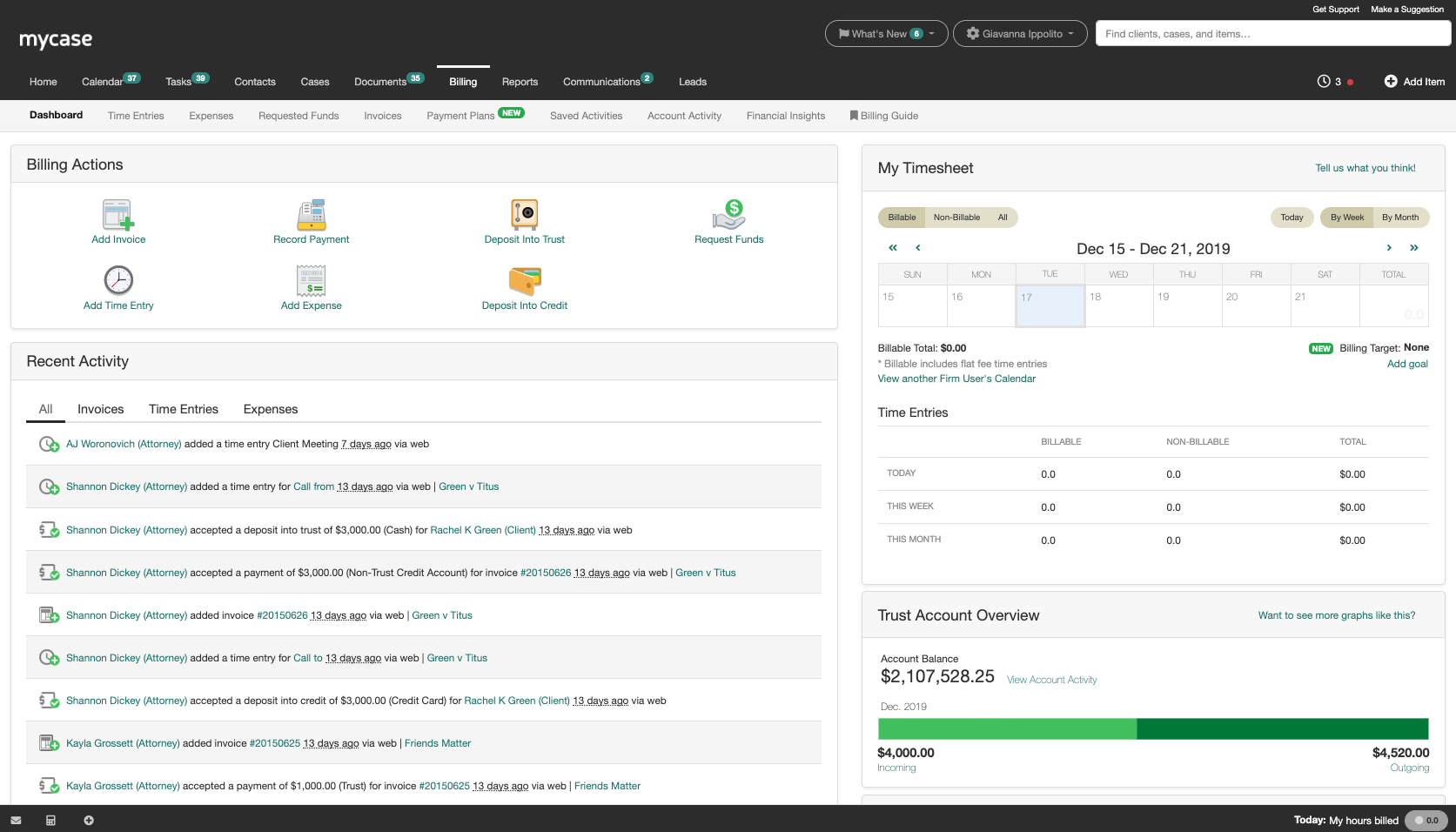
MyCase is a legal practice management software that offers a built-in client portal to facilitate secure communication and collaboration between attorneys and their clients. It aims to improve client satisfaction through transparent, efficient case management and communication.

STAND-OUT FEATURES

  • Secure Communication: Encrypted messaging directly within the client portal.

  • Document Sharing and Collaboration: Easily share case files and documents with clients in a secure environment.

  • Online Payments: Clients can view and pay their invoices directly through the portal, speeding up the payment process.

  • Integrated Case Management: Link communications and documents directly to cases, keeping everything organized and accessible.

PRICING

  • Basic: $39 per user/month, when billed yearly.

  • Pro: $79 per user/month, when billed yearly.

  • Advanced: $99 per user/month, when billed yearly.

Each type of collaboration software serves a specific purpose in the workflow of a law firm, from facilitating quick messages and discussions to hosting secure, comprehensive platforms for client interaction and case management.

By strategically integrating these tools, law firms can create a more connected, efficient, and client-focused practice.

Selecting the right combination of software types requires understanding your firm’s specific needs, working style, and the particular challenges you aim to address through digital collaboration.

How to Build Your Tech Stack with the Right Collaborative Software

Building a comprehensive tech stack with the right collaborative software is crucial for law firms aiming to enhance efficiency, improve client relations, and secure data.

The process involves careful consideration of your firm’s specific needs, workflow, and long-term goals.

Here’s how you can build your tech stack to ensure you’re leveraging the best collaborative tools for your law firm:

1. Identify Specific Legal Collaboration Needs

Begin by pinpointing exactly where your law firm could use a boost in collaboration.

Are document sharing and case discussions a hassle? Is client communication not as smooth as it could be?

Each law firm will have different priorities, whether it’s securing client data, streamlining case management, or enhancing team communication. Define what success looks like for your firm in using collaborative software.

2. Explore Legal-Specific Solutions

While there are plenty of general collaboration tools out there, focus your search on software designed with law firms in mind.

These tools come with features that cater specifically to the needs of legal professionals, such as secure document handling, client portals, and integrations with legal databases or practice management software.

Make a shortlist of platforms that offer the legal-centric functionalities your firm needs most.

3. Assess Compliance and Security Features

Given the sensitive nature of legal work, your chosen software must adhere to strict security protocols and compliance regulations (like GDPR, HIPAA, or state-specific confidentiality laws).

Prioritize solutions that offer end-to-end encryption, secure client communication, and data privacy assurances tailored to the legal industry’s stringent standards.

4. Check for Integration With Legal Tech Ecosystem

Your collaborative software should seamlessly mesh with any existing technology your firm uses.

Whether it’s legal research databases, document management systems, or billing and practice management software, ensuring compatibility will streamline your workflows and prevent data silos. Integration capability is key to a smooth operation and less friction in adopting new tools.

5. Pilot and Solicit Team Feedback

Before fully committing, trial the software with a select group from your team.

Real-world use will highlight any potential issues not evident during demos. Encourage your team to provide honest feedback on the software’s usability, efficiency improvements, and any gaps or concerns. This step ensures the chosen solution truly meets your firm’s needs.

6. Implement Strategically and Offer Training

Implement the new software in stages to minimize disruption.

Start with a core team and expand usage as everyone becomes more comfortable. Provide targeted training sessions to ensure your staff knows how to leverage the tool effectively. Remember, the goal is to enhance collaboration, so everyone needs to be on board and proficient.

7. Continuously Evaluate and Adapt

After implementation, keep a close eye on how the software affects your firm’s operations.

Is collaboration improving? Are clients happier?

Be prepared to tweak your approach, offer additional training, or even reconsider your software choice if it’s not meeting expectations. The legal industry and technology landscapes evolve, and so should your collaborative tools strategy.

This approach ensures your search for collaborative software is laser-focused on the unique demands of legal practice, leading to a more effective selection that boosts your firm’s productivity and client service.

Frequently Asked Questions

Law firm collaboration software is a type of technology specifically designed to help legal teams work together more efficiently. It facilitates secure communication, document sharing, case management, and other collaborative tasks essential to legal practice.

By streamlining communication, centralizing document management, and automating routine tasks, collaboration software reduces time spent on administrative work, allowing lawyers to focus more on their clients and cases.

Absolutely. Collaboration software is ideal for supporting remote work, offering features like video conferencing, secure messaging, and real-time document collaboration that enable teams to work together effectively, no matter where they are located.

Key features to look for include secure document sharing, client portals, task and case management, integration with other legal tools, robust security measures, and ease of use for both your team and your clients.

This depends on the software and the systems your law firm currently uses. Many collaboration tools are designed with integration in mind and offer compatibility with common legal software, but it’s important to verify this during your selection process.

Security levels can vary, but the best collaboration software for law firms offers strong encryption, data protection features, and compliance with legal industry standards to ensure client information remains confidential and secure.

Many collaboration platforms offer customization options to fit your law firm’s workflows, case types, and communication preferences. Look for software that allows you to tailor features to meet your specific requirements.

Highlight the benefits, such as time savings, easier access to information, and improved communication. Providing training and support can also help ease the transition and increase adoption rates.

Investing in collaboration software can lead to significant returns by increasing efficiency, reducing errors, improving client satisfaction, and enabling your team to handle more cases with greater precision. The exact ROI will depend on various factors, including how effectively the software is utilized.

Start by assessing your firm’s needs and researching options that specifically cater to the legal industry. Reading reviews, asking for recommendations from other legal professionals, and taking advantage of free trials or demos can help you find the best fit for your firm.

Published On: March 13th, 2024 / Categories: Law Firm Productivity, Law Firm Software /

As the founder and CEO of Uptime Legal, I've had the privilege of guiding our company to become a leading provider of technology services for law firms.

Our growth, both organic and through strategic acquisitions, has enabled us to offer a diverse range of services, tailored to the evolving needs of the legal industry.

Being recognized as an Ernst & Young Entrepreneur of the Year Finalist and seeing Uptime Legal ranked among the Inc. 5000 list of fastest-growing private companies in America for eight consecutive years are testaments to our team's dedication.

At Uptime Legal, we strive to continuously innovate and adapt in the rapidly evolving legal tech landscape, ensuring that law firms have access to the most advanced and reliable technology solutions.

Uptime Legal’s Technology Solutions

Cloud, software, IT, and document management built for today’s law firms.
  • Uptime Manage

Managed IT & Help Desk Solutions

  • Uptime Cloud

Cloud & Legal Application Hosting

  • Uptime Applications

Application Configuration & Support

  • LexWorkplace

Document Management For Law Firms