
Table of Contents
So, you’ve landed here to consider if using Azure for Law Firms is worthwhile.
Hopefully you and your firm have considered cloud-hosting options to some degree.
However, whether you’re new to the cloud or you’re part of the law firms that grapple with the decision of transitioning to the cloud, the choices can be overwhelming.
This article delves into the intricacies of evaluating Azure, guiding law firms through the benefits, challenges, key considerations, and alternative, ensuring an informed decision in their cloud journey.
Microsoft’s Azure stands as a significant player in the cloud domain, offering a myriad of services. But is it the right fit for law firms? With specialized cloud solutions tailored for legal professionals, we see compelling alternatives arise.
Introduction to Azure for Law Firms
In the realm of cloud computing, Microsoft’s Azure stands as one of the notable platforms that have made a mark in the industry. But what is Azure, and what relevance does it hold for law firms?
Azure is Microsoft’s cloud platform, designed to offer a suite of integrated cloud services. It encompasses a range of services that cater to various IT needs, from application development to data storage and management.
Essentially, Azure provides a framework where businesses, including law firms, can operate applications, store data, and even conceptualize new digital tools.
For law firms, understanding Azure is crucial not necessarily because it’s the definitive solution for their needs, but because it represents the broader shift towards digital transformation in the legal industry.
Law firms, historically reliant on paper and traditional methods, are now facing the challenges and opportunities of the digital age. With increasing data volumes, the globalization of legal services, and the need for efficient collaboration, cloud solutions are becoming more relevant.

We’ll look at the benefits.
Cloud-hosting solutions allow certain benefits, like scalability. This means law firms can adjust their IT resources based on their requirements. This scalability can be beneficial for firms that see fluctuating caseloads or have varying data storage needs.
As you evaluate your options for the cloud, it’s important to weigh your concerns against the offerings.
For example, security is a significant concern in the legal sector due to the sensitive nature of the data involved. Azure, like other cloud platforms, has mechanisms in place to address security concerns. However, it’s essential for law firms to conduct thorough due diligence to understand these measures and determine if they align with their specific security requirements.
Nonetheless, you’ll likely find that the cloud is the right move for you.
The move towards digital platforms like Azure signifies a more agile approach for law firms. The potential for remote access, for instance, can be beneficial in today’s increasingly mobile professional world. However, it’s also crucial to understand the challenges and nuances of such a shift.
Evaluate your choices.
While Azure offers a glimpse into the possibilities of cloud computing for the legal sector, it’s just one of many options available. As we explore further, we’ll delve into the specifics of what Azure brings to the table and how it compares to specialized solutions like Uptime Cloud, allowing law firms to make informed decisions about their cloud-hosting needs.
Overview of Azure’s Services
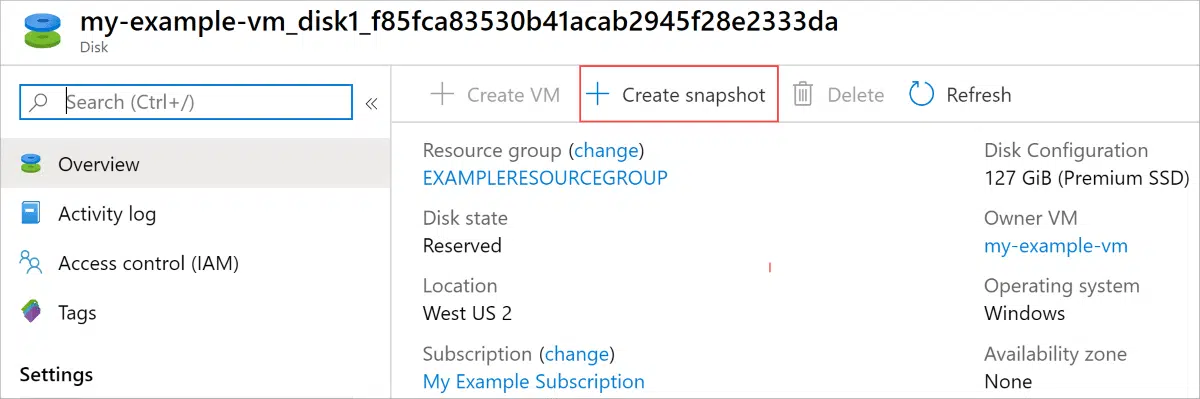
1. Virtual Machines (VMs)
Virtual Machines are the backbone of Azure’s infrastructure services. They allow users to run virtualized Windows or Linux servers in the cloud.
Law Firm Application
Law firms can utilize VMs to host their legal management software, databases, and other critical applications. For instance, a firm might run a VM to host a case management system, ensuring it’s accessible from anywhere without the need for physical hardware on-premises.
2. Active Directory
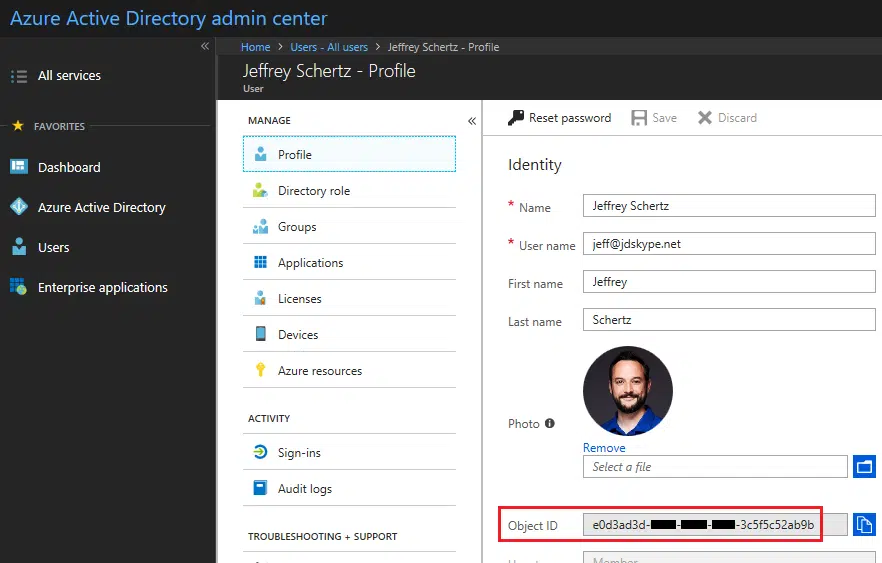
Azure Active Directory is a cloud-based identity and access management service. It provides secure user authentication and single sign-on across applications.
Law Firm Application
Law firms can use Active Directory to manage access to sensitive client data and internal documents. For example, a firm might set up different access levels for partners, associates, and interns, ensuring that each group can only access the information relevant to their role.
3. Azure Blob Storage
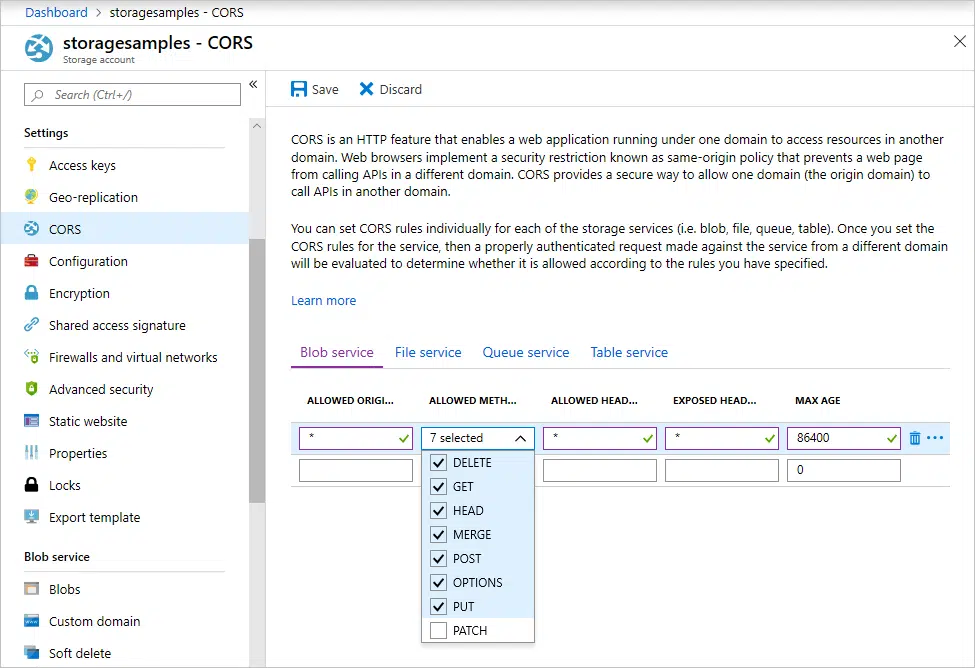
This is Azure’s object storage solution for unstructured data. It’s designed to store vast amounts of data like documents, images, and videos.
Law Firm Application
Law firms can utilize Blob Storage to archive case files, evidence photos, audio recordings of witness testimonies, and more. This ensures that all case-related materials are stored securely and can be retrieved swiftly when needed.
4. Azure SQL Database
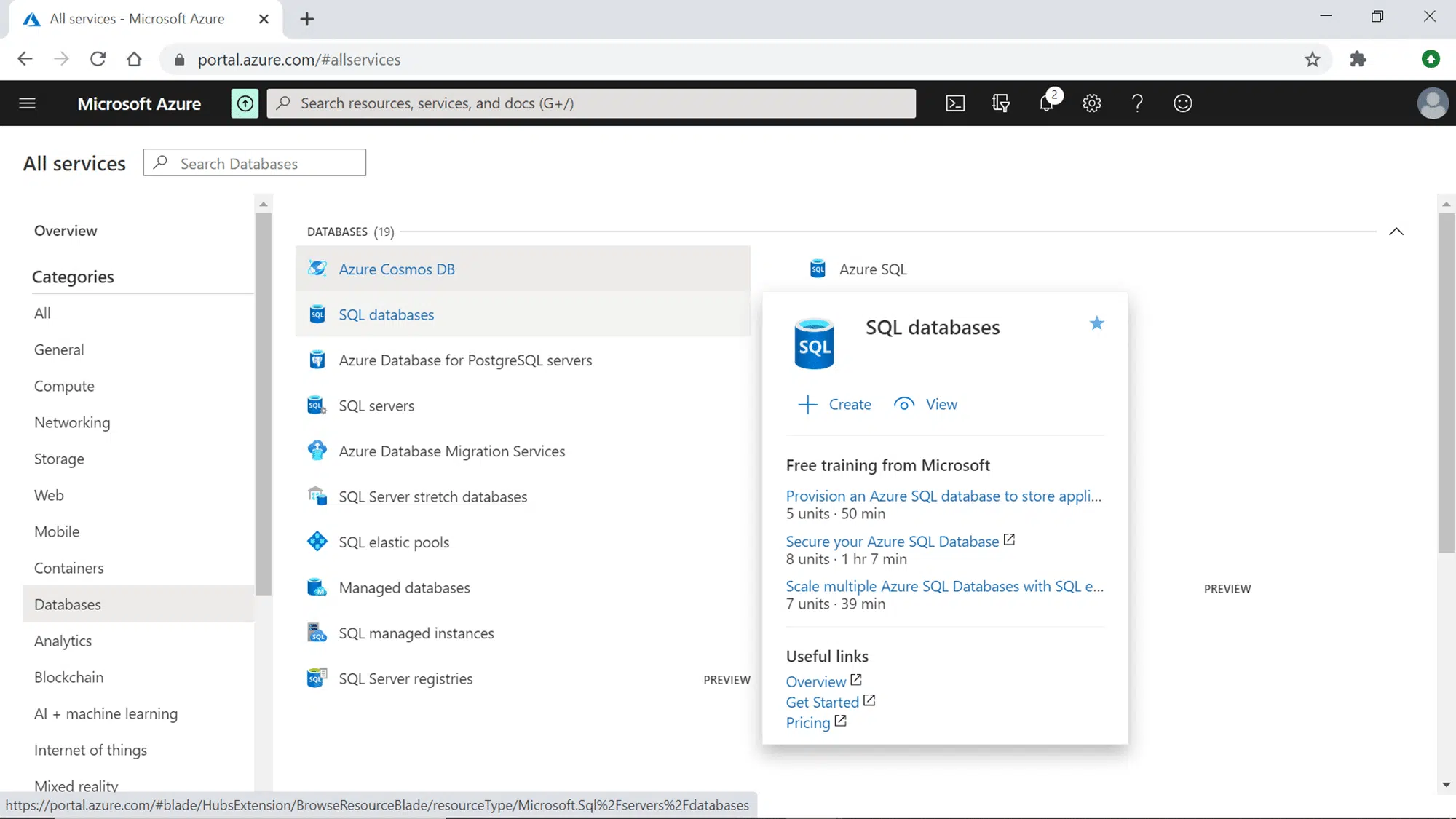
A managed relational database service based on SQL Server, it offers high availability, security, and compatibility.
Law Firm Application
Law firms can use Azure SQL Database to manage client information, case histories, billing details, and more. For instance, a firm might have a database of all past and present clients, ensuring quick retrieval of client histories when taking on new cases.
5. Azure Kubernetes Service
AKS is a managed Kubernetes container orchestration service. It simplifies the deployment, management, and scaling of containerized applications using Kubernetes.
Law Firm Application
While AKS might seem more suited for tech-centric businesses, innovative law firms developing custom applications can use AKS to manage and scale these applications. For example, a firm might develop a client portal where clients can check the status of their cases; AKS can help manage the backend of such a portal.
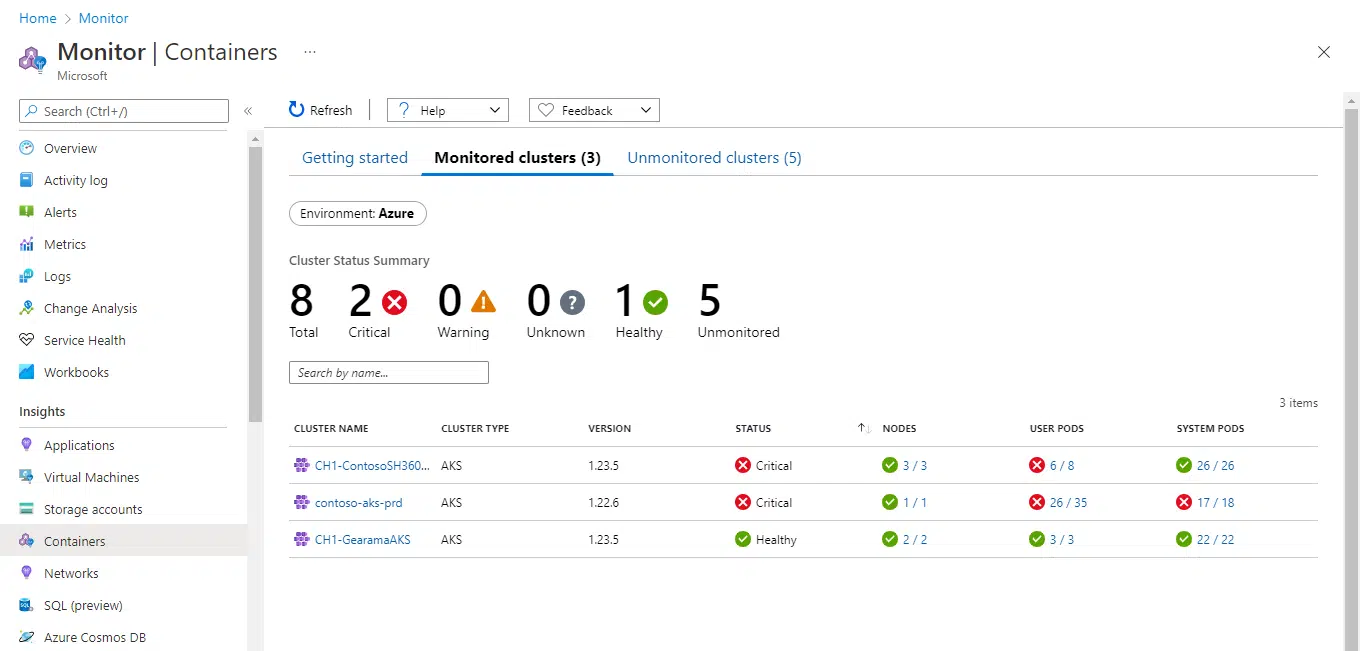
6. Azure Backup and Site Recovery
Azure Backup provides data backup in the cloud, while Site Recovery ensures business continuity by keeping apps running during outages.
Law Firm Application
Given the critical nature of legal data, law firms can use Azure Backup to regularly back up case files, ensuring no data loss. Site Recovery can be pivotal during unexpected events, like natural disasters, ensuring that the firm’s operations aren’t disrupted.
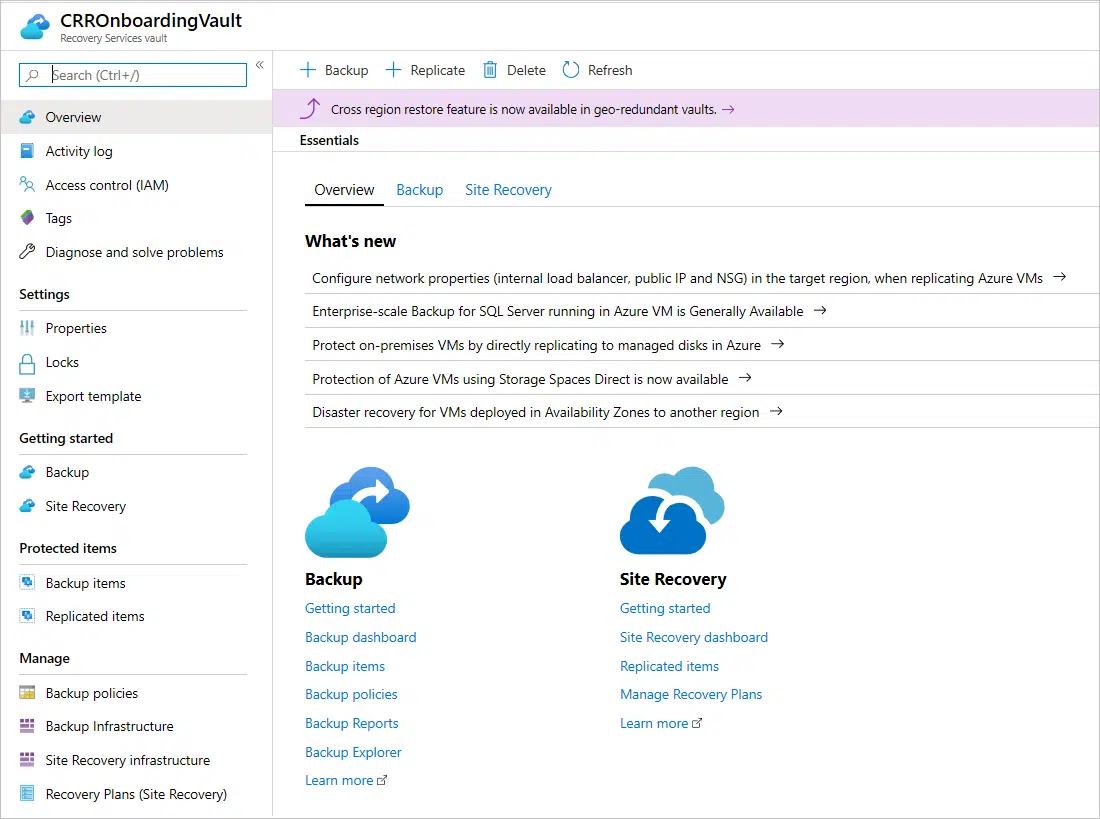
7. Azure Security Center
A unified security management system, it provides advanced threat protection across all Azure services.
Law Firm Application
Security is paramount for law firms. Azure Security Center can help firms monitor their cloud resources, detect potential threats, and ensure compliance with industry regulations.
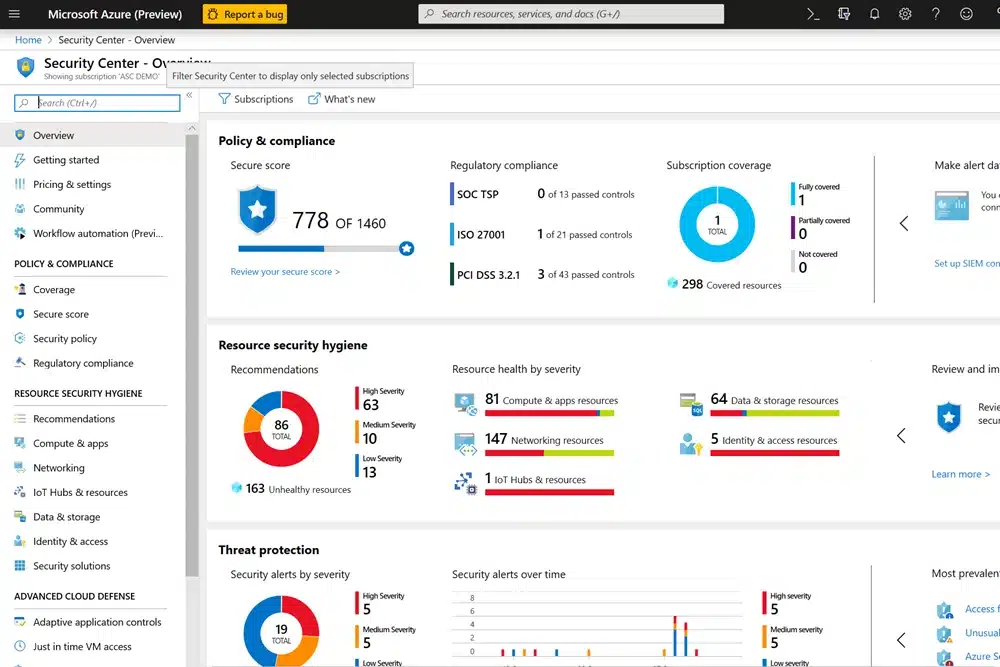
In summary, while Azure offers a vast array of features, its utility for law firms lies in how these features are leveraged.
From data storage to application hosting and security, Azure provides the tools. However, it’s up to the law firms to mold these tools to fit their unique needs.

How to Use Azure for Law Firms
Azure’s expansive suite of services presents a plethora of opportunities for law firms to modernize and optimize their operations.
There are strategic ways law firms can harness Azure’s potential to drive efficiency, collaboration, and innovation.
Azure Synapse Analytics is an integrated analytics service that brings together big data and data warehousing.
Law firms can analyze vast amounts of case data to identify trends, forecast outcomes, or even predict the success rate of certain case types.
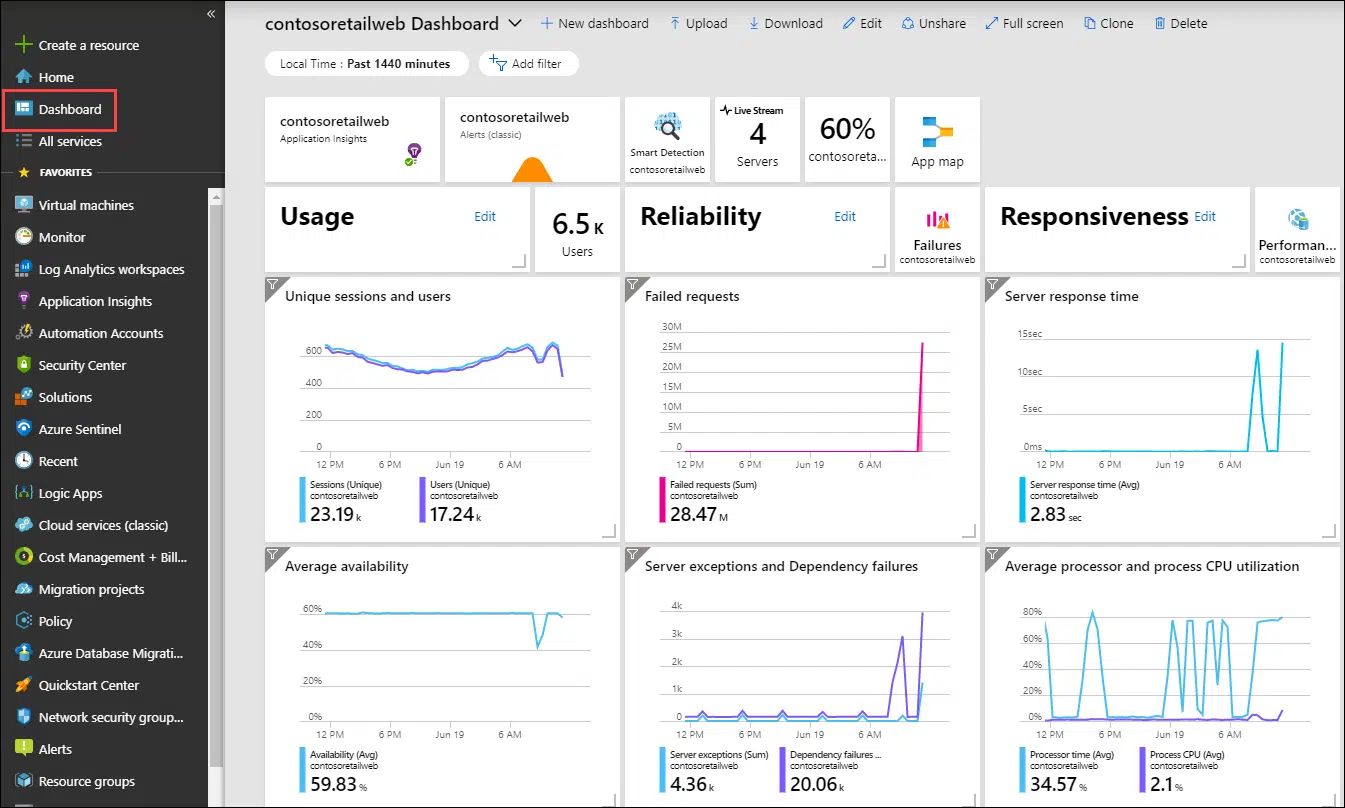
Azure File Sync allows firms to centralize their files in Azure Files, while maintaining the compatibility and flexibility of an on-premises file server.
Securely share files with clients, co-counsel, or external consultants. For instance, during a multi-party litigation, all involved parties can access a centralized repository of shared documents, ensuring consistency and real-time collaboration.
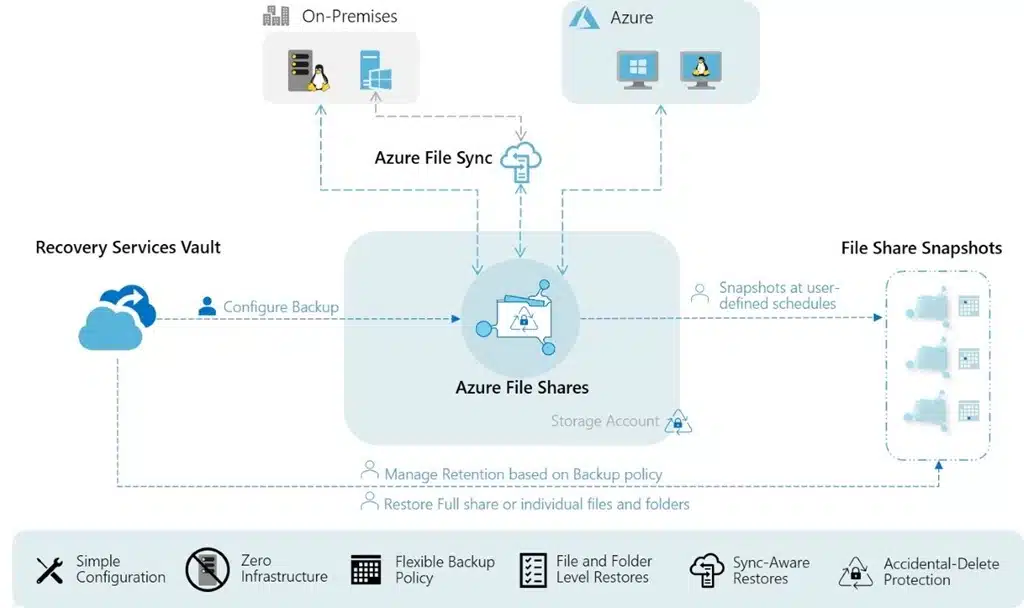
In essence, Azure’s potential for law firms extends beyond mere infrastructure and storage.
By strategically leveraging specific Azure services, law firms can not only modernize their operations but also gain a competitive edge, drive efficiency, and foster innovation in their legal practice.

Virtual Desktops for Law Firms:
How They Work, and Why Your Law Firm Should Probably Use Them.
Benefits of Using Azure for Law Firms
Azure offers a comprehensive set of benefits that cater to various business needs, from scalability and flexibility to security and global reach.
Drawbacks of Using Azure for Law Firms
It’s essential to approach these drawbacks with the understanding that no cloud platform is perfect. Each has its strengths and weaknesses, and the best choice often depends on the specific needs and context of the business in question.
Alternatives to Azure — Comparing Cloud-Hosting Solutions
Uptime Cloud

Uptime Cloud is more than just a cloud-hosting solution; it’s a platform meticulously crafted for law firms. Recognizing the unique challenges and requirements of the legal industry, Uptime Cloud ensures that legal software, data, and applications operate seamlessly and securely. Whether a firm is looking to move a single legal application to the cloud or seeking a comprehensive cloud platform for multiple applications, Uptime Cloud provides tailored solutions.
STAND-OUT FEATURES
PRICING
Uptime Cloud has various options, depending on the size of your team and your firm’s needs. There is a standard base pricing, which you can view here, and pricing increases with respect to the number of users.
Google Cloud Platform (GCP)
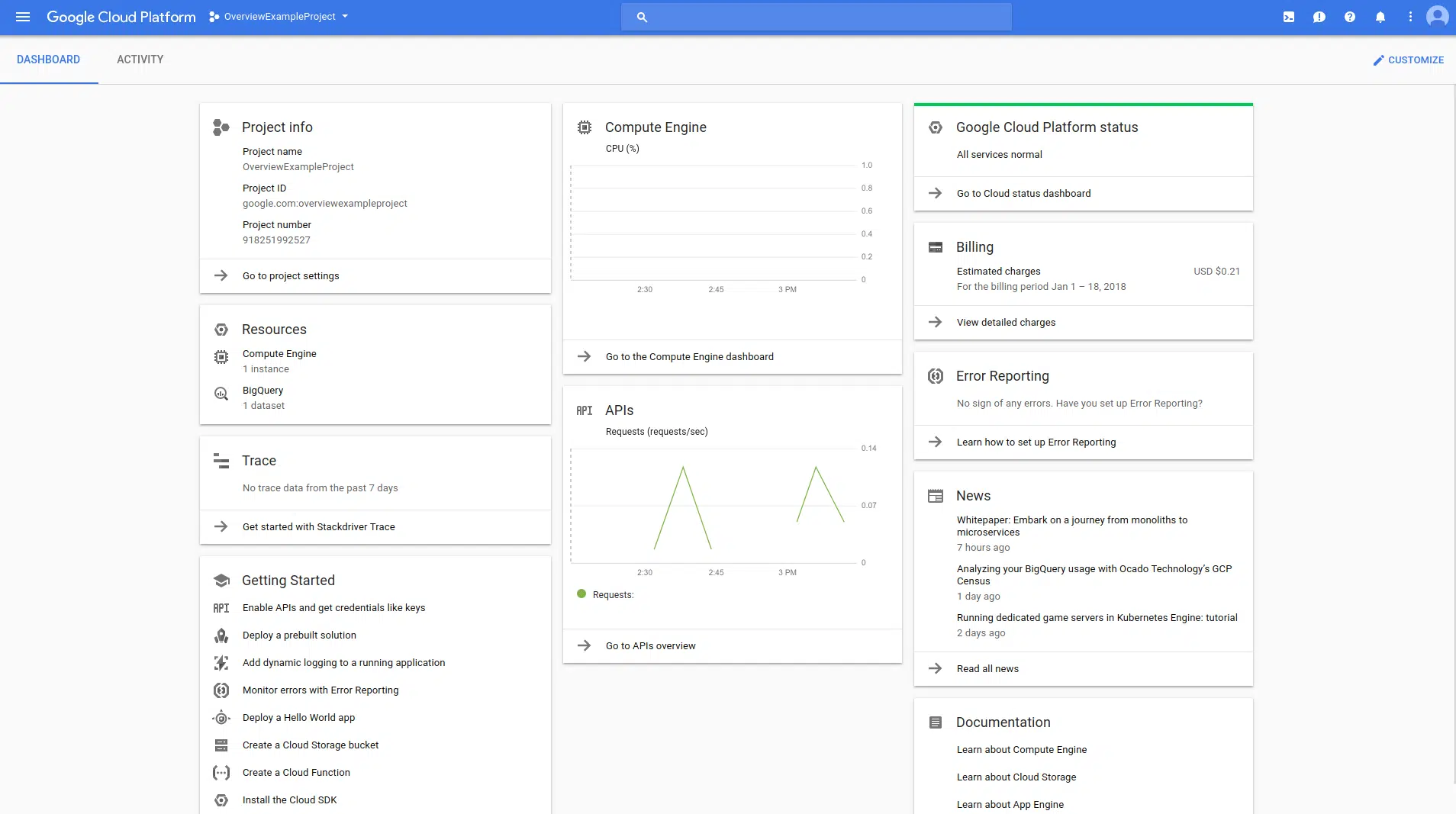
GCP, Google’s foray into the cloud market, is known for its strong emphasis on data analytics, machine learning, and open-source integration. It offers a suite of tools that leverage Google’s vast infrastructure and expertise in data handling and analysis.
STAND-OUT FEATURES
PRICING
GCP’s pricing is competitive, often with incentives or credits for new users. Like others, it operates on a pay-as-you-go model.
Amazon Web Services (AWS)
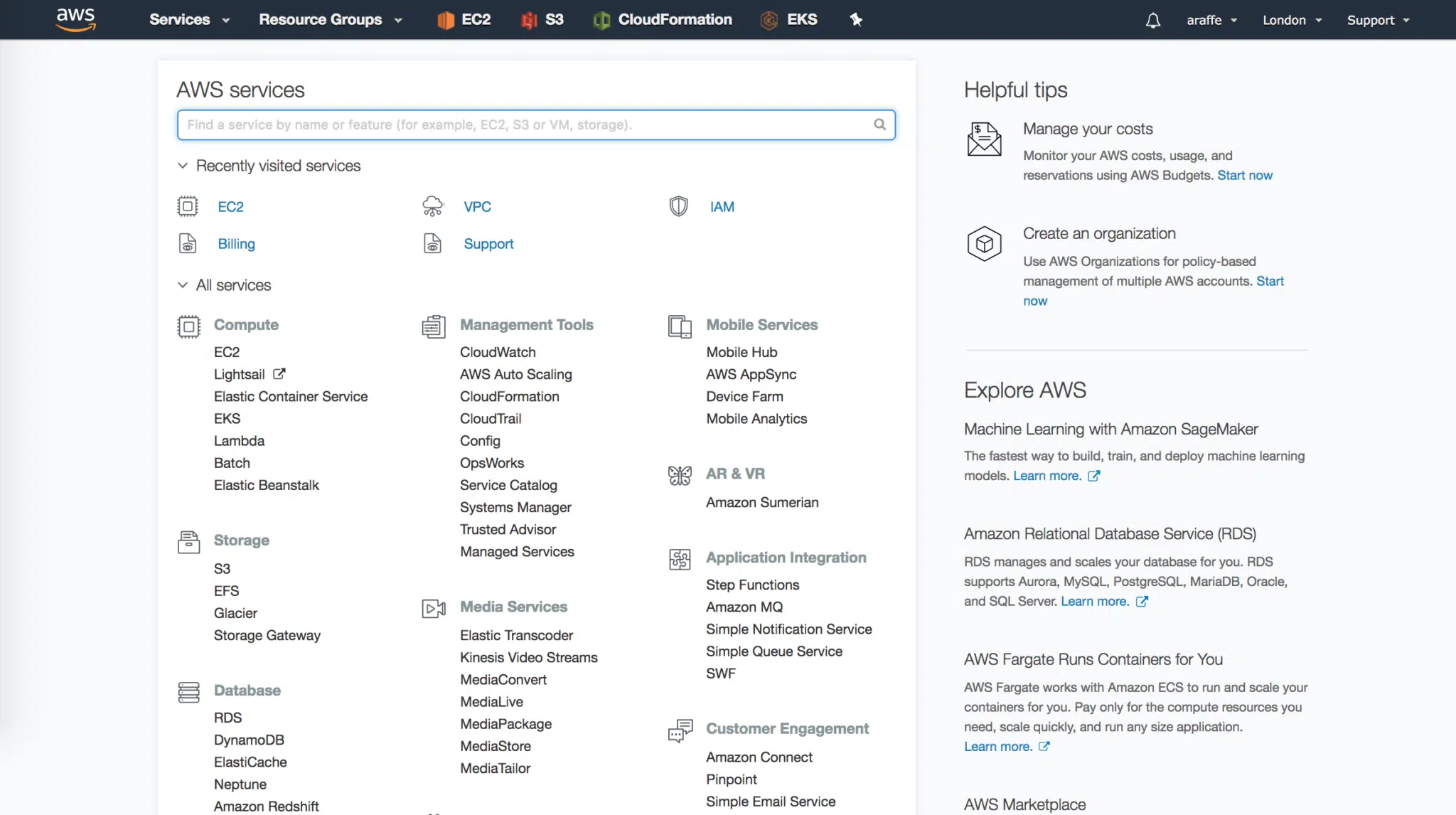
AWS is Amazon’s contribution to the cloud computing space. It provides a wide range of services aimed at addressing diverse IT requirements. AWS’s infrastructure is global, aiming to provide consistent services across regions.
STAND-OUT FEATURES
PRICING
AWS also operates on a pay-as-you-go model, with specific pricing varying based on the services utilized.
IBM Cloud

IBM Cloud offers a suite of cloud computing services, combining platform as a service (PaaS) with infrastructure as a service (IaaS). It also integrates well with Watson, IBM’s AI platform.
STAND-OUT FEATURES
PRICING
IBM Cloud offers a diverse pricing structure, including a free tier with a $200 credit for 30 days, flexible pay-as-you-go options, reserved instances for term commitments, and various custom payment plans such as loans and leasing.
Argument for a Private Cloud
Navigating the digital demands of modern law practices, private cloud solutions stand out as a beacon of efficiency and security.
Whether you choose Azure for your cloud-hosting or a more legal-centric option, like Uptime Cloud, the argument for a private cloud is extensive and valid.
Delving deeper, here are the pivotal reasons law firms should consider this technological shift:
Lawyers need to be agile. Private Clouds provide consistent access to work environments from any location, ensuring timely responses to urgent matters and meeting client needs.

Virtual Desktops, being cloud-based, eliminate hefty investments tied to traditional IT setups. The savings can be channeled into other pivotal areas of the firm.
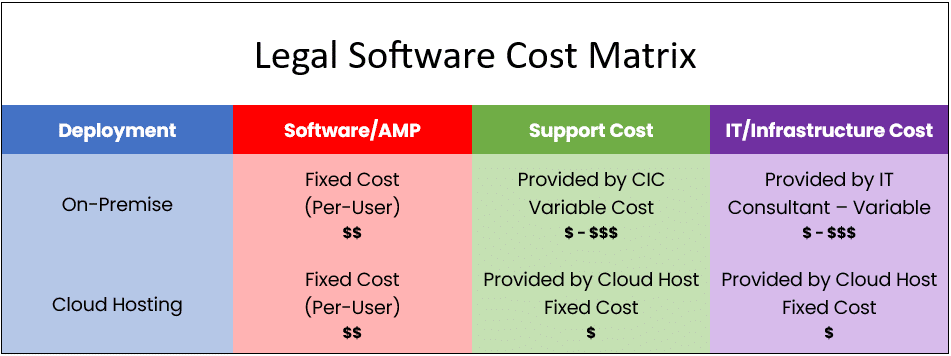
Shifting to Virtual Desktops means offloading computational demands from local servers to the cloud. This transition ensures optimal performance without the hassles of maintaining physical servers.
Plus, outsourcing routine IT tasks to a Cloud Service Provider lets the in-house team focus on strategic growth.

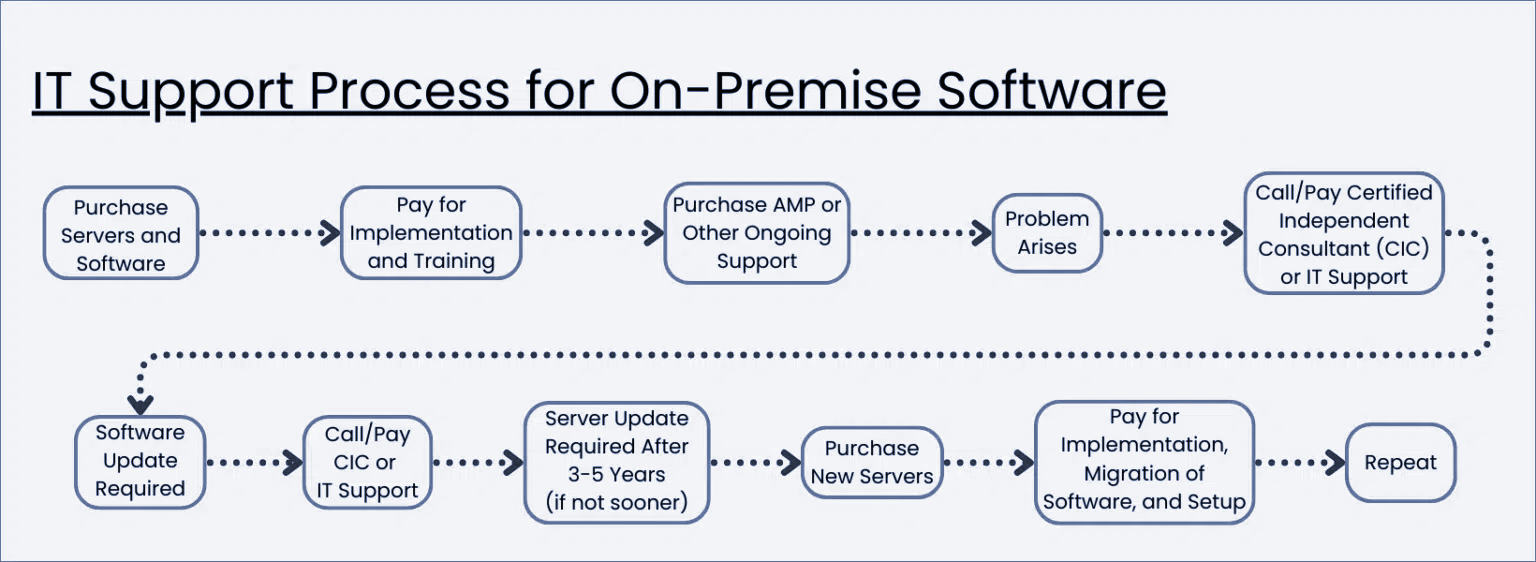
On the other hand, a cloud-hosted solution promises easier, more predictable IT support.

Private Cloud Demonstrated
Most Virtual Desktop platforms look, work, and function like any other (Windows) desktop.
You have a desktop for shortcuts, apps, and files. You have a start menu, a Recycle Bin, and any other items or options that your firm may need. Most law firm Virtual Desktops will be standardized, with the apps and tools everyone in your firm needs, and can be additionally customized on a person-by-person basis.
By way of example, watch the demonstration video of Uptime Cloud (formerly Uptime Practice), our own cloud-based Virtual Desktop platform for law firms.

Private Cloud 101 for Law Firms:
Understand Private Cloud by reviewing how law firm software evolved from desktop-based to cloud-enabled systems.
Next Steps for Your Cloud-Hosting
Selecting the right cloud host is a pivotal step that influences your law firm’s efficiency and security. Start by pinpointing your firm’s needs, from software integrations to data volume and security standards.
As you explore options, you’ll find general platforms like Azure and specialized ones like Uptime Cloud, which is crafted specifically for legal professionals.
Key considerations include the depth of support, with platforms like Uptime Cloud offering tailored assistance, and the robustness of security measures.
Cost is also vital, but it’s essential to weigh the overall value, considering both efficiencies gained and potential challenges avoided. Before committing, test potential platforms and seek feedback from peers, especially those familiar with solutions like Uptime Cloud.
Ultimately, choose a cloud host that aligns with both your current needs and future aspirations, ensuring a blend of tradition and modern efficiency.
Frequently Asked Questions

Uptime Legal’s Technology Solutions
Cloud, software, IT, and document management built for today’s law firms.