Table of Contents
So, you’re exploring the cloud terrain, specifically eyeing AWS for Law Firms, and pondering its viability.
Whether your firm has dabbled in cloud-hosting options or you’re just beginning your ascent into the cloud environment, the journey is often laden with decisions that can seem daunting at first glance.
This article serves as a compass, providing a detailed exploration of AWS (Amazon Web Services), highlighting its potential advantages, inherent challenges, and crucial factors that firms must consider.
AWS for law firms might sound appealing; however, specialized legal cloud solutions could present better alternatives for your law firm. Use this guide to determine the best option for your firm.
Introduction to AWS for Law Firms
Amazon Web Services (AWS) emerges as a significant entity, having established its presence across various industries. But what exactly is AWS, and what implications might it hold for law firms seeking to navigate the digital landscape?
AWS is Amazon’s entry into the cloud services arena, offering a spectrum of integrated services from application hosting to data management and storage solutions.
It’s a platform where businesses, including law firms, can manage applications, secure data, and potentially develop new digital tools.
Understanding AWS is essential for law firms, not because it’s the only solution available, but because it reflects the broader digital transformation trends within the legal sector.
Law firms, traditionally anchored in paper-based practices, now stand at the precipice of the digital era, grappling with increased data volumes, the internationalization of legal services, and the growing need for efficient, tech-driven collaboration.

We’ll explore the potential benefits.
Adopting cloud-hosting solutions like AWS offers certain advantages, such as scalability, that allow law firms to modify their IT resources according to their fluctuating needs. This adaptability is particularly relevant for firms handling variable caseloads or those with diverse data storage demands.
In the process of evaluating various cloud options, it’s crucial to consider both the benefits and the potential drawbacks.
Security, for instance, is a paramount concern for the legal industry due to the sensitive nature of the information handled. While AWS provides certain security measures, it’s vital for law firms to undertake rigorous assessments to understand these features and determine whether they meet their specific security standards.
The transition to digital platforms, including those like AWS, suggests a move towards a more flexible operational approach. However, the decision to shift to AWS should be approached with caution, understanding both the opportunities and challenges it presents.
So, consider your alternatives.
While AWS provides a glimpse into the capabilities of cloud computing for law firms, it is but one option in a sea of many. As we delve deeper, we’ll examine what AWS offers in the context of the legal industry and how it measures up against specialized solutions like Uptime Cloud, providing law firms with the necessary insights to make informed decisions regarding their cloud-hosting strategies.
Overview of AWS Services
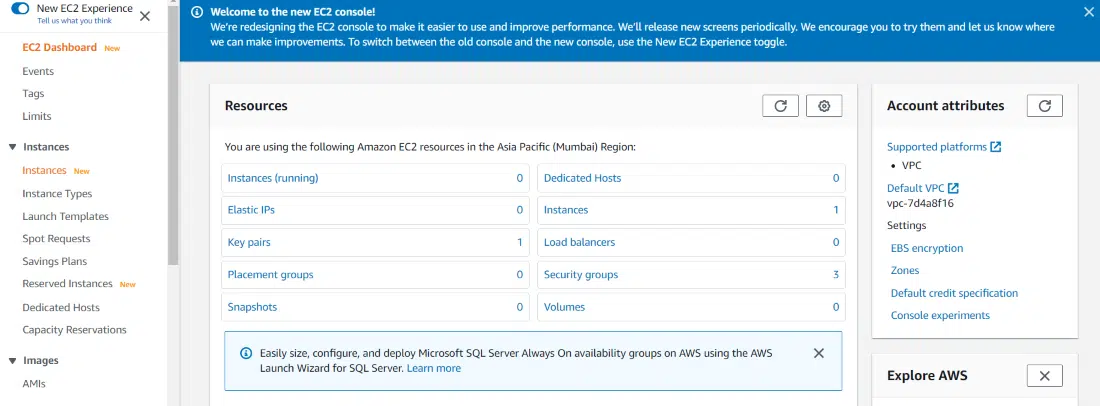
1. Amazon EC2 (Elastic Compute Cloud)
Amazon EC2 offers scalable computing power in the AWS cloud, enabling users to run virtual servers and manage a spectrum of applications.
Law Firm Application
EC2 can accommodate websites, legal practice management tools, or any applications necessitating compute power, with the agility to scale resources based on usage.
2. Amazon S3 (Simple Storage Service)
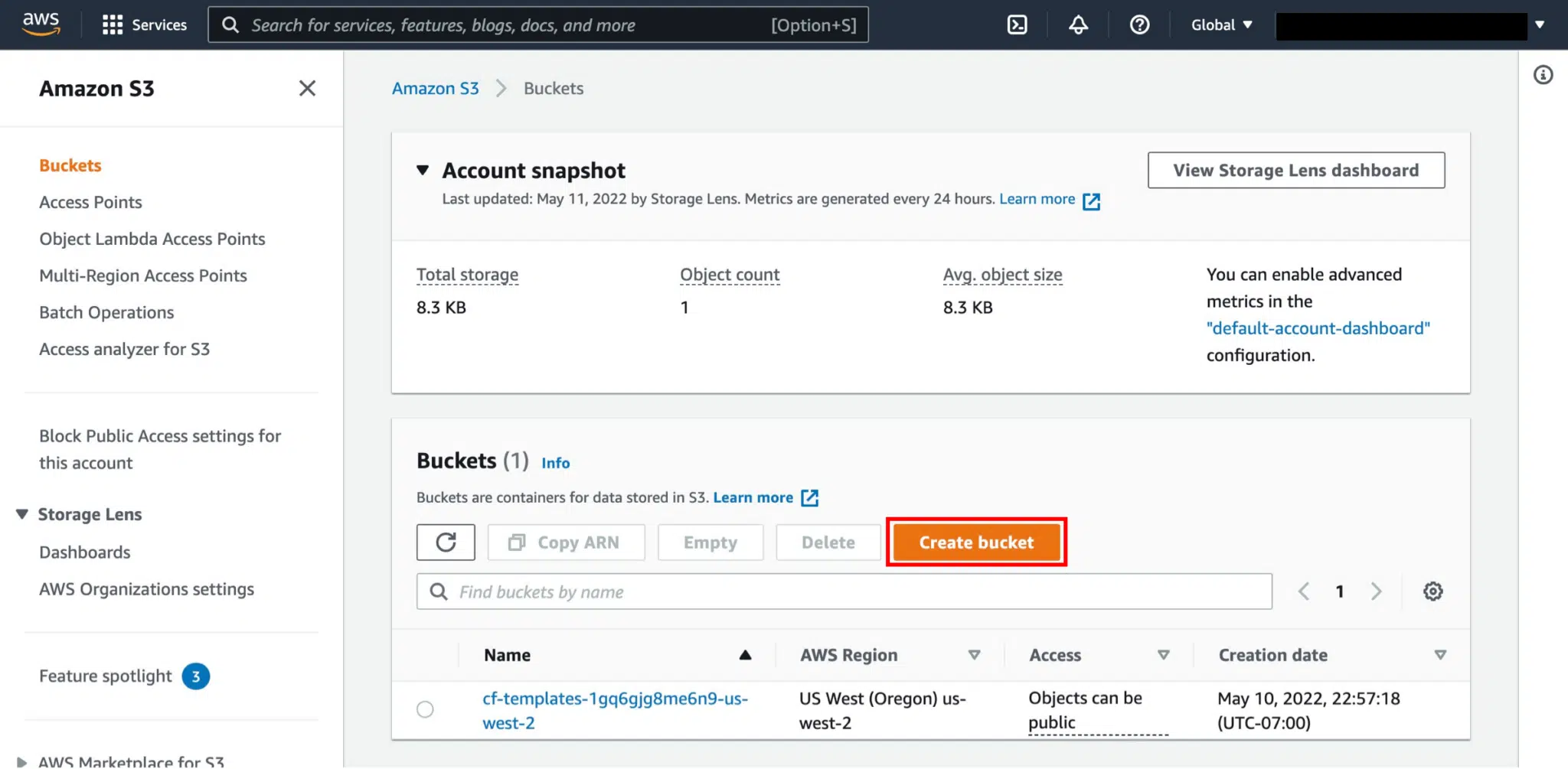
Amazon S3 provides scalable object storage, facilitating the storage and retrieval of any amount of data at any moment.
Law Firm Application
It’s ideal for securely storing case documents, client data, and other legal materials in the cloud, with strong data backup and recovery functionalities.
3. Amazon RDS (Relational Database Service)
Amazon RDS simplifies the process of setting up, operating, and scaling a relational database in the cloud, offering flexible capacity and automated management tasks.
Law Firm Application
RDS can handle databases for case management systems, client databases, or intricate litigation databases, safeguarding data consistency and secure accessibility.

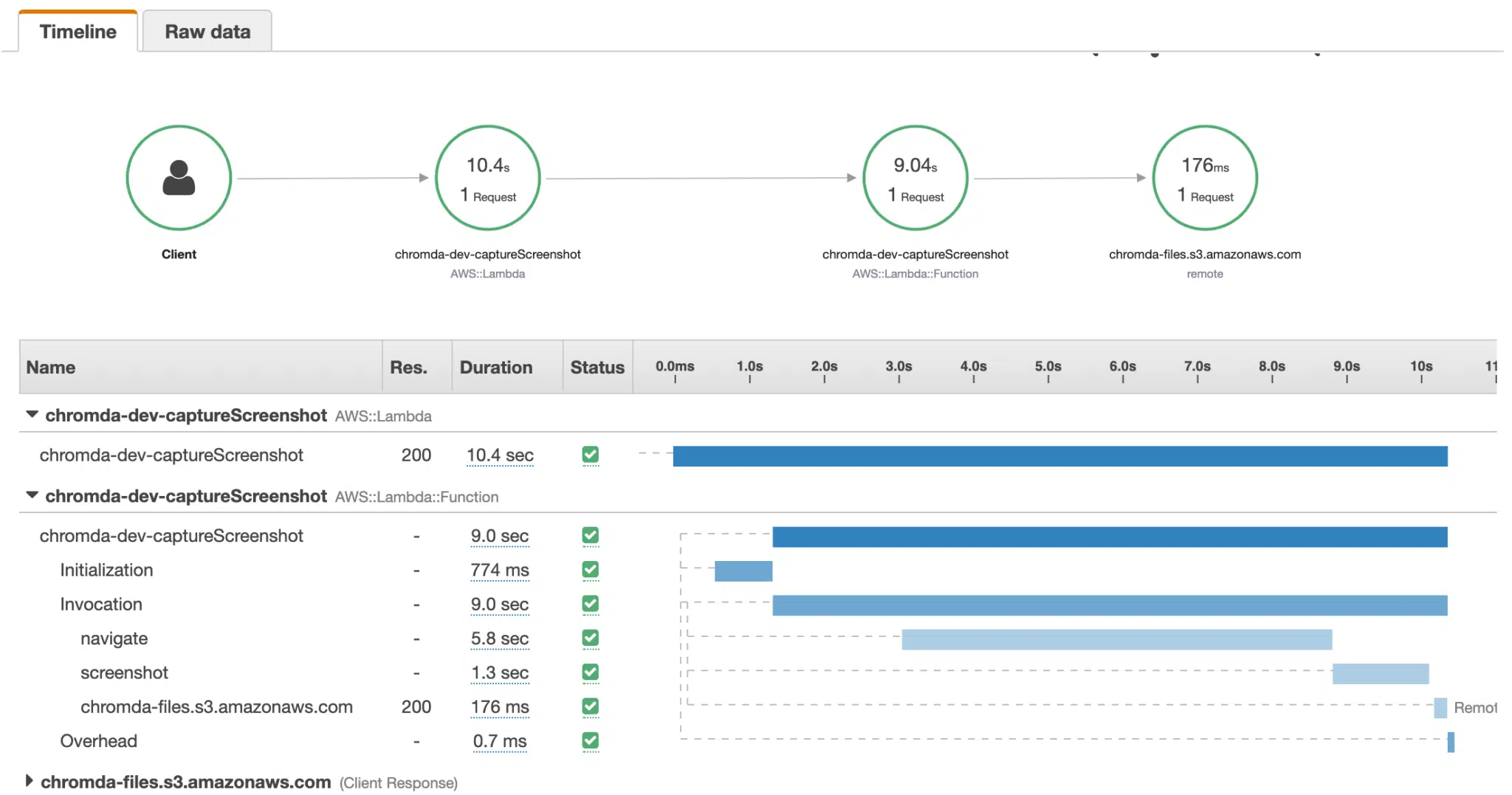
4. AWS Lambda
AWS Lambda permits the execution of code without provisioning or managing servers, billing only for the compute time utilized.
Law Firm Application
Lambda can streamline document workflows, data processing, or any activity executable as code, potentially conserving time and diminishing overhead expenses.
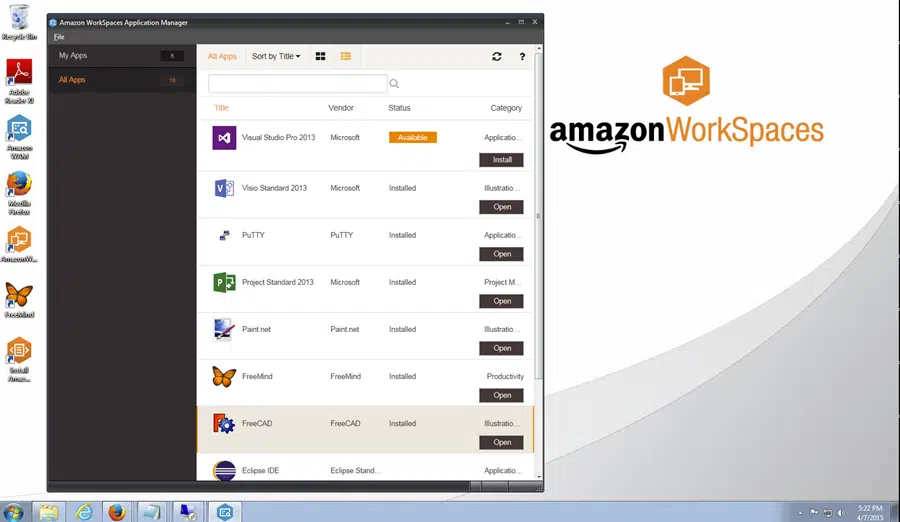
5. Amazon WorkSpaces
Amazon WorkSpaces is a supervised, secure Desktop-as-a-Service (DaaS) solution, enabling users to access their desktops from any location.
Law Firm Application
WorkSpaces facilitates remote entry to legal applications and documents, enabling telecommuting for attorneys and staff, and assuring secure, immediate access to necessary resources.
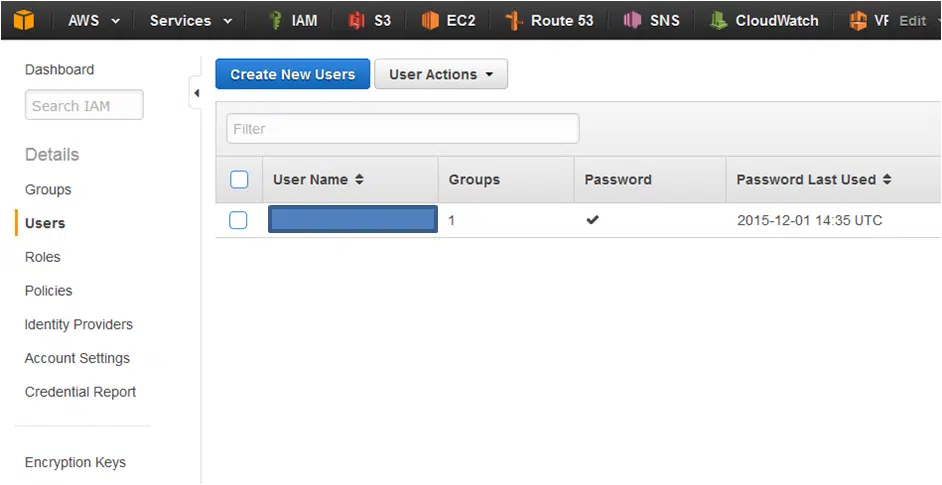
6. AWS Identity and Access Management (IAM)
AWS IAM assists in securely managing access to AWS services and resources, allowing the creation and management of AWS users and groups.
Law Firm Application
IAM is essential for sustaining secure control over access to sensitive legal data, ensuring only authorized individuals have access to certain resources.
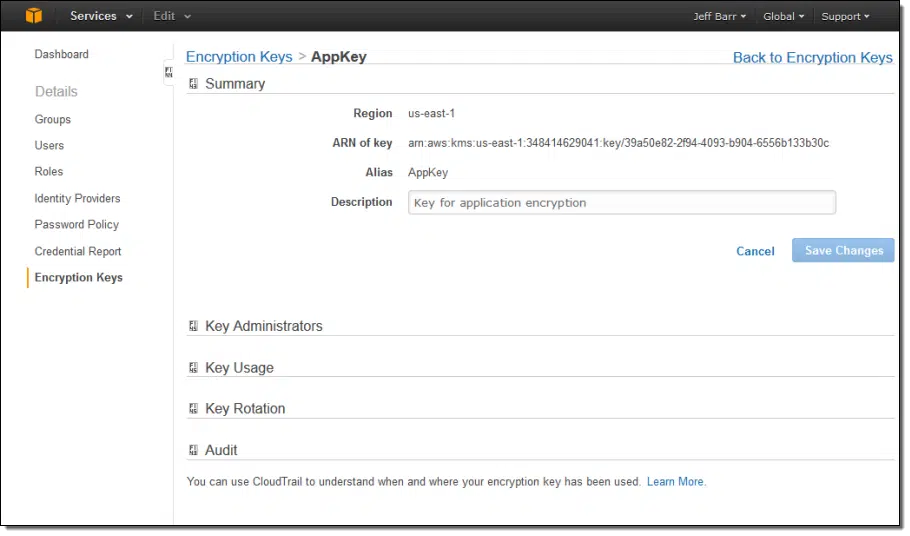
7. AWS Key Management Service (KMS)
AWS KMS is a managed service that simplifies the creation and control of encryption keys used to encrypt data.
Law Firm Application
KMS enhances the security of stored information by offering encryption, crucial for the protection of sensitive legal data.
These services are a snapshot of what AWS offers, underscoring the platform’s adaptability.
Nonetheless, law firms must recognize that effectively harnessing these services demands a degree of IT acumen and a comprehensive understanding of cloud computing.
AWS is not a turnkey solution.
Firms should also evaluate their unique needs, potential compliance implications, and security prerequisites when contemplating the integration of AWS services into their practice.

How to Use AWS for Law Firms
Amazon Web Services (AWS) is a powerhouse in the cloud computing world, offering a vast array of services. However, for law firms, diving into AWS, especially services like EC2 (Elastic Compute Cloud) and S3 (Simple Storage Service), might not yield immediate, tangible benefits.
These services, while robust and versatile, aren’t designed for direct end-user interaction. Instead, they serve as foundational tools, akin to raw ingredients in a culinary dish.
Consider EC2, for instance. It’s a service that allows users to run virtual servers in the cloud. While this sounds promising, the practical application isn’t straightforward for a law firm.
You could, theoretically, use EC2 to set up a virtual server, install a Windows operating system on it, and then run your legal software. But the process isn’t as simple as clicking a few buttons. It requires a deep understanding of cloud infrastructure, server management, and software configurations.
Similarly, S3 offers scalable storage solutions. But using it directly for storing sensitive legal documents without the right configurations and security protocols might not be ideal.
It’s not just about storing files; it’s about ensuring they’re stored securely, organized efficiently, and accessible when needed.
This is where the expertise of IT professionals becomes invaluable. Just as a chef knows how to combine ingredients to create a gourmet dish, IT experts can harness the raw power of AWS services to craft solutions tailored for law firms.
Only they will be able to set up, configure, and manage these services, ensuring that the firm reaps the benefits without getting bogged down by the technical intricacies.
In essence, while AWS offers the tools, it’s the expertise of IT professionals that transforms these tools into solutions optimized for legal operations.
If your firm is considering AWS, it’s crucial to be ready for collaboration with those who understand both the platform and the unique needs of the legal industry.
Integrations of AWS for Law Firms
AWS’s array of services offers law firms a golden opportunity to modernize, streamline, and enhance their operations.
Beyond the basic functionalities, there are strategic avenues through which law firms can tap into AWS’s capabilities to foster efficiency, collaboration, and innovation.
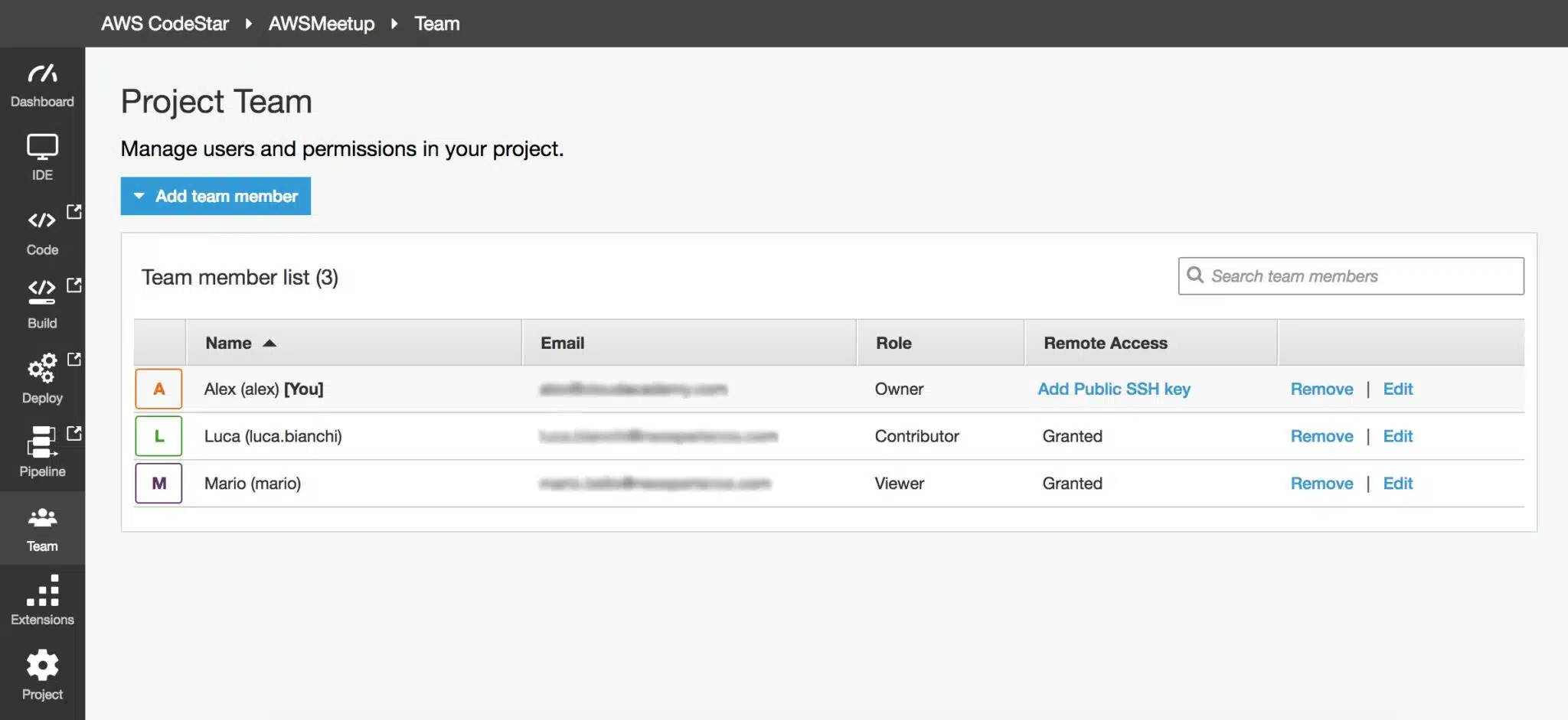
AWS CodeStar offers a unified interface for managing software development activities in one place.
For law firms venturing into bespoke software creation, like client interfaces or internal utilities, AWS CodeStar can simplify the development trajectory, promoting synergy between internal developers, external advisors, and legal experts.
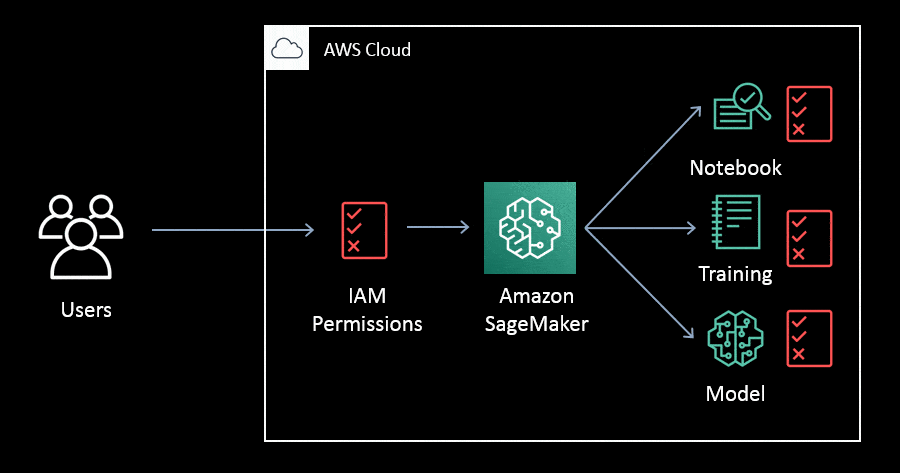
Amazon SageMaker facilitates the building, training, and deployment of machine learning models.
Law firms can harness AI to mechanize routine chores, such as document scrutiny or legal exploration. For instance, a predictive algorithm could be calibrated to detect and classify pertinent legal precedents, refining the research endeavor.
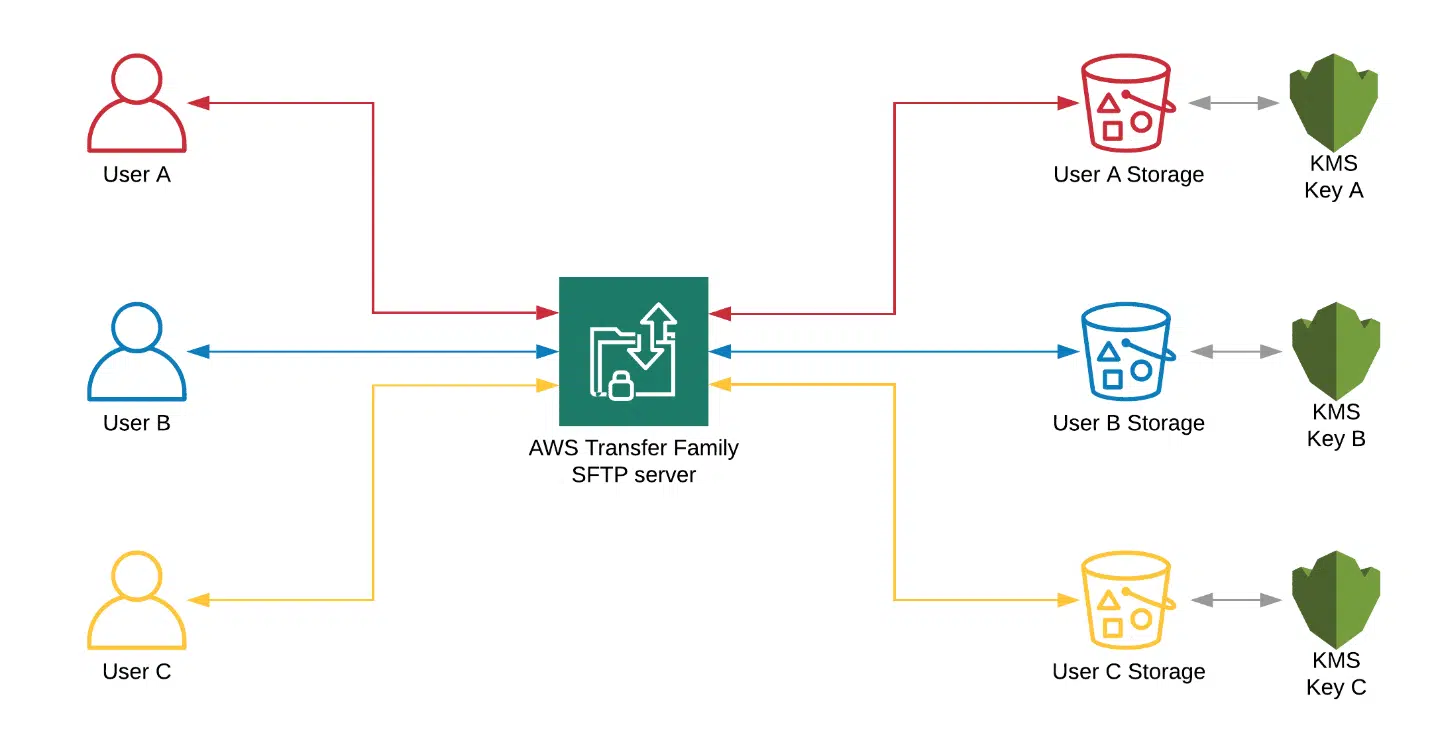
Amazon S3 provides scalable object storage, and AWS Transfer Family offers secure file transfer services.
Safely disseminate files with clients, fellow attorneys, or external advisors. During a collaborative litigation, for example, all participating entities can tap into a centralized cache of mutual documents, ensuring uniformity and instantaneous collaboration.
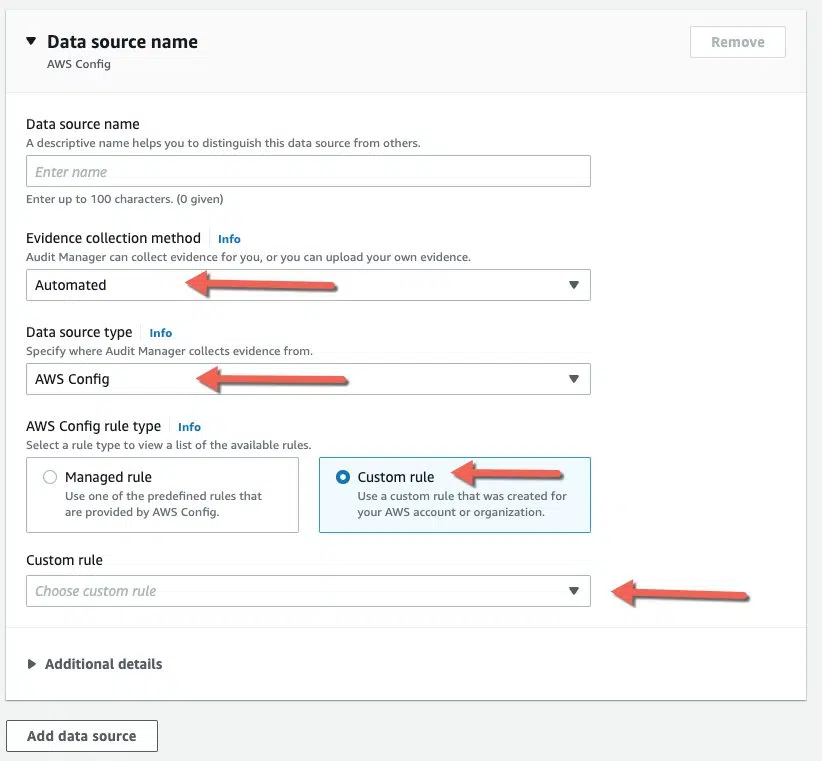
AWS Config enables you to assess, audit, and evaluate the configurations of your AWS resources.
Given the rigorous regulations that law firms navigate, AWS Config can be instrumental in ensuring all cloud activities conform to sector-specific compliance mandates, such as data preservation protocols or client secrecy norms.
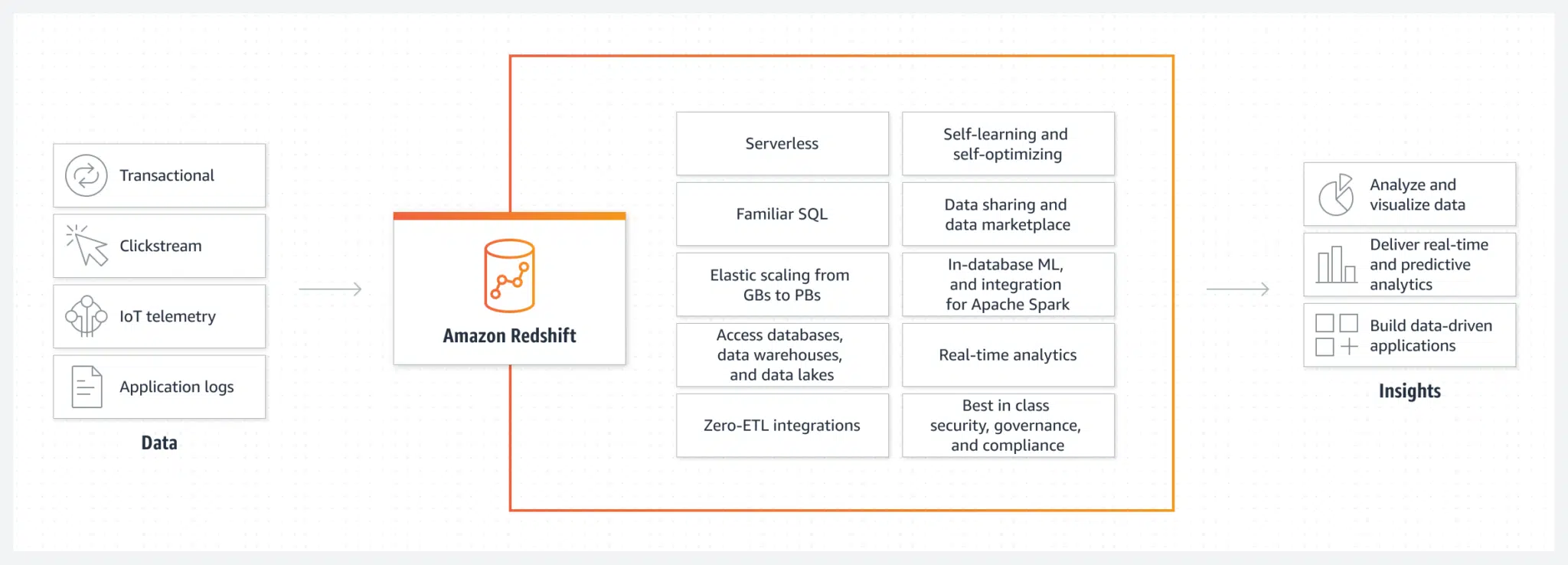
Amazon Redshift is a fully managed data warehouse service in the cloud.
Law firms can sift through vast case repositories to discern trends, anticipate outcomes, or even gauge the likelihood of success for specific case genres. For instance, by evaluating past litigation, a firm could pinpoint patterns that shape its strategy for upcoming analogous cases.
Amazon WorkSpaces is a managed, secure Desktop-as-a-Service (DaaS) solution.
Law firms can utilize Amazon WorkSpaces to empower their legal teams and staff to access their work interfaces, tools, and data from any venue, safeguarding operational continuity and efficiency.


Virtual Desktops for Law Firms:
How They Work, and Why Your Law Firm Should Probably Use Them.
We highlighted some of the most useful ways to use AWS for law firms, but we want to remind you once more — AWS is not turnkey.
In order to properly utilize and execute AWS for law firms, dedicated IT support and developers are necessary.
So, while you can take advantage of AWS functionality, tailoring the process for your firm with a professional on board is the best way to bring it to fruition.
Benefits of Using AWS for Law Firms
AWS offers a range of potential benefits for law firms, but it’s essential to approach its adoption with a clear understanding of the platform’s capabilities and how they align with the firm’s specific requirements and objectives.
Drawbacks of Using AWS for Law Firms
Proper planning, understanding of the platform, and possibly seeking external expertise can help navigate these drawbacks.
Alternatives to AWS — Comparing Cloud-Hosting Solutions
Uptime Cloud

Uptime Cloud isn’t merely another cloud-hosting service; it’s a platform meticulously designed with law firms in mind. By understanding the distinct challenges and needs of the legal sector, Uptime Cloud guarantees a seamless and secure operation of legal software, data, and applications. Whether the goal is to transition a single legal tool to the cloud or to establish a comprehensive cloud-based platform for multiple applications, Uptime Cloud provides bespoke solutions.
STAND-OUT FEATURES
PRICING
Uptime Cloud has various options, depending on the size of your team and your firm’s needs. There is a standard base pricing, which you can view here, and pricing increases with respect to the number of users.
Google Cloud Platform (GCP)
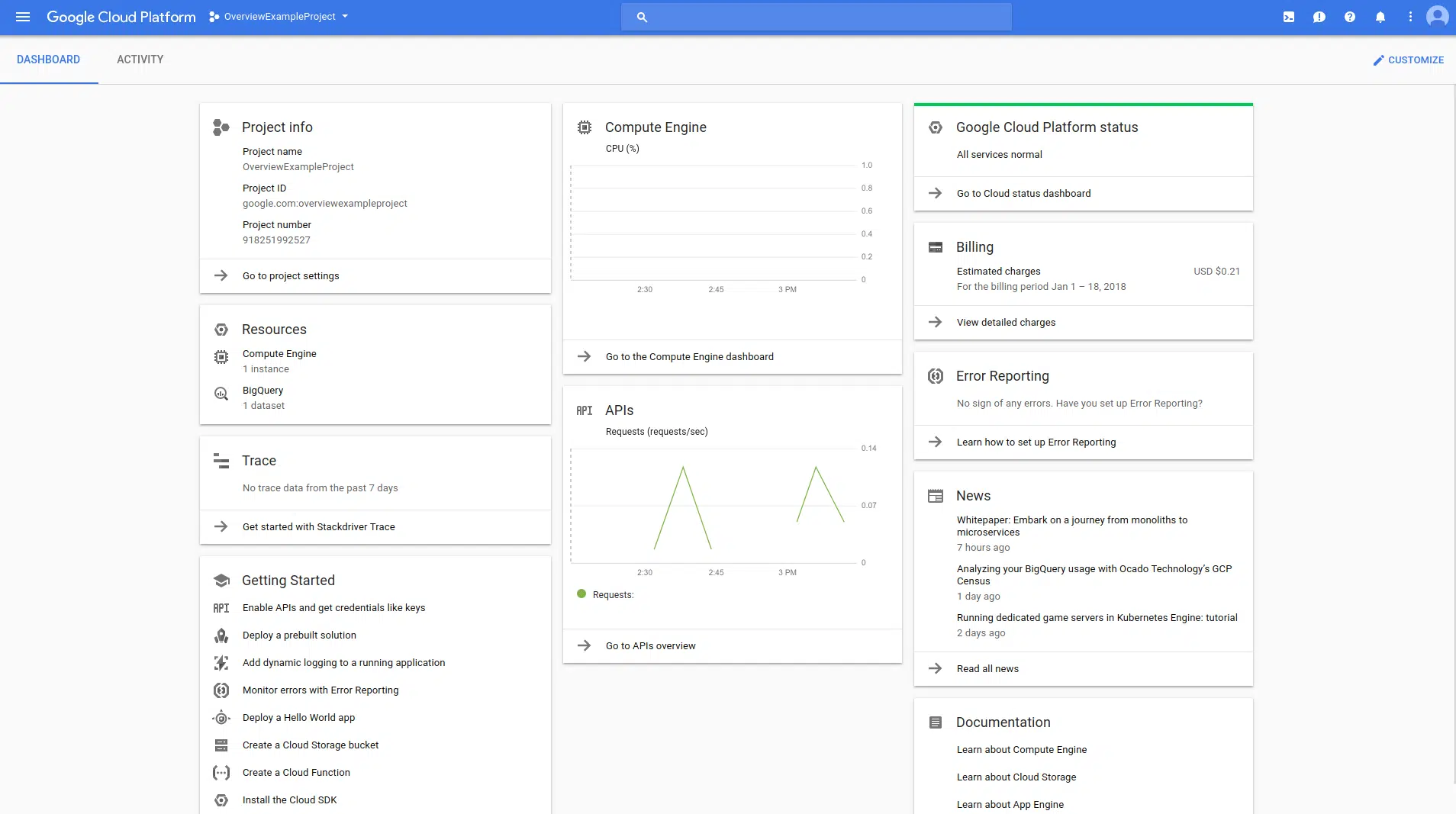
GCP, Google’s venture into the cloud arena, stands out for its pronounced focus on data analytics, machine learning, and harmonizing with open-source platforms. It boasts a collection of tools that harness Google’s extensive infrastructure and prowess in data management and insights.
STAND-OUT FEATURES
PRICING
GCP’s pricing is competitive, often with incentives or credits for new users. Like others, it operates on a pay-as-you-go model.
Microsoft Azure
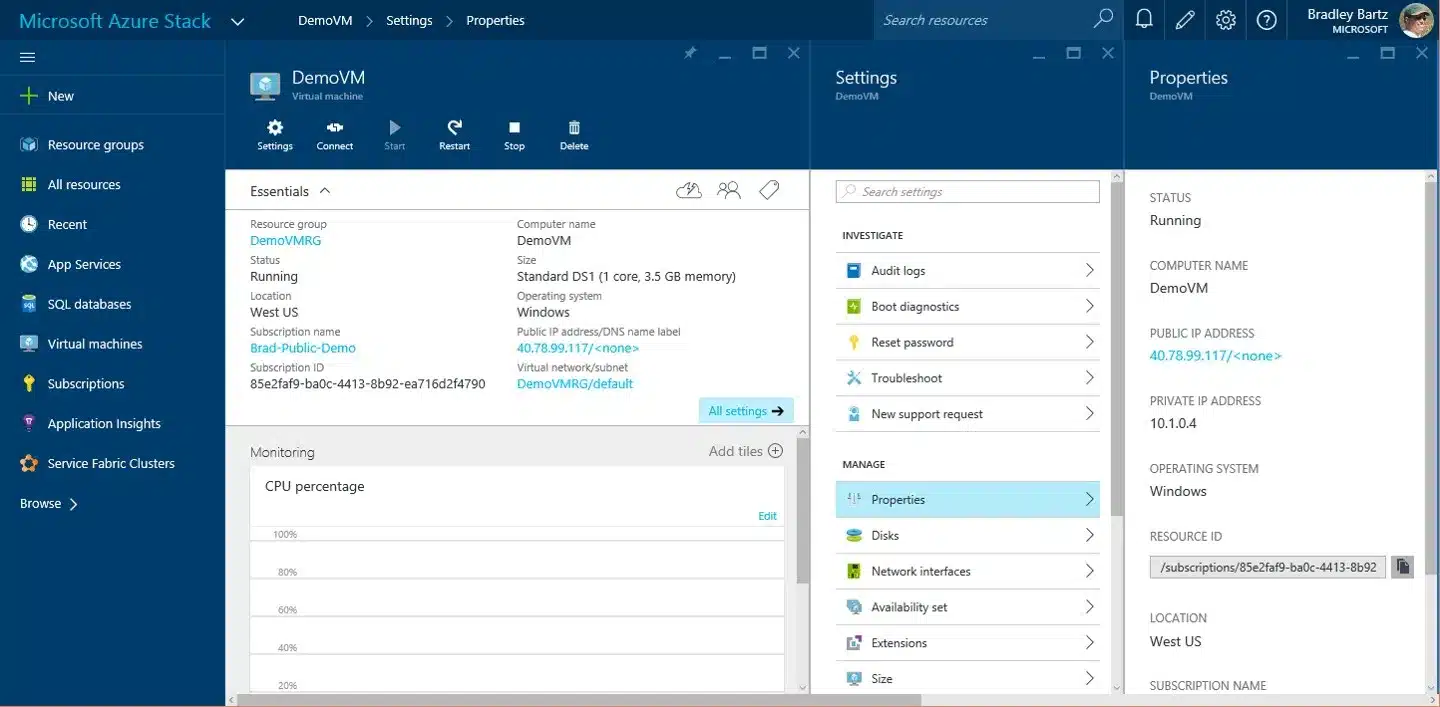
Azure is Microsoft’s foray into the cloud computing domain. It encompasses a myriad of services designed to cater to a wide array of IT demands. Azure’s infrastructure spans globally, ensuring consistent and reliable services across different regions.
STAND-OUT FEATURES
PRICING
Azure adopts a pay-as-you-go pricing strategy, with costs fluctuating based on the specific services chosen.
IBM Cloud

IBM Cloud provides a collection of cloud computing services, merging platform as a service (PaaS) with infrastructure as a service (IaaS). It also harmonizes effectively with Watson, IBM’s AI platform.
STAND-OUT FEATURES
PRICING
IBM Cloud’s pricing is multifaceted, including a complimentary tier with a $200 credit for a month, adaptable pay-as-you-go choices, reserved slots for term commitments, and a range of tailored payment plans, such as loans and leasing.
The Case for a Private Cloud
Navigating the digital demands of modern law practices, private cloud solutions stand out as a beacon of efficiency and security.
Whether your choice leans towards AWS for cloud-hosting or a more specialized legal option like Uptime Cloud, the reasons for adopting a private cloud are both compelling and substantial.
To discuss further, here are the key reasons why law firms might contemplate this technological transition:
By being cloud-oriented, Virtual Desktops negate the substantial costs associated with conventional IT infrastructures. These savings can be redirected to other crucial facets of the practice.
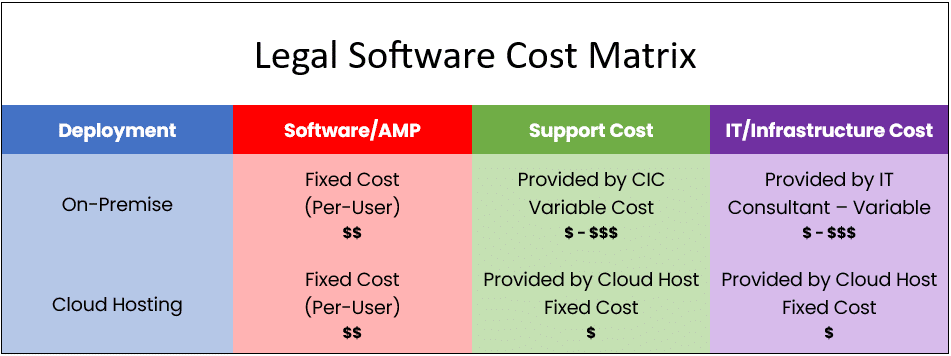
Transitioning to Virtual Desktops translates to shifting computational workloads from on-premises servers to the cloud. This move guarantees peak performance without the intricacies of managing tangible servers.
Moreover, delegating regular IT chores to a Cloud Service Provider allows the internal team to concentrate on strategic expansion.

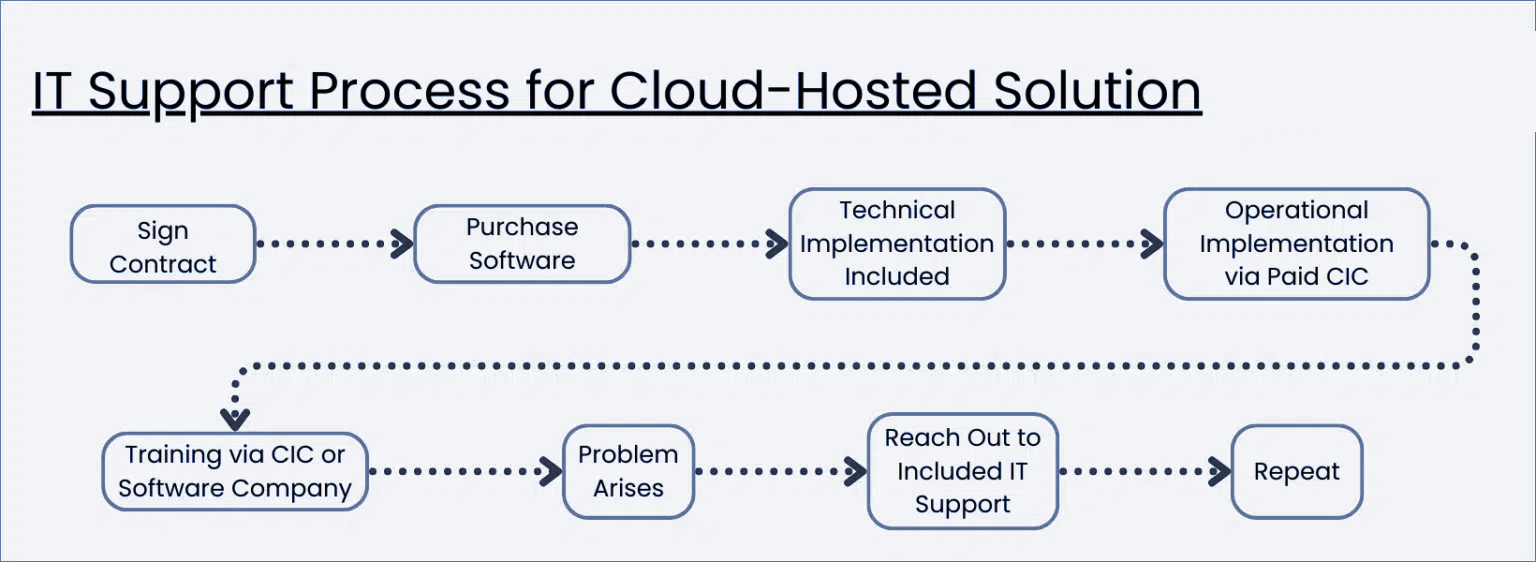
On the other hand, a cloud-hosted solution promises easier, more predictable IT support.
Private Cloud Demonstrated
Most Virtual Desktop platforms look, work, and function like any other (Windows) desktop.
It encompasses a desktop space for shortcuts, applications, and documents, complemented by a start menu, a Recycle Bin, and any other requisite features. Most legal Virtual Desktops come standardized, equipped with essential applications, and can be further tailored to individual preferences.
By way of example, watch the demonstration video of Uptime Cloud (formerly Uptime Practice), our own cloud-based Virtual Desktop platform for law firms.
Next Steps for Your Cloud-Hosting
Choosing the appropriate cloud host is a critical decision that can shape your law firm’s operational efficiency and data security. Begin by identifying your firm’s specific requirements, ranging from software compatibility to data capacity and security protocols.
In your search, you’ll encounter versatile platforms like AWS and niche solutions like Uptime Cloud, designed expressly for the legal sector.
Crucial factors to ponder include the quality of support, with platforms such as Uptime Cloud providing bespoke guidance, and the strength of security protocols.
While pricing is a significant factor, it’s imperative to assess the holistic value, taking into account both the operational advantages and potential pitfalls sidestepped. Before finalizing your choice, experiment with potential platforms and solicit opinions from colleagues, particularly those acquainted with platforms like Uptime Cloud.
In the end, opt for a cloud host that resonates with your immediate requirements and long-term goals, striking a balance between time-honored practices and contemporary efficiency.

Private Cloud 101 for Law Firms:
Understand Private Cloud by reviewing how law firm software evolved from desktop-based to cloud-enabled systems.
Frequently Asked Questions

Uptime Legal’s Technology Solutions
Cloud, software, IT, and document management built for today’s law firms.