We’re often asked: “What is the best law practice management software?” That’s a bit like asking what the best kind of car is. The answer, of course, depends on what your needs are.
For instance, some law practice management solutions focus heavily on accounting, but if your firm already has accounting software it’s committed to, that focus is meaningless to you.
Other case management solutions focus on document and form creation — a must-have for some law firms but not all.
We recommend that every law firm searching for law practice management software start by identifying what features and functions are most important to you. This will help you narrow down the (long) list of suitors and provide a framework you can hold each option against.
Whether you’re new to Law Practice Management software, or you’re looking for software that better suits your needs, read on to learn about the top software for your firm. You may find that there are more optimal choices than what software or process your currently using.
What Is Law Practice Management Software?
Law practice management software is designed to help law firms manage their day-to-day operations. This type of software typically includes features for case management, client records, billing and invoicing, scheduling, and document storage.
By consolidating these essential functions into one integrated system, law practices can improve efficiency, reduce errors, and free up time to focus on their clients’ needs.
The market for this software has expanded from a few key players to a crowded space full of vendors, each competing for attention with unique features and promises. Law firms have an unprecedented selection of software to choose from, meaning there’s the perfect software for everyone.
But figuring out the perfect software for you can be daunting, especially for firms just starting their search for the perfect case management solution.
Fortunately, we’ve got you covered.
We work closely with hundreds of law firms across North America and, in doing so, have had hundreds of conversations about legal practice management software. What do firms like? What do they not like? What systems are they moving to?
From cloud-based to server/desktop-based software, from case management to billing and accounting, this list outlines the most used and best legal practice management software for law firms.
For whichever software you choose, consider using Uptime Cloud to host it.

Law Practice Management Software — A Guide to Features
Law Practice Management software is a platform that, to varying degrees, manages each aspect of your law firm.
The scope, features, and capabilities of any given Law Practice Management application vary from product to product; though broadly speaking, LPM software performs the following functions.
The Top Law Practice Management Software – Our List
In our extensive experience working with hundreds of law firms, here is our list of the best law practice management software (in no particular order).
- Server-Based/Private Cloud: Can run traditionally on servers or can be hosted in a private cloud for anywhere access.
- Cloud/Web-Based: Natively cloud-based (SaaS) and runs in a web browser.
Server-Based Software
Cloud-Based Software
Considering the Cloud?
A Private Cloud will host your server-based legal software, documents, and data in the cloud. Get the reliability, securit,y and mobility of the cloud without sacrificing your software. Get in touch with our team to learn more.
Server-Based/Private Cloud LPM Software
PCLaw
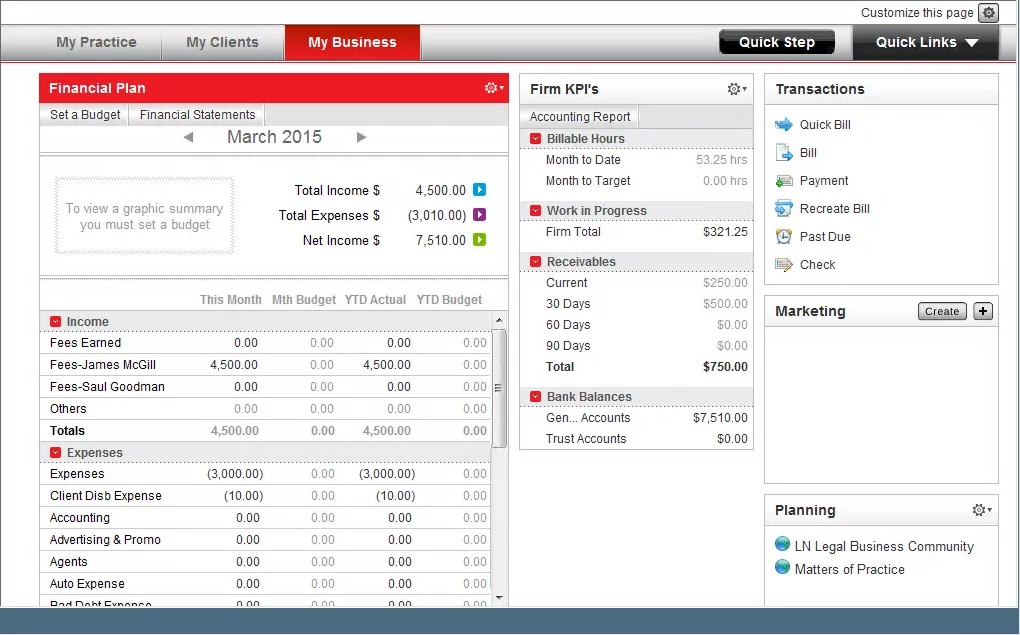
PCLaw is a popular, long-standing practice management, billing, and accounting solution for small and midsize law firms. It includes lightweight practice management (clients, cases, and calendars), coupled with robust time tracking, billing, and accounting (including robust financial reporting). PCLaw is one of the few all-in-one solutions that doesn’t require separate software for bookkeeping and accounting.
STAND-OUT FEATURES
PRICING
Tabs3 / PracticeMaster
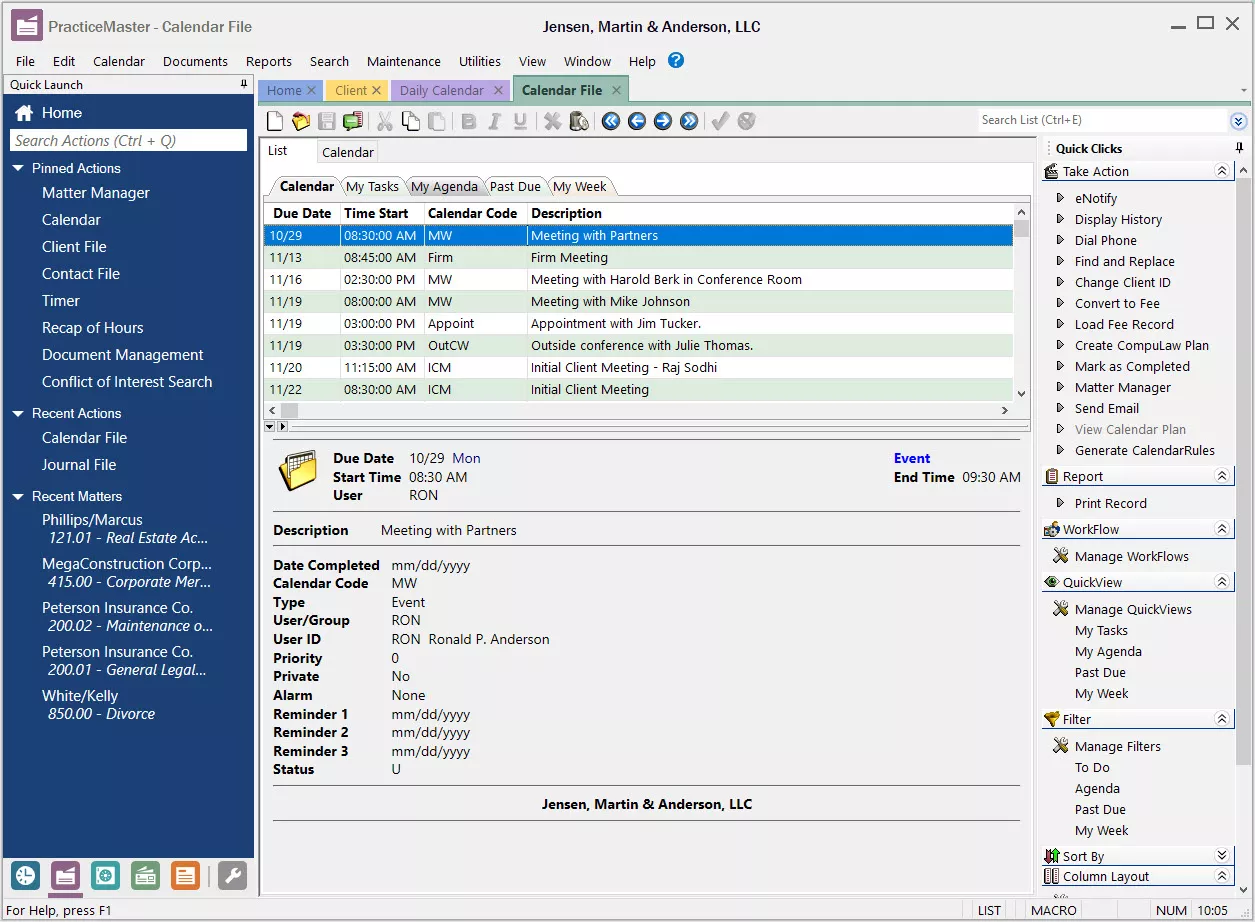
Tabs3 and its counterpart, PracticeMaster, are a suite of robust case management, billing, and accounting solutions for law firms. Tabs3 provides essential “back-office” functionality, including time, billing, and accounting; PracticeMaster provides powerful “front-office” capabilities, including client and matter management.
STAND-OUT FEATURES
PRICING
ProLaw
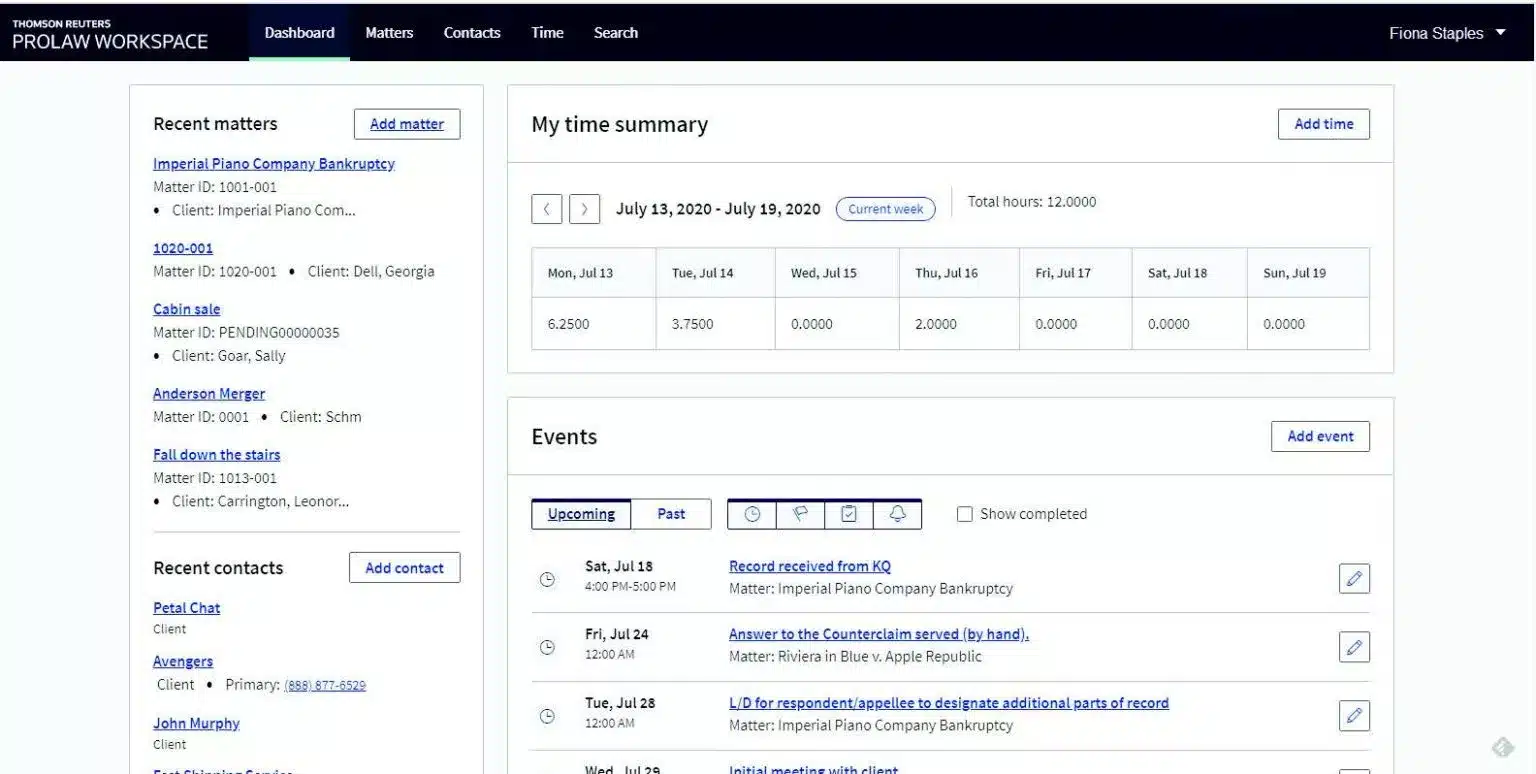
ProLaw is robust practice management, document management and accounting software for law firms. It’s the only legal software platform that includes all three of these main pillars to running a law practice.
STAND-OUT FEATURES
PRICING
Time Matters
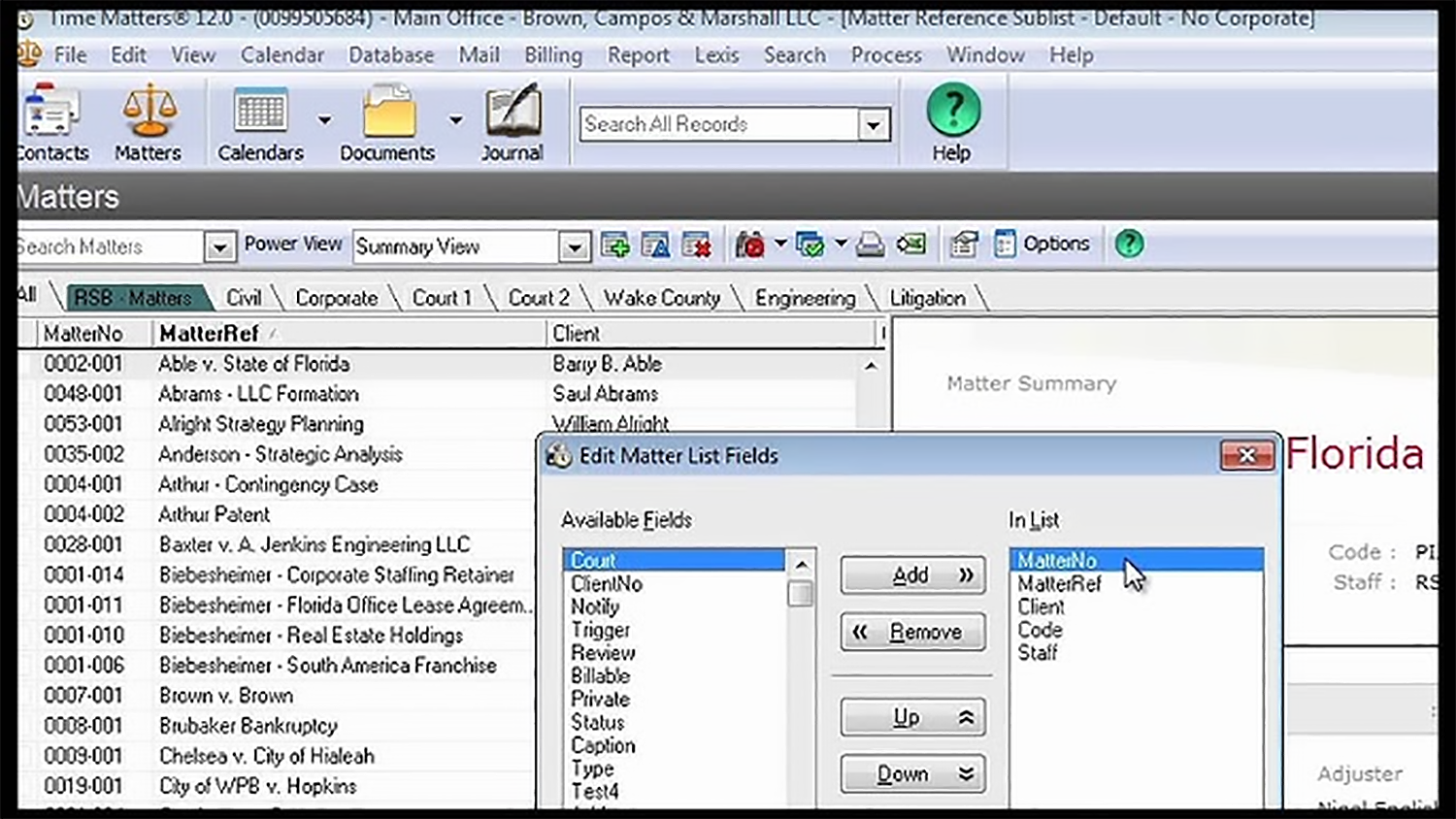
Time Matters is a long-standing, popular Practice Management and Document Management solution. Time Matters is unique in its mix of LPM and DMS capabilities, a well as being one of the most customizable practice management products on the market.
STAND-OUT FEATURES
PRICING
Cloud/Web-Based LPM Software
Clio
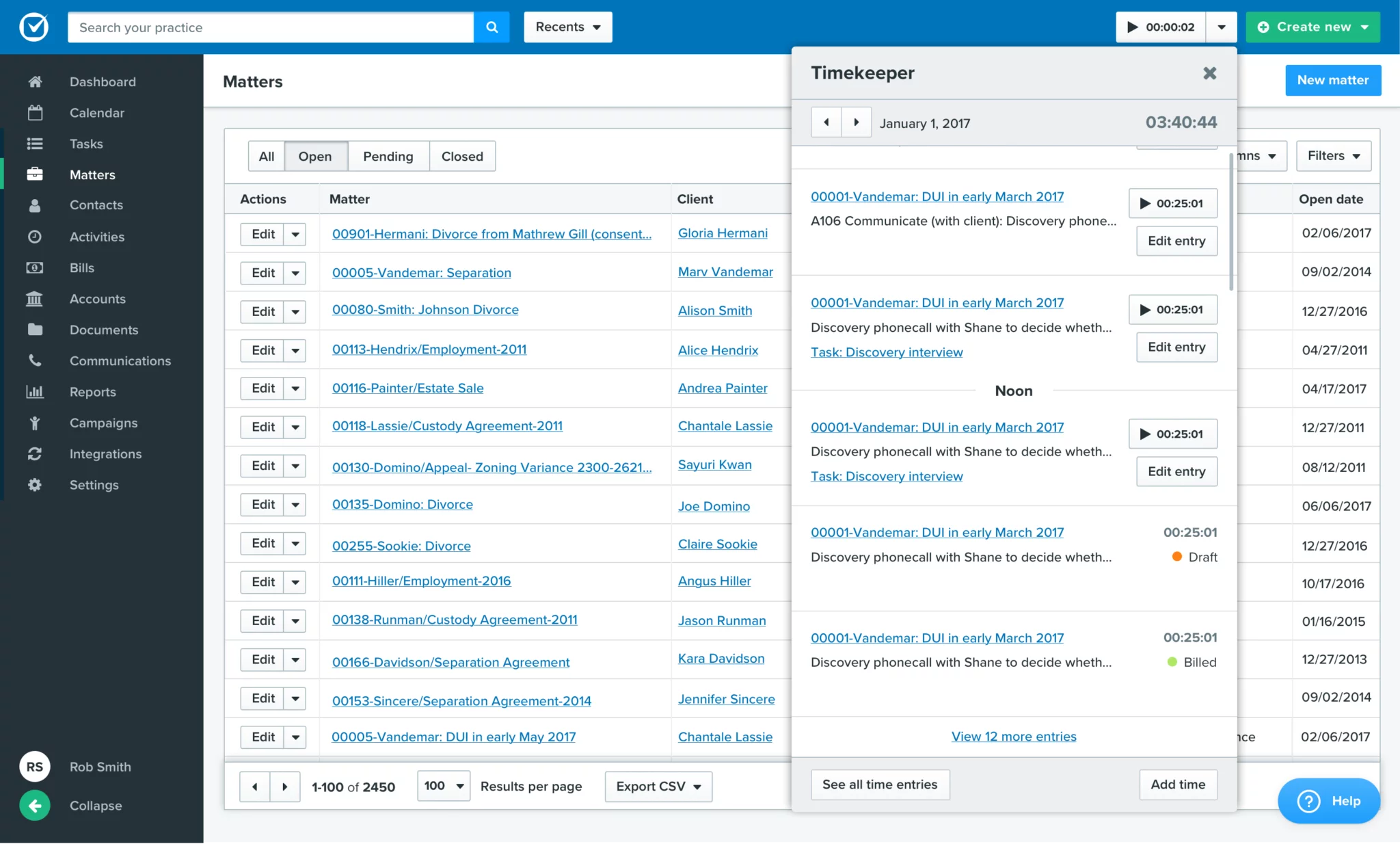
Clio Manage is among the most popular cloud-based legal practice management solutions. Clio is best suited for solo and small law firms, and law firms that are looking for a more lightweight law practice management solution. Clio is well known for its streamlined interface, simple navigation, and overall ease of use.
STAND-OUT FEATURES
PRICING
Actionstep
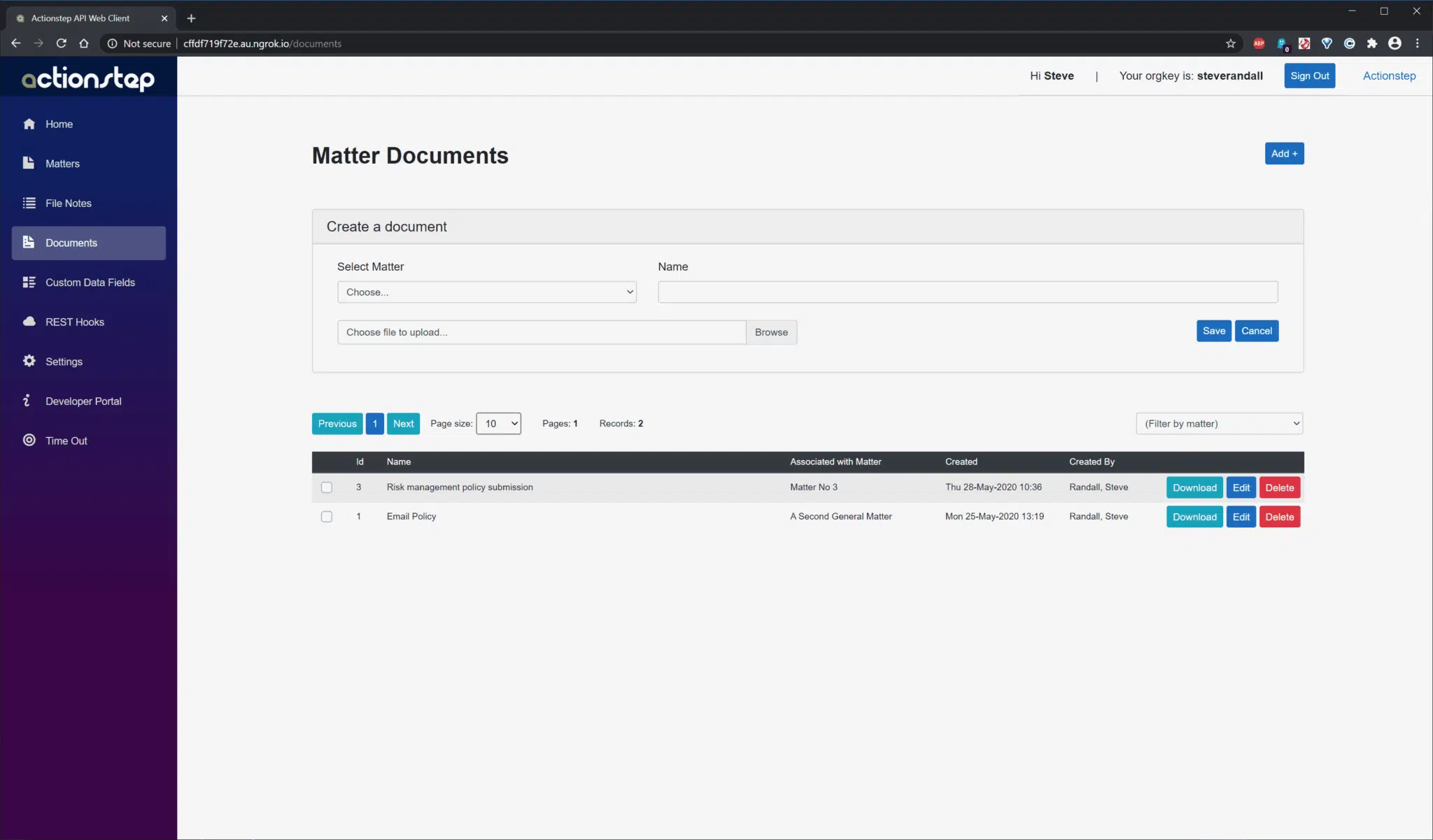
Actionstep offers a comprehensive solution for managing both front-of-house and back-of-house operations on a single platform. With features ranging from accounting and billing to email and document management/automation, lawyers can efficiently handle various tasks within Actionstep.
STAND-OUT FEATURES
PRICING
Smokeball
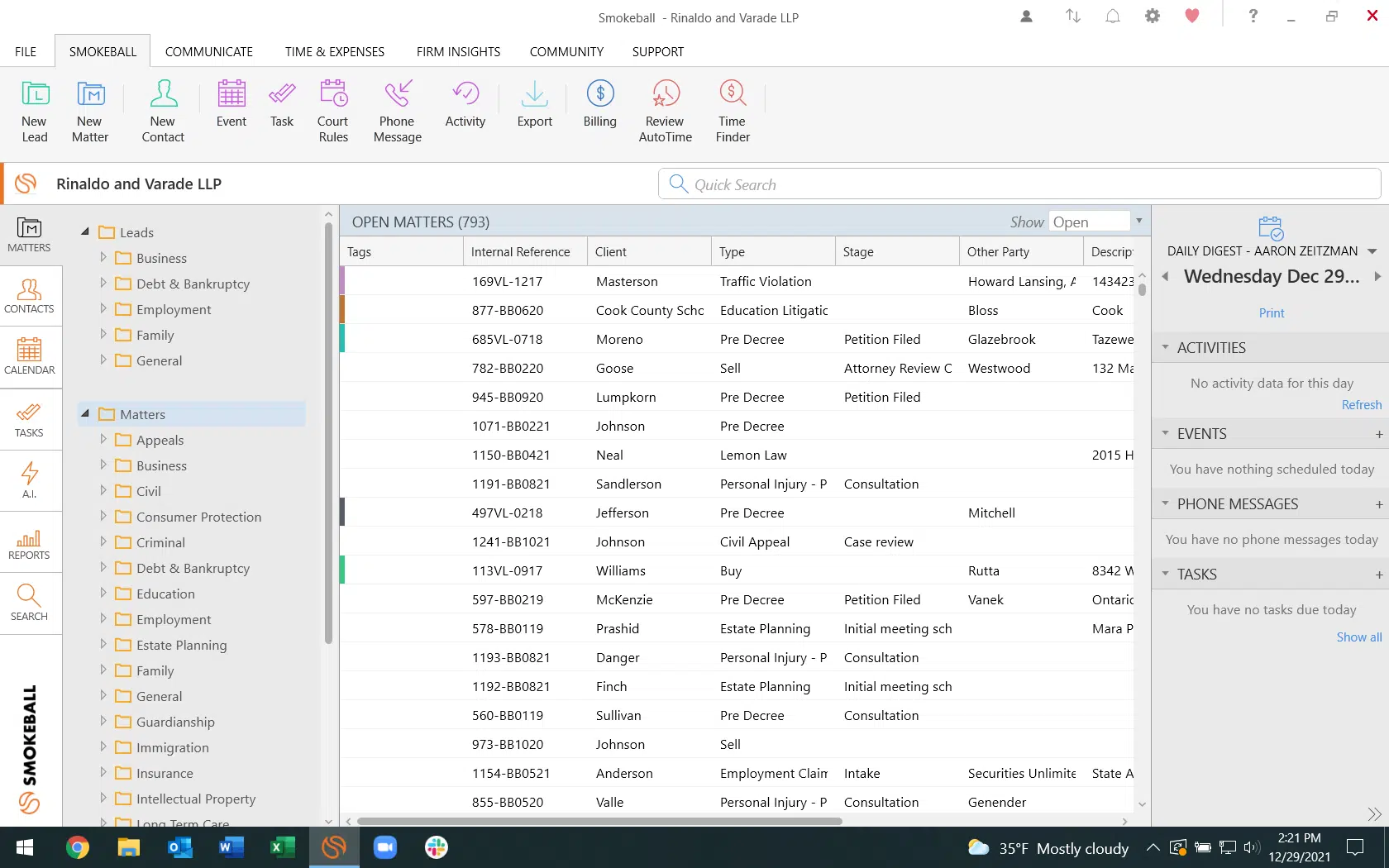
Smokeball is a versatile Law Practice Management software with substantial document management and automation features that are well-integrated with Microsoft and Outlook. It allows users to intake and onboard leads, manage legal cases, handle billing and trust accounting, and analyze data and reporting through a dashboard.
STAND-OUT FEATURES
PRICING
LEAP
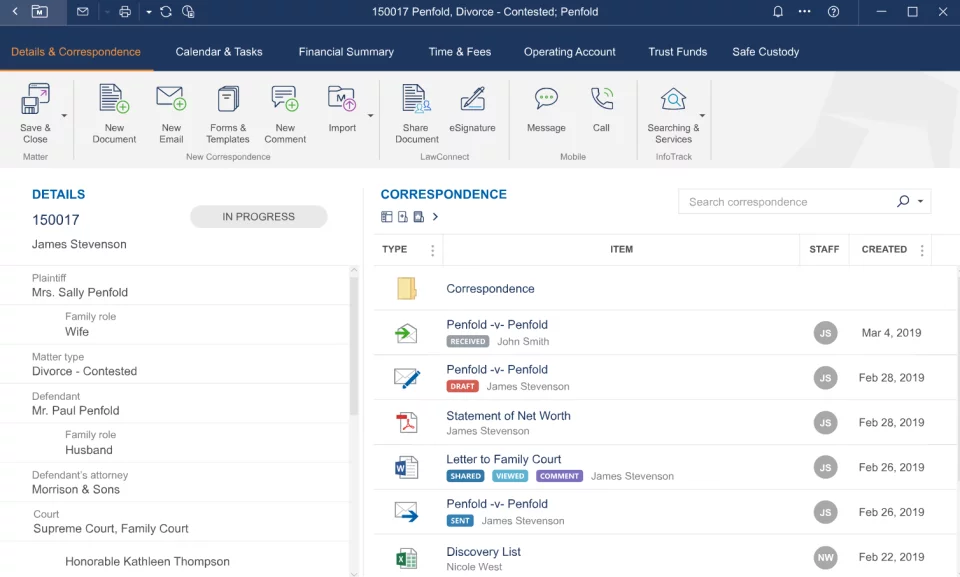
LEAP is possibly the most robust of the web-based law practice management applications. It provides time, billing, client, and matter management and calendaring. Where LEAP really shines is its comprehensive library of state and federal forms (document automation).
STAND-OUT FEATURES
PRICING
CosmoLex
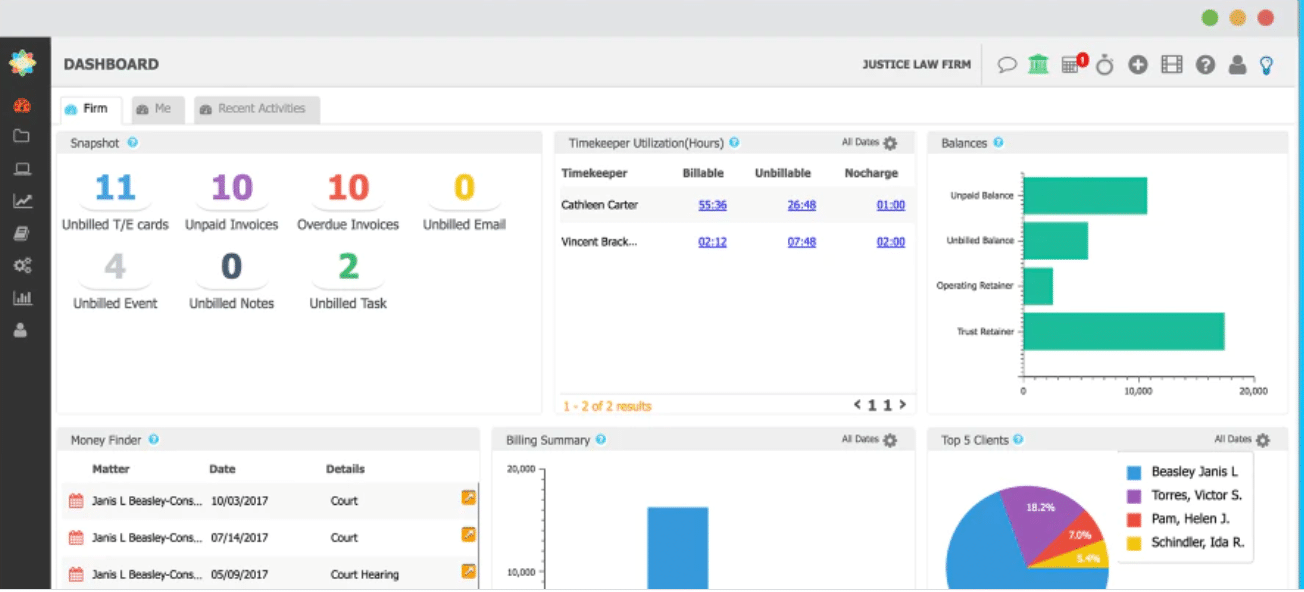
CosmoLex is a cloud-based law practice management and accounting solution. It includes client and matter management, time, billing, business accounting, and trust/IOLTA accounting, thereby eliminating the need for QuickBooks or other accounting software.
STAND-OUT FEATURES
PRICING
Rocket Matter
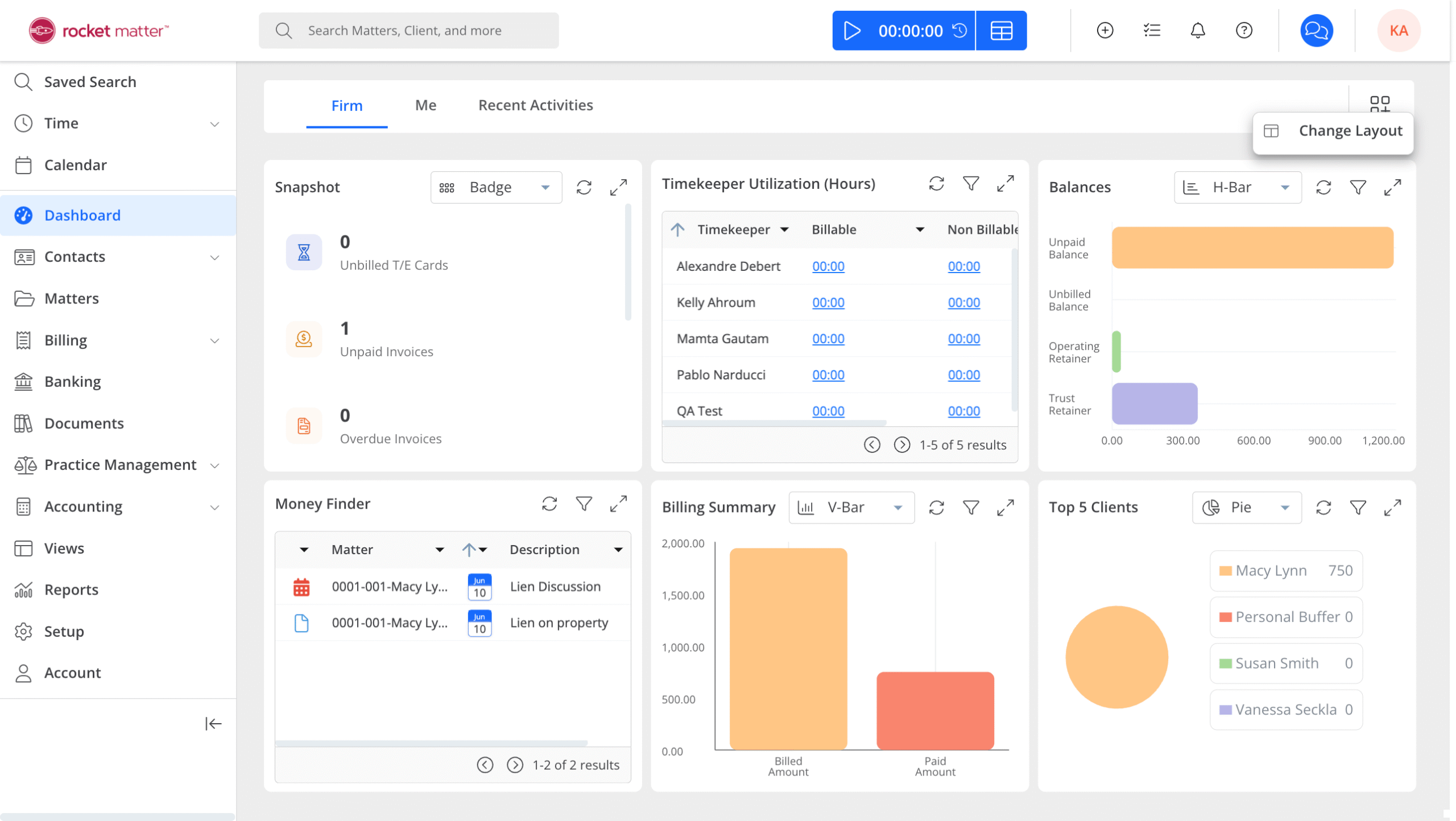
Rocket Matter was among the first and is a popular cloud-based law practice management solution. Rocket Matter allows your firm to manage cases, time, billing, and calendars. Rocket Matter takes a project management-esque approach to matter management.
STAND-OUT FEATURES
PRICING
MyCase
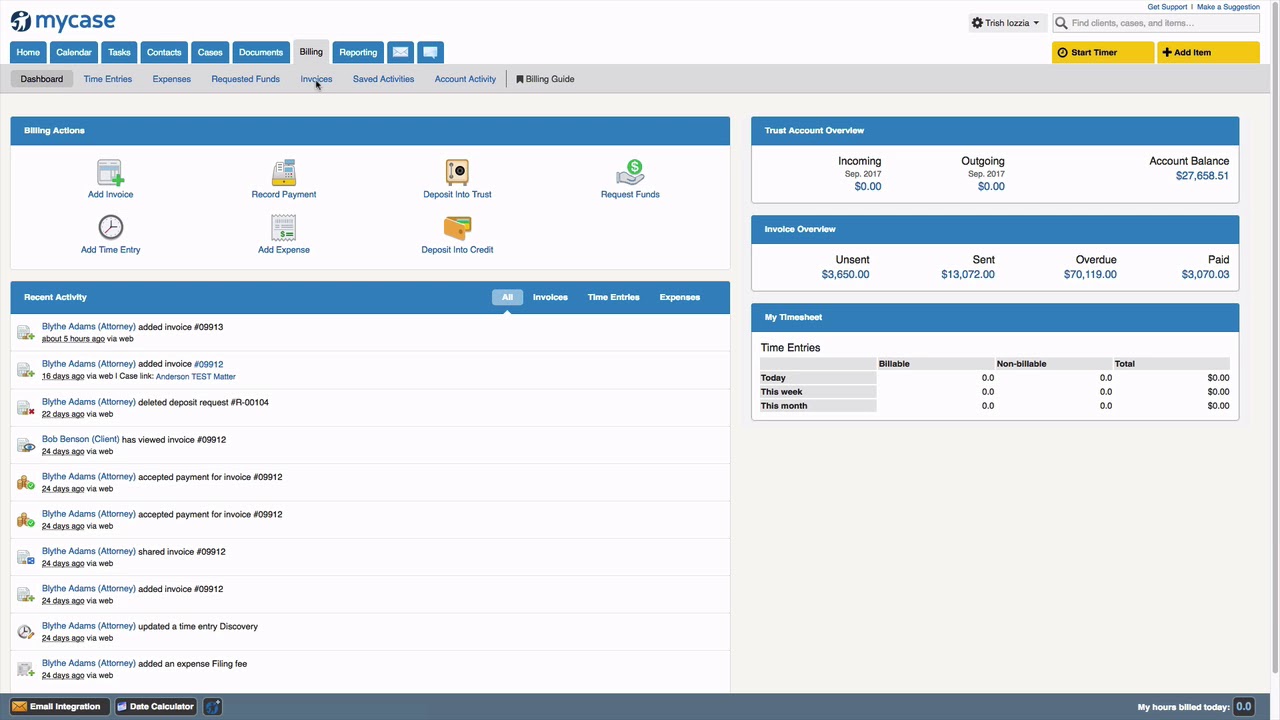
MyCase was among the first web-based law practice management applications. It’s know for it’s ease-of-use, as well as for arguably having the best client portal among all case management systems.
STAND-OUT FEATURES
PRICING
Practice Panther
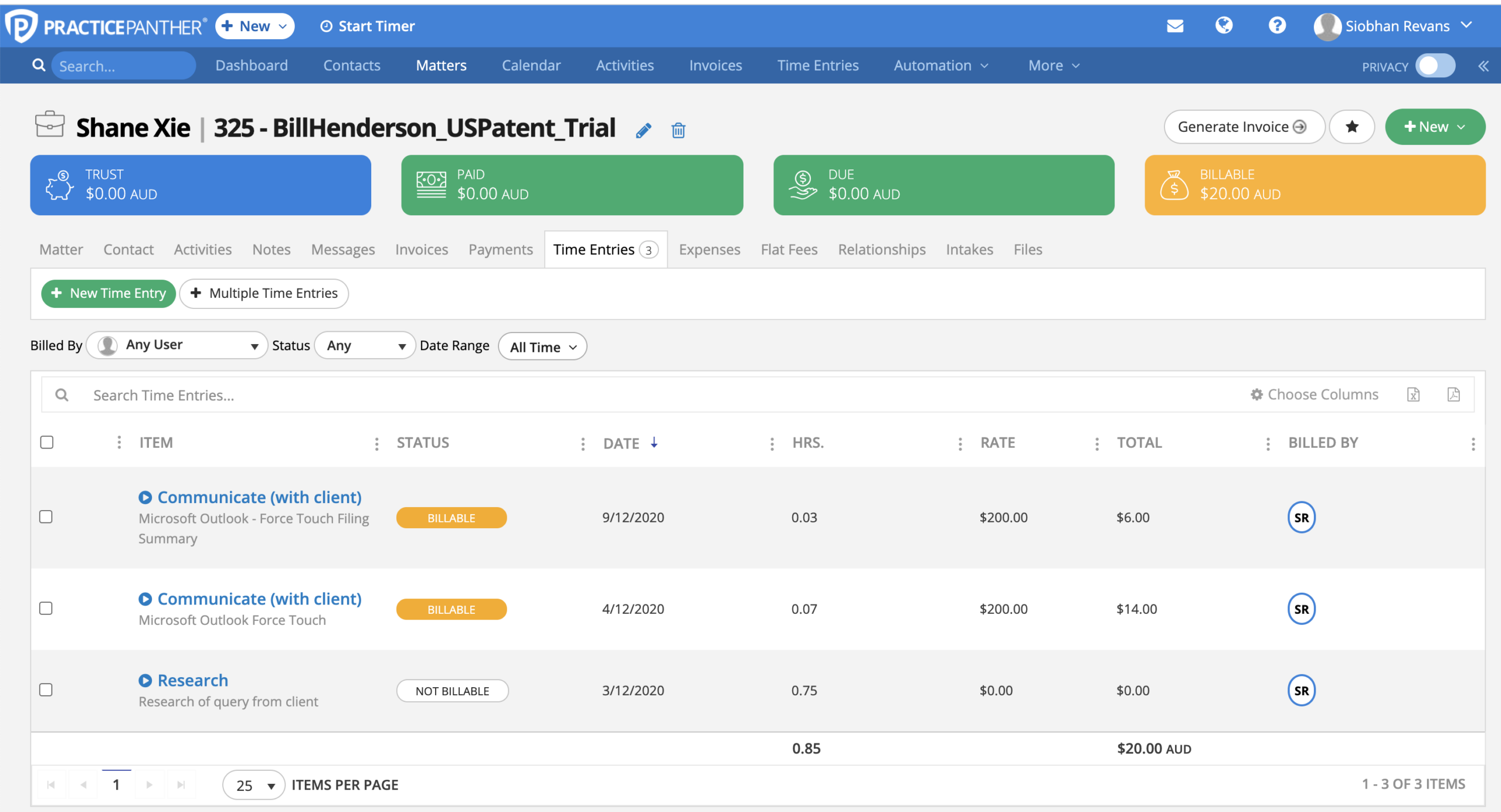
Practice Panther is a popular case management system for law firms. It provides client and contact management, matter management, time and billing, and includes a lightweight CRM for lead management.
STAND-OUT FEATURES
PRICING
Bill4Time
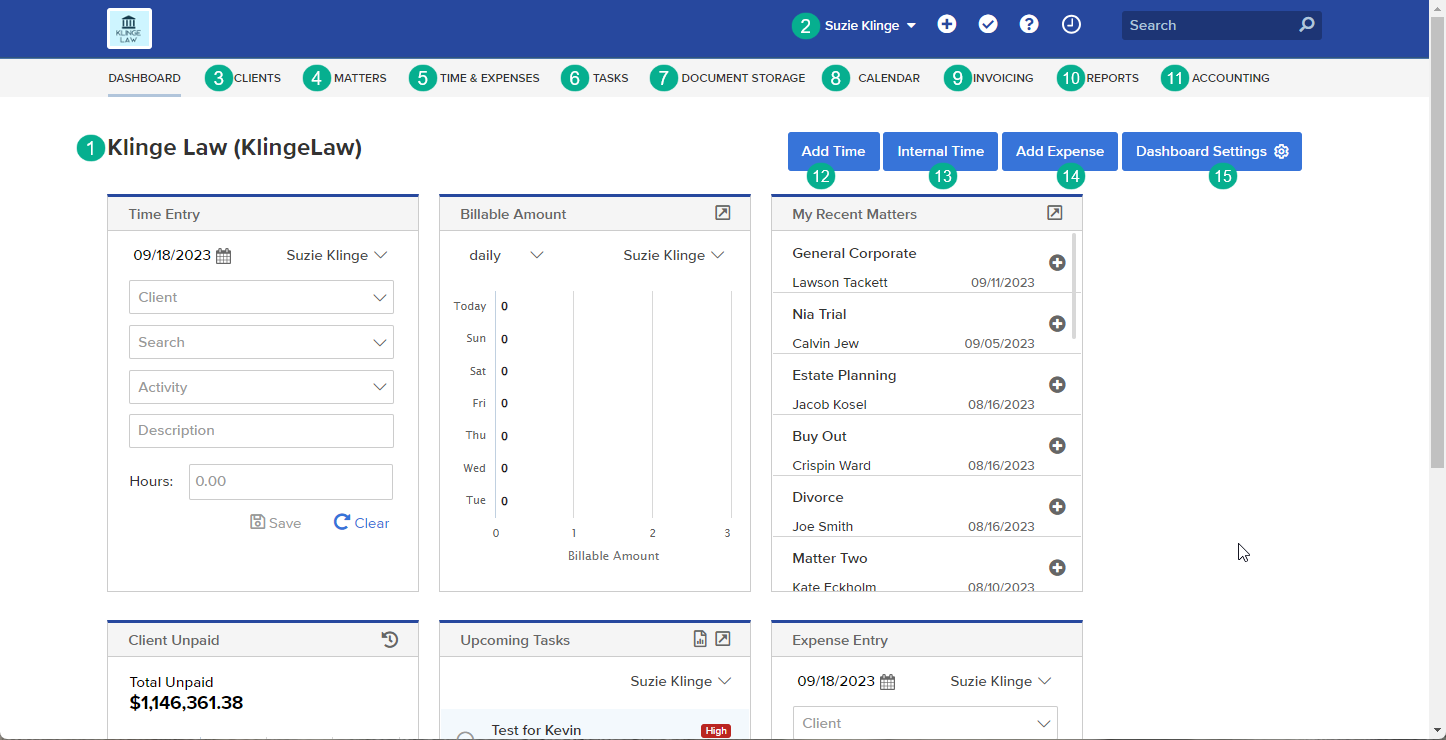
What started as a stand-alone time and billing application, Bill4Time is now a full-fledged law practice management solution. It provides robust time and billing, matter management, ABA, and LEDES billing codes and trust/IOLTA accounting.
STAND-OUT FEATURES
PRICING
Centerbase
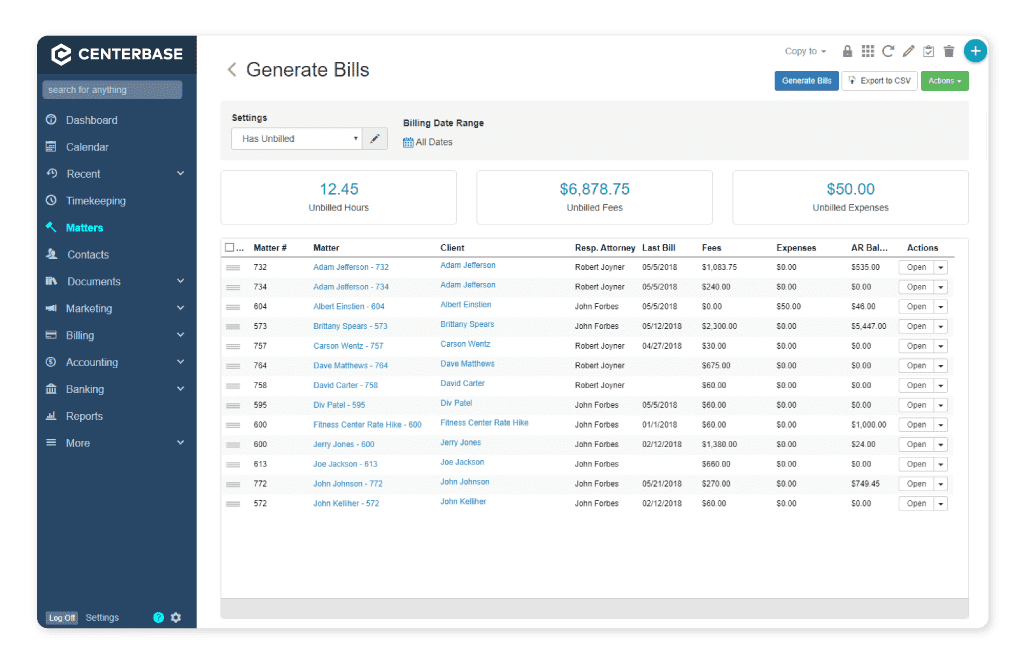
Centerbase is a cloud-based Law Practice Management system. It boasts time and billing, case and client management, and full-fledged accounting. Centerbase is arguably one of the most customizable LPM applications, though that customization may require an outside consultant.
STAND-OUT FEATURES
PRICING
LeanLaw
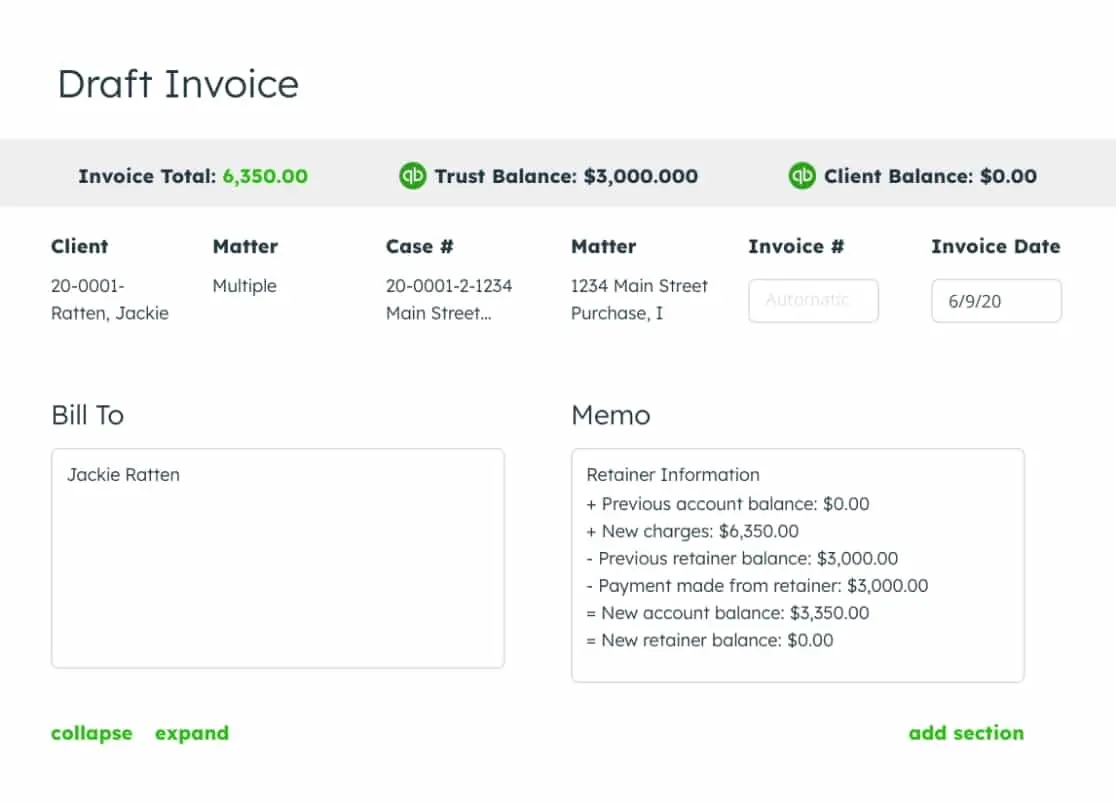
LeanLaw is a specialized law practice management application designed to integrate seamlessly with QuickBooks, optimizing the financial and billing operations for law firms. This software focuses on streamlining legal workflows and enhancing attorney productivity, particularly for those handling financial transactions.
STAND-OUT FEATURES
PRICING
Cloud-Based vs. Server-Based Law Practice Management Software
Legal software will fall into two camps: Web/Cloud-Based and Server/Premise-Based Software.
Deciding between these 2 formats can be a tough decision for law firms because they both have their own respective advantages and disadvantages. As a law firm, it’s important to decide what you want to use based on the needs of your firm and the execution you’re willing to undertake.
Let’s discuss both.
Cloud-Based Software
Cloud-based law practice management software represents a huge step up in efficiency for law firm operations.
This technology lets law firms manage cases, clients, and firm-related activities efficiently through a secure online platform accessible from anywhere with an Internet connection. Practically, that means lawyers could access all of their documents from outside the office, enabling them to work from anywhere at any time.
Cloud solutions give businesses mobility, flexibility, and enhanced security in the rapidly evolving legal landscape.
Small to midsize law firms, in particular, can leverage these cloud services to optimize their operations, reduce overhead costs, and improve service delivery without the substantial upfront investments that traditional server-based software usually requires.
Let’s discuss some of the benefits of utilizing cloud-based software:
Server-Based Software
Server-based software, on the other hand, has its own unique benefits and advantages for law firms
This section clearly explains the key advantages of using server-based solutions and why they remain popular in a constantly changing tech world.
Let’s discuss the three main benefits of server-based software:
Note: Don’t Sacrifice the Right Software for the Cloud
Yes. The cloud offers a plethora of advantages to small and midsize law firms.
Some law firms, in pursuit of the cloud’s reliability, security, and mobility, believe that migrating to a web-based software application is the sole method to reap these benefits. False.
It’s crucial to remember that server-based software typically possesses more robust features than you have, or will, leverage to attain maximum success. It’s not advisable to forsake a system that is highly effective for your law firm when alternative solutions exist!
It is entirely feasible, and indeed recommended, to integrate the strengths of both. Balancing the robustness of server-based software with the accessibility of the cloud allows law firms to experience the optimal benefits of both technological realms.
The answer? A Virtual Desktop.
A virtual desktop is an access point for your firm to access whichever software you choose to cloud-host. Oftentimes, your local desktop will have a single icon that you use to get to the software you need.

Virtual Desktops for Law Firms:
How They Work, and Why Your Law Firm Should Probably Use Them.
Making the Right Choice for Your Law Practice Management Needs
Choosing the right law practice management software is key to using it to its full efficiency.
Whether you choose software that’s based on a server or in the cloud, make sure to compare each option’s features, how well it works with other tools you use, and its cost with what your firm needs.
By picking the right software, you’ll be more likely to use it to its full potential.
Frequently Asked Questions

Uptime Legal’s Technology Solutions
Cloud, software, IT, and document management built for today’s law firms.