Table of Contents
Most law firms know they need IT support. Fewer know what their IT provider is actually doing when no one has submitted a ticket.
That’s where monitoring and maintenance matter.
Proactive IT management should mean more than responding when Outlook stops syncing or a server slows down. It should include ongoing oversight, regular updates, backup checks, security monitoring, and routine maintenance designed to catch problems early.
When monitoring and maintenance work well, attorneys and staff may barely notice them. That’s the point.
What Law Firm IT Monitoring Actually Means
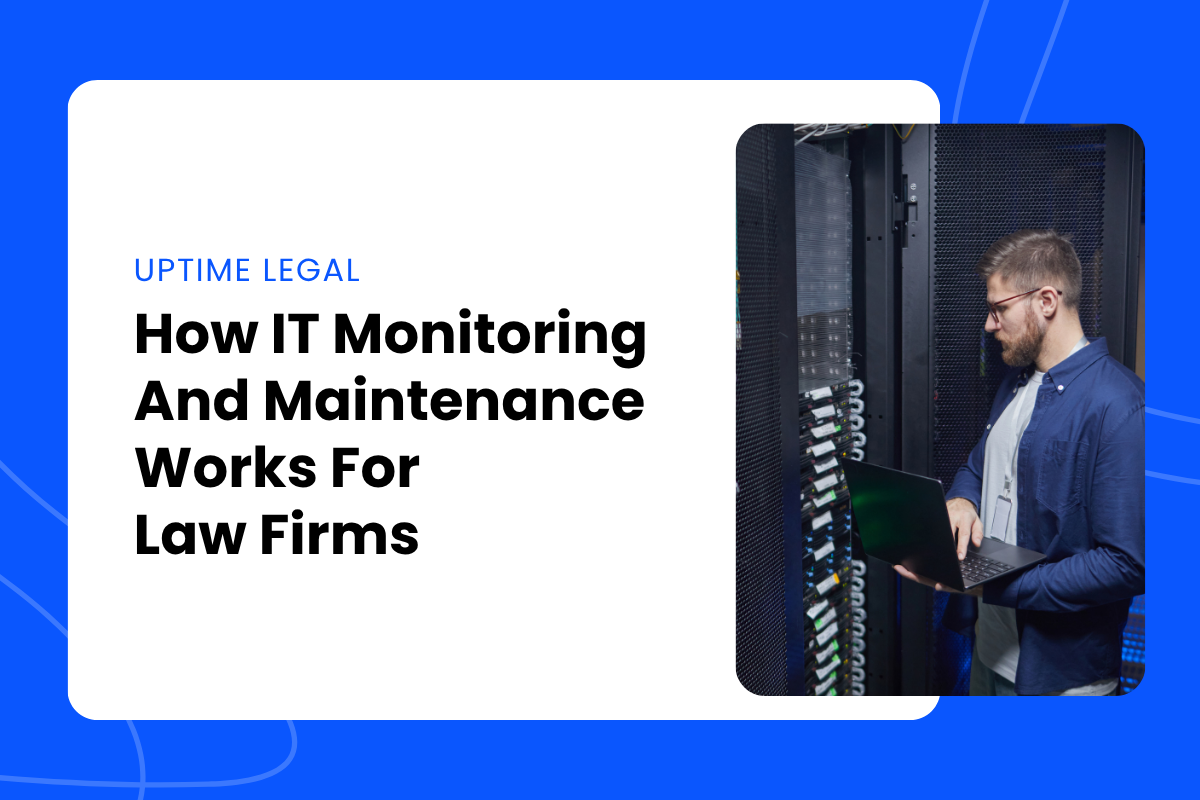
Law firm IT monitoring is the ongoing oversight of a firm’s devices, network, cloud services, backups, and security tools. The goal is to detect problems before they interrupt legal work.
That can include early warning signs like failing hardware, missed backups, security alerts, storage problems, offline devices, or system performance issues.
Monitoring is usually done through automated tools, sometimes called remote monitoring and management tools. The tool name matters less than the outcome: your provider should be watching the firm’s environment for signs that something needs attention.
For example, monitoring may catch that a backup failed overnight, a workstation has stopped checking in with security software, or a server is running out of storage. Without monitoring, the firm may not discover the problem until someone needs the system and can’t use it.
Monitoring is the “watching” side of proactive IT. Maintenance is the “doing” side.
A strong IT relationship needs both.
What Gets Monitored In A Law Firm Environment
A law firm’s technology environment is larger than a few laptops and printers. Even a small firm may depend on Microsoft 365, legal software, cloud storage, remote access, endpoint security, backups, scanners, phones, and network equipment.
A good monitoring program should account for the systems that keep legal work moving.
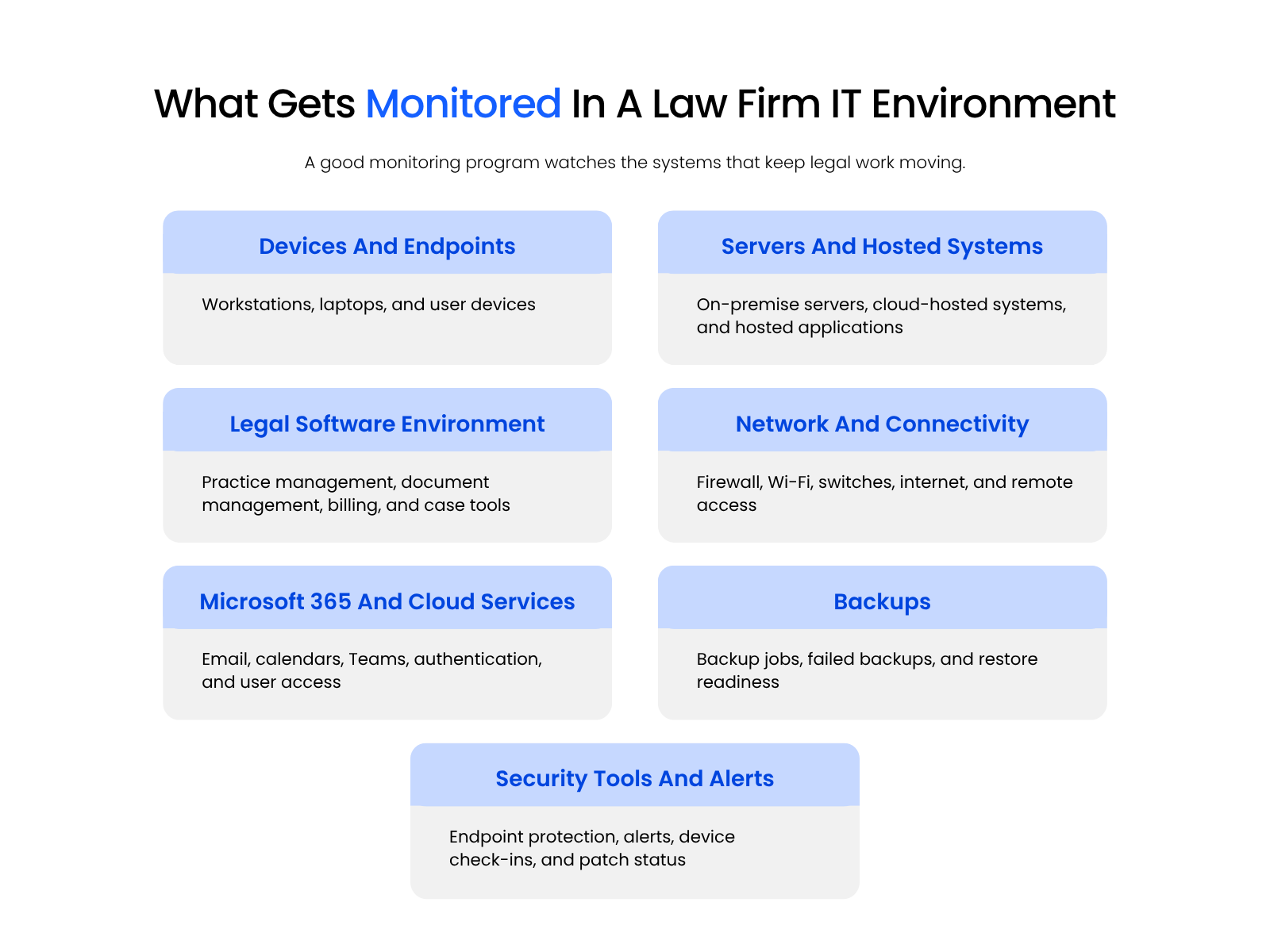
At a practical level, law firm IT monitoring usually covers several layers of the firm’s environment:
The point is not to monitor technology for its own sake. It is to catch the warnings that matter before attorneys and staff feel the impact.
A failing laptop may affect e-filing. A hosted practice management system going unreachable can block access to matter history, contacts, or billing details. A Microsoft 365 access issue can slow communication, block key attachments, and force staff into workarounds right before a filing deadline.
Backups are another good example. A backup that silently fails for three weeks is not a reliable safety net, even if the firm thinks backups are “handled.” Monitoring should bring those problems to the provider’s attention sooner, while there is still time to act.

What IT Maintenance For Law Firms Actually Includes
If monitoring identifies warning signs, maintenance is the recurring work that keeps systems healthier over time.
IT maintenance for law firms usually includes:
The goal is simple: reduce preventable disruption, close known security gaps, and keep the firm’s technology environment from drifting into avoidable risk.
Patch management is a good example. Attackers often exploit known vulnerabilities after fixes are already available, which is why CISA maintains a Known Exploited Vulnerabilities Catalog to help organizations identify vulnerabilities with evidence of active exploitation.
For law firms, updates should be timely, but they also need to be planned. Routine maintenance usually works best after hours, with advance notice about which systems may be affected, whether users need to leave devices online, and who to contact if something doesn’t restart cleanly.
Urgent security patches are different. When the risk is high, the provider may need to move faster and explain afterward what was patched, why it couldn’t wait, and whether the firm should expect any follow-up.
Backups and hardware checks follow the same principle: Don’t assume they’re fine just because no one has complained yet. A failed backup may not matter until someone needs a restore. An aging workstation may not look urgent until it starts creating repeat tickets.
The firm does not need to manage these tasks internally, but it should know they are happening.
Why the Stakes are Higher for Law Firms
Law firm technology failures do not stay in the IT lane. A practice management system going down the morning of a hearing, a document environment becoming unavailable before a filing deadline, or a Microsoft 365 access issue blocking email and calendar access can affect deadlines, client service, billing, and internal coordination.
Security failures carry a different weight too. If a law firm’s email is compromised because a known patch was not deployed, the exposure is not only operational. It can involve confidential communications, matter details, client data, and potential professional responsibility concerns.
The 2023 ABA Cybersecurity TechReport reported that 29% of respondents said their firms had experienced a security breach.
Proactive Vs. Reactive IT: What The Difference Actually Looks Like
The difference between proactive and reactive IT becomes clearer when you look at what each model produces inside the firm.
A reactive IT model waits for someone to report a problem. A proactive model watches for early warning signs, performs maintenance, and works to reduce recurring issues before attorneys and staff are already stuck.
Reactive IT Vs. Proactive IT Monitoring For Law Firms
| Area | Reactive IT Model | Proactive Monitoring And Maintenance |
|---|---|---|
| How Problems Are Found | Attorneys or staff report issues after something breaks. | Alerts, monitoring, and routine checks flag issues earlier. |
| Patch Cadence | Updates happen during emergencies or after a problem is noticed. | Patches are reviewed, scheduled, and deployed with less disruption. |
| Maintenance Timing | Work happens when the firm is already affected. | Maintenance windows are planned around the firm’s workday. |
| Backup Visibility | The firm assumes backups work until something needs to be restored. | Backup jobs are reviewed, and failed backups are investigated. |
| Cost Predictability | Surprise bills often appear after emergencies. | Ongoing care is built into a more predictable managed service model. |
| Recurring Issues | The same problems may keep returning because no one addresses the root cause. | Repeat issues are tracked, documented, and investigated. |
| Law Firm Impact | Legal work stops while the provider reacts. | Attorneys and staff may never see the issue because it was handled earlier. |
The practical difference is visibility.
In a reactive model, the firm learns about technology problems when someone is already unable to work. In a proactive model, the provider should already be watching for the conditions that cause those problems.
That does not mean nothing ever breaks. It means the firm is no longer depending entirely on attorneys and staff to discover every issue the hard way.
Break-Fix Vs. Managed IT For Law Firms: What’s The Real Difference?:
Learn how break-fix support compares to proactive managed IT, and why many law firms eventually outgrow a purely reactive support model.
What Your IT Provider Should Be Showing You
A managed IT provider should not ask the firm to simply trust that proactive work is happening. There should be documentation, reporting, and enough visibility for the firm to understand what was monitored, maintained, patched, flagged, and resolved.
A strong provider should be able to show:
A firm administrator should be able to ask what happened last month and get a clear answer. What was patched? Which backups failed? Which devices are aging out? What risks were flagged? What still needs a decision?
Good IT providers make the behind-the-scenes work visible.

Managed IT For Law Firms:
See what managed IT services usually include for law firms, from help desk support and user management to proactive monitoring, maintenance, and security planning.
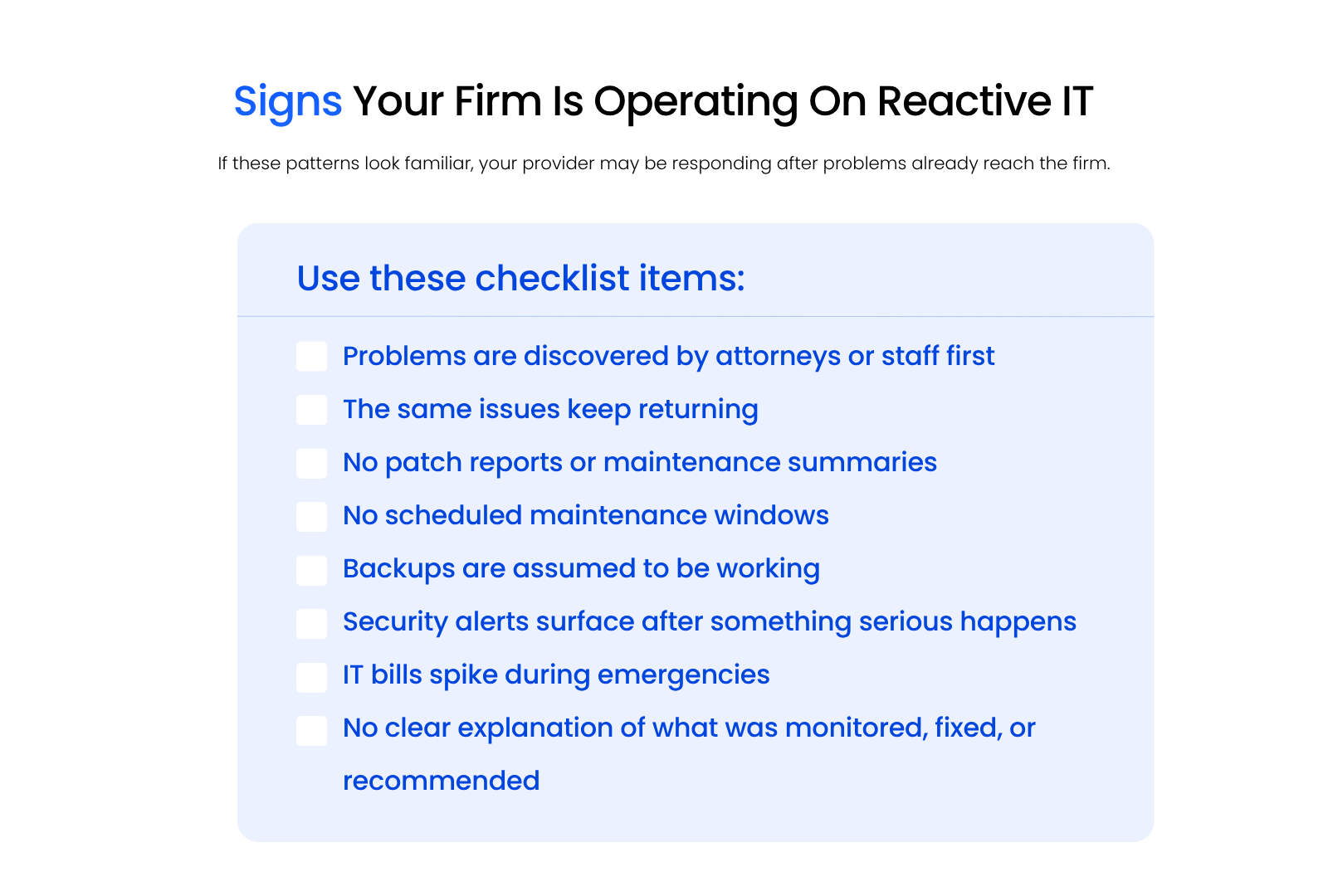
Signs Your Firm Is Operating On A Reactive IT Model
Some law firms are formally on break-fix support. Others are paying for managed services, but the day-to-day experience still feels reactive.
The signs are usually easy to recognize once you know what to look for.
Your firm may be operating on a reactive IT model if:
That last point is often the clearest test. If your provider cannot show what proactive work happened, the firm may be paying for a relationship that still depends on someone calling when things break.
How Uptime Legal Handles Monitoring And Maintenance For Law Firms
Uptime Legal provides managed IT for law firms through Uptime Manage, a legal-centric IT service built around the systems, software, and urgency standards law firms depend on.
Monitoring and maintenance are tied to the systems law firms actually use: Microsoft 365, user devices, network access, backups, endpoint security, and the legal software environment attorneys and staff rely on every day. The goal is to catch warning signs early, handle patching in a planned way, and give the firm a clear picture of what is being watched, maintained, and resolved.
For firms that want more visibility into what their provider is doing behind the scenes, that should not feel mysterious. It should feel documented, scheduled, and connected to how the firm actually works.
WHAT’S NEXT
Frequently Asked Questions

Uptime Legal’s Technology Solutions
Cloud, software, IT, and document management built for today’s law firms.