Table of Contents
Switching IT providers can feel like one more problem your firm doesn’t have time to manage.
That hesitation is reasonable. A bad IT relationship is frustrating, but a provider transition can sound disruptive, risky, and politically annoying inside the firm.
You still need access to files, printers, scanners, email, billing systems, and practice management software to work. No one wants the fix to create a worse week than the problem.
Still, there’s a point where staying costs more than switching.
You should consider switching to managed IT services when recurring technology problems, unclear ownership, weak legal software support, unpredictable costs, or security friction are creating ongoing operational drag.
Sometimes the better first move is to reset expectations, fix a narrow issue, or wait for a better transition window.
This guide helps you tell the difference.
Two Different Starting Points
Law firms usually come to this decision from one of two places.
Situation A: Your firm is on break-fix or self-managed IT.
You call someone when something breaks. Maybe one administrator or “tech-savvy” attorney handles more than they should. There may be no formal system for monitoring, patching, backups, cybersecurity, vendor coordination, documentation, or strategic planning.
In this case, the question is whether the firm has outgrown reactive support.
Situation B: Your firm already has managed IT, but the provider isn’t working.
You may have a monthly agreement, but you’re still dealing with recurring issues, slow resolution, unclear accountability, weak reporting, legal software finger-pointing, or little evidence of proactive management.
In this case, the question is whether the current provider is the wrong fit.
Both situations can justify a change. The decision logic is different. One firm is deciding whether to move from reactive support to proactive management. The other is deciding whether managed IT is failing because the provider doesn’t understand the legal environment.
Signs Your Current IT Situation Isn’t Working in Law Firm Terms
The clearest signs usually show up in the moments that make legal work harder: a filing deadline gets interrupted, staff can’t access matter documents, billing workflows slow down, vendors point fingers at each other, or leadership can’t answer basic security questions from clients and insurers.
Here are the signs that the current IT situation may be costing more than it’s delivering.
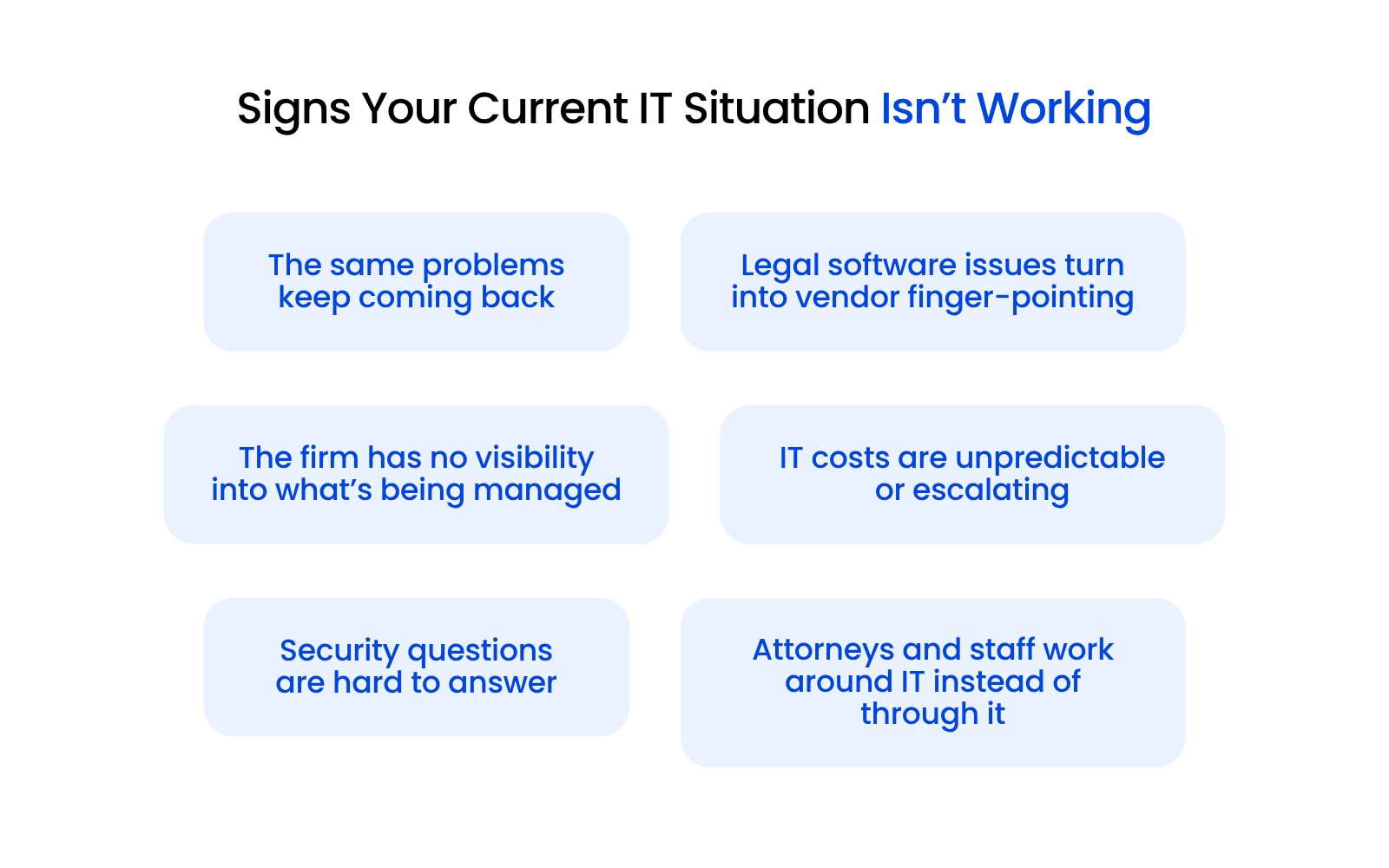
1. The Same Problems Keep Coming Back
Every firm has occasional technology issues. The warning sign is repetition.
Remote access breaks every few weeks. Microsoft 365 gets “fixed,” but no one explains why the issue happened. Scanners fail during deadline-heavy workflows. A slow system improves after a restart, then degrades again. The same login, permission, or file access problem keeps resurfacing.
A good IT relationship should reduce recurring friction over time. If every fix feels temporary, the firm may have a root-cause problem, not a response-time problem.
2. Legal Software Is a No-Man’s-Land
This is one of the clearest signs that a generalist IT provider may not be enough.
A billing system slows down. The practice management software won’t sync. A document management issue interrupts a closing binder. QuickBooks, Tabs3, PCLaw, ProLaw, Time Matters, Clio, Worldox, NetDocuments, or another legal platform starts creating problems in the middle of ordinary work.
Then the loop starts:
Now the office manager, paralegal, or managing partner is coordinating support between two vendors while attorneys wait for the system to work again.
That’s a weak support model. If your provider can’t help diagnose issues across the infrastructure and legal software environment, your firm becomes the project manager for its own IT problems.
For firms that want a deeper look at what legal-specific help desk support should cover, the key issue is ownership across the full technology stack, including the legal applications the firm depends on every day.
If the only visible work happens when someone opens a ticket, it’s fair to ask whether the relationship is truly managed.
3. IT Costs Are Unpredictable or Escalating
IT costs money either way. The issue is whether the firm understands what it’s paying for and can plan around it.
Break-fix firms often see surprise repair bills, emergency rates, after-hours charges, and unplanned projects. Firms with managed IT can run into a different version of the same problem: the monthly fee exists, but too many important services fall outside scope.
A law firm should be able to understand what’s covered, what isn’t, what risks are known, and what projects are likely coming.
4. Cyber Insurance and Client Security Questions Are Creating Friction
Cyber insurance renewals and client security questionnaires are getting more specific.
Firms are also being asked about practical controls such as MFA, endpoint protection, backup verification, access controls, incident response, and security documentation. These questions are hard to answer when no one owns the environment clearly.
A good provider should be able to explain what controls exist, what’s missing, and what needs to change.
If your provider can’t help your firm answer basic security questions from insurers or clients, that’s a business problem.
5. Attorneys and Staff Work Around IT Instead of Through It
One of the strongest signs is also one of the easiest to normalize.
Staff stop opening tickets because “it won’t help anyway.” Attorneys save documents locally because the shared system is slow. People invent their own remote access routines. One person becomes the unofficial IT coordinator because no one trusts the support process.
Those workarounds may keep the firm moving for a while, but they also create risk, inconsistency, and hidden inefficiency.
When people stop trusting IT, they don’t stop needing technology. They build shadow systems around it.
When You Shouldn’t Switch Yet
Switching providers has a cost. Even a well-managed transition requires coordination, access, communication, and time.
Before switching, consider whether the current provider has a fair chance to understand the problem, correct it, and prove that the pattern is changing.
If the firm decides to give the provider a chance to fix it, the provider should be able to answer:
Every provider makes mistakes. What matters is whether the provider owns the pattern, fixes the issue, and shows measurable improvement.
The Break-Fix Question: Is It Time to Move to Managed IT?
For firms on break-fix or informal support, the decision is usually about whether reactive IT has run its course.
Break-fix feels cheaper because the firm only pays when something breaks. That can work for a very small firm with simple systems and low risk tolerance for monthly fees.
The model gets harder to justify when the firm depends on remote access, Microsoft 365, legal software, backups, cybersecurity tools, and predictable support. The real cost often shows up as downtime during billable work, emergency repair rates, unpatched systems, weak backup oversight, unclear security ownership, and extra pressure on internal staff.
Break-Fix vs. Managed IT for Law Firms
| Category | Break-Fix IT | Managed IT |
|---|---|---|
| How Problems Are Found | The firm usually discovers issues after something breaks. | The provider monitors, maintains, and reviews systems proactively. |
| Cost Structure | Costs arrive as repair bills, emergency fees, or surprise projects. | Costs are more predictable and tied to ongoing support. |
| Security Management | Security work may happen only after a problem or request. | Security tools, patching, access, and monitoring are managed continuously. |
| Backup Oversight | Backups may exist, but may not be regularly verified. | Backups should be monitored, tested, and reviewed. |
| Legal Software Support | Support may stop at the infrastructure layer. | A legal-focused provider helps across infrastructure and legal software. |
| Cyber Insurance Readiness | The firm may scramble to answer security questions. | The provider should help document controls and close gaps. |
| Predictability | The firm reacts to issues as they happen. | The firm gets a more stable, planned IT relationship. |
A law firm should consider moving from break-fix to managed IT when the cost of disruption, uncertainty, and risk becomes greater than the perceived savings.
The Provider Switch Question: Is Your Current Provider the Problem?
For firms that already have managed IT, the problem often comes down to fit. The provider understands general business technology, but the gaps show up inside legal workflows.
A generalist provider may support laptops and Microsoft 365, but struggle when the issue involves more specific legal software like:
The same gap appears around security and planning. A provider who can’t help answer cyber insurance questionnaires, explain access controls, or coordinate with legal software vendors leaves the firm managing work that should belong to IT.
A better provider relationship should create clearer ownership. When something affects the firm’s ability to work, someone should be able to drive the issue, coordinate the right parties, and explain what happens next.
That’s often the real difference between general IT support and specialized IT support for law firms.
How to Weigh the Switching Cost Against the Expected Improvement
Switching has a cost. Staying has a cost too.
Switching providers requires time, access, documentation, current-provider coordination, and internal communication. Staying can show up as repeated downtime, staff frustration, billable-hour loss, security uncertainty, surprise fees, missed planning, or a leadership team that keeps revisiting the same technology problems every quarter.
A practical way to evaluate the decision is to ask:
A switch is usually worth considering when the current relationship creates recurring operational drag, not occasional frustration.
That’s the threshold. You’re looking for a support model that reduces friction, creates accountability, and helps people trust the systems they rely on every day.
If most of those questions point toward switching, the next step is understanding how to switch IT providers for your law firm.

What the Switching Process Actually Looks Like
The fear of switching is often worse than the switching process itself.
For many small-to-midsize law firms, a well-managed IT provider transition typically takes about 30 to 60 days from decision to go-live, depending on the firm’s complexity, documentation quality, current-provider cooperation, and the number of systems involved.
The process should feel structured.
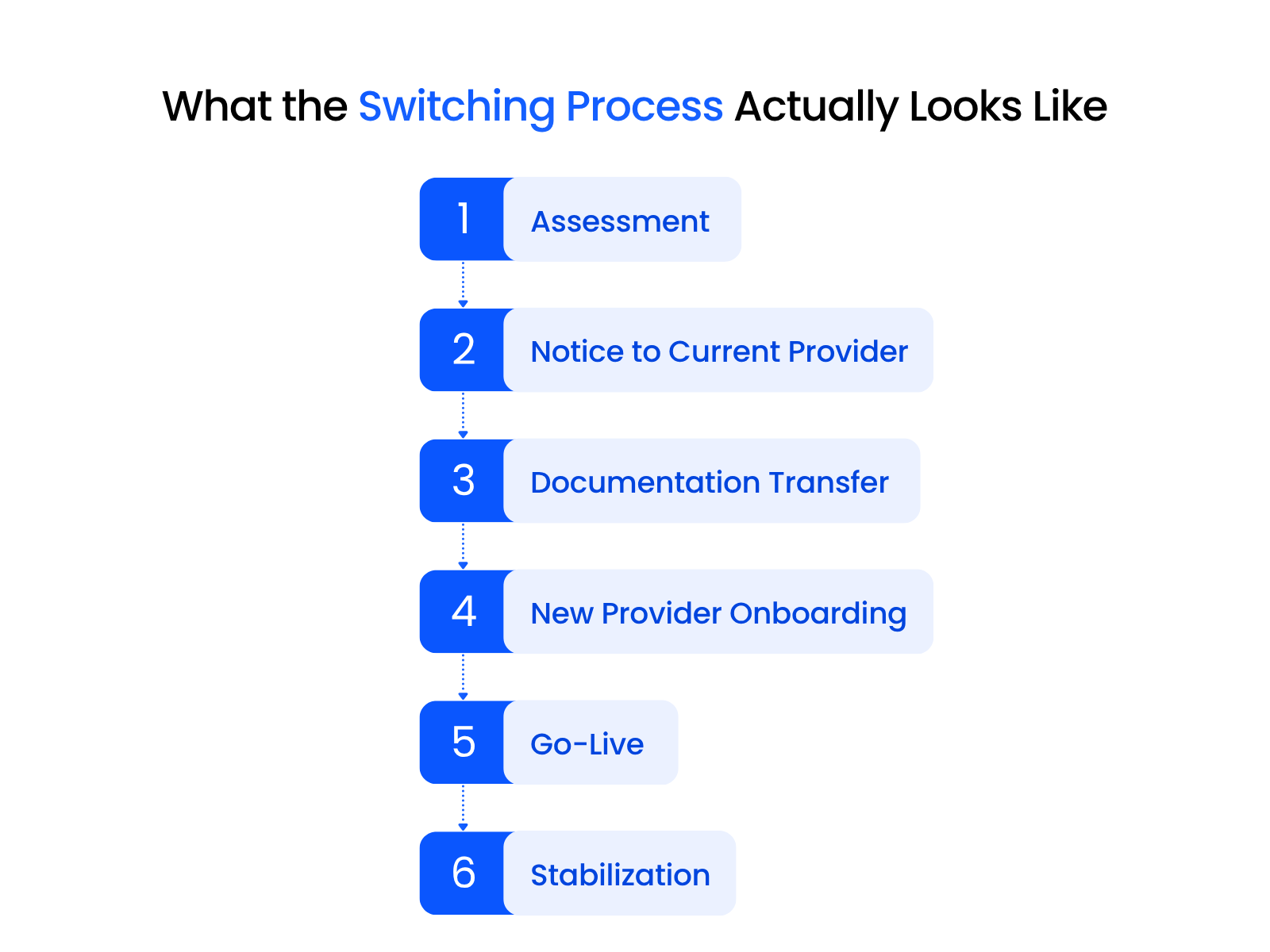
1. Assessment and Environment Review
The new provider reviews the firm’s users, devices, Microsoft 365, backups, security tools, legal software, network infrastructure, documentation, vendor relationships, and known recurring issues.
2. Notice to the Current Provider
The firm reviews its current agreement, notice period, termination terms, admin access, documentation rights, and any hardware, software, or licensing ownership issues.
3. Documentation and Access Transfer
The new provider gathers admin credentials, network documentation, licensing information, backup details, device inventory, vendor contacts, and security configurations.
4. Onboarding and Stabilization Planning
The new provider maps the environment, identifies immediate risks, plans the support handoff, confirms monitoring tools, and sets expectations for attorneys and staff.
5. Go-Live
Support responsibility moves to the new provider. Attorneys and staff should know who to contact, how tickets are handled, what response expectations look like, and what changes in their day-to-day workflow.
6. Stabilization
The first few weeks are used to clean up inherited issues, verify backups, close documentation gaps, normalize support requests, and establish the longer-term roadmap.
The firm’s role should be limited: provide access, answer intake questions, communicate internally, and approve the transition plan. The provider should handle the technical mapping, documentation, onboarding, and support handoff.
Once the firm understands the transition process, it can evaluate legal-centric IT providers with a clearer sense of what a good handoff should look like.
The Right First Step: Get an Independent IT Assessment
If your firm is seriously considering a switch, start by understanding the current environment.
A law firm IT assessment gives leadership a clearer view of what’s working, what’s risky, what’s undocumented, and what needs attention — and helps separate provider issues from environment issues. That distinction matters, because the right next step depends on what you actually find.
Our IT Health Check gives law firms a practical starting point.
Sometimes that means switching. Sometimes it means fixing what you have. Either way, the decision should come from a clear view of the environment, not frustration with the current one.
WHAT’S NEXT
Frequently Asked Questions

Uptime Legal’s Technology Solutions
Cloud, software, IT, and document management built for today’s law firms.