Considering a move to the cloud for your law firm?
Smart move. Did you know that…
- Private clouds offer enhanced security features to protect sensitive client data.
- Private cloud platforms help law firms eliminate servers and IT headaches.
- Private cloud systems provide infinite scalability to accommodate the growth of your firm.
While “the cloud” often brings to mind software like MyCase, FreshBooks, or storage like OneDrive, it’s capable of much more. It benefits larger firms of 8+ lawyers needing more sophisticated tools, comprehensive management software, and advanced storage systems.
And if you’re committed to software like Time Matters, Tabs3, or PCLaw, a private cloud can effectively turn these premise-based software applications into cloud apps.
But what is a private cloud exactly? How does it differ from web-based software? What are the costs? Our guide to law firm private cloud aims to answer these questions and more.
Let’s dive in.
In the Beginning: Server-based Legal Software
To understand the purpose of a Private Cloud for law firms, we need a (brief) recap of law firm software and the history of software in general.
Remember that not too terribly long ago, there was no such thing as web-based software. Software was generally installed, desktop software that ran on your Windows PC. That software (law practice management, billing, accounting, or document management software) was meant to be shared within your firm so everyone in your firm could access it.
That sharing necessitated a server. Which means, if law firms wanted to run law practice management software or document management software, they would have to get a server.
But the fun doesn’t stop there. After buying a server to host your legal software and data, you’d need to:
Keeping up on all of this usually (if the law firm is being responsible) means hiring a local IT consultant or IT service provider to keep the system healthy and backed up.
What’s more, servers require physical space. A corner of your office transformed into a server room, potentially eating into valuable workspace.
Dealing with server glitches was synonymous with lost productivity, as operations paused until your IT expert could resolve the issue. On top of all this, the need for upgrades loomed, usually accompanied by significant costs and disruptions.
Call it a necessary evil or a means to an end: A server was simply a requirement to run law firm software.
Today: Web-based & Server-based Law Firm Software
Back then, all law firm software was desktop/server-based. Today, we have a mix of web-based (sometimes referred to as “cloud-based”) and server-based software (sometimes referred to as “premise-based” software).
But referring to web-based software as simply “cloud-based” is a bit misleading. Server-based software can also be run in the cloud.
Similarly, referring to server-based software as “premise-based” also implies that it can only run on a server at your premise (which, as you’re about to find, is not the case).
Today’s law firm software is now a mix of web-based and server-based. Popular law practice management software applications today include:
Server-based Software
Web-based Software
The advantage of web-based software is that no server is required. There’s no dealing with backups, security, repairs, and other IT headaches. Web-based software is also inherently accessible from anywhere.
The advantage of server-based software is that broadly speaking, server-based software tends to be more robust and feature-rich than web-based software.
Solo and small law firms often don’t need much in the way of law firm software complexity and nuance. But we find that firms of 5 people or more often need more capabilities than web-based software can offer.
While web-based software mitigates many IT headaches, it sometimes falls short on customization options. Its ‘one-size-fits-all’ approach may not cater to the specific needs of a law firm. On the other hand, server-based software – while robust and feature-rich – could lead to high maintenance costs and limitations in remote accessibility.
The Financial Case for Cloud for Law Firms:
The cloud can be substantially more cost-effective than its alternatives. Learn more.
So if web-based software provides the benefits of the cloud (ease of use, no IT to manage, work from anywhere), does that mean that a law firm has to choose between the advantages of the cloud and the functionality they need in their legal software?
No, because of what we call a Private Cloud.
What is a Private Cloud?
Earlier, I explained that desktop/server-based law firm software, while often more robust in capabilities, requires a server.
In a Private Cloud solution, the Private Cloud itself is the server.
A Private Cloud is a hosted server (or set of hosted servers) that provides the necessary IT platform to host and run your legal software. In a Private Cloud solution, you’re effectively leveraging another company’s server instead of buying/managing/maintaining your own.
Specifics vary by solution provider, but generally, a Private Cloud includes:
To further clarify, transitioning to a Private Cloud is a seamless process. Your favorite server-based legal software continues to function as it always has, but instead of being hosted on a physical server in your office, it’s hosted on a virtual server in the cloud.
One of the key advantages of a Private Cloud is its flexibility. It’s not tethered to a physical location. Instead, it provides on-demand access from anywhere and on any device – office desktop, home computer, or mobile device – offering your team the freedom to work effectively from any location.
A Private Cloud marries the robustness and capability of server-based software with the flexibility and ease of use inherent to cloud systems, providing law firms with the best of both worlds.
In other words, a Private Cloud provides all of the functions that a server does while delivering the very things that your law firm got a server for in the first place.
The “Private” in Private Cloud
Private Clouds are so-called due to the distinct, exclusive environment they provide each law firm or ‘tenant.’
Think of it as your firm having its own personalized digital space specifically designed for your software, documents, and data. This setup gives you a layer of data security and privacy, keeping your resources.
This Private Cloud model differs quite from the more common multi-tenant cloud environments. In these multi-tenant spaces, resources are shared among multiple users or ‘tenants.’
While this shared model may be more cost-effective and easier to manage, it isn’t recommended for law firms. Multi-tenant cloud systems could expose your firm to data security risks and performance issues since your data is housed on the same server as other users.
Where a Private Cloud really stands out is in its promise of ‘single-tenancy.’ This means your firm is the only ‘tenant,’ the lone user of the resources, offering an isolated and controlled environment where resources are exclusively yours to use.
The result? Enhanced data control, bolstered security, and improved performance.
Virtual Desktops for Law Firms:
How They Work, and Why Your Law Firm Should Probably Use Them.
How Private Cloud Works: The Virtual Desktop
Let’s look at how a private cloud affects a law firm’s day-to-day operations.
First, each member in your law firm gains access to their own secure Virtual Desktop. This Virtual Desktop acts as a portal into your Private Cloud. It’s accessible anytime, anywhere, and from any device.
Resembling the familiar Windows or Apple desktop you use at home or work, your Virtual Desktop is home to software integral to your everyday operations. This typically includes Microsoft Word, Excel, Outlook, your law practice management software, accounting software, and document management software.
What’s great is that a Virtual Desktop is powerful enough to make your law firm’s software, earlier restrained by the limits of your work computer or office servers, now universally accessible from any computer in the world.
These Virtual Desktop solutions, also known as “Desktop-as-a-Service,” or DaaS (similar to “Software-as-a-Service, or SaaS), are essentially the “front-end” of your Private Cloud platform. Your cloud service provider shoulders all the system maintenance, software updates, backups, and, most importantly, ensures comprehensive security, safeguarding your law firm’s sensitive data.
Another notable advantage of Virtual Desktop is its performance independence from your local computer’s hardware. Even less powerful or older machines can run high-resource applications efficiently.
In a Virtual Desktop environment, very few, if any, applications need to be installed on your local computer. Often, the only icon on your local desktop is a shortcut to log into your Virtual Desktop.
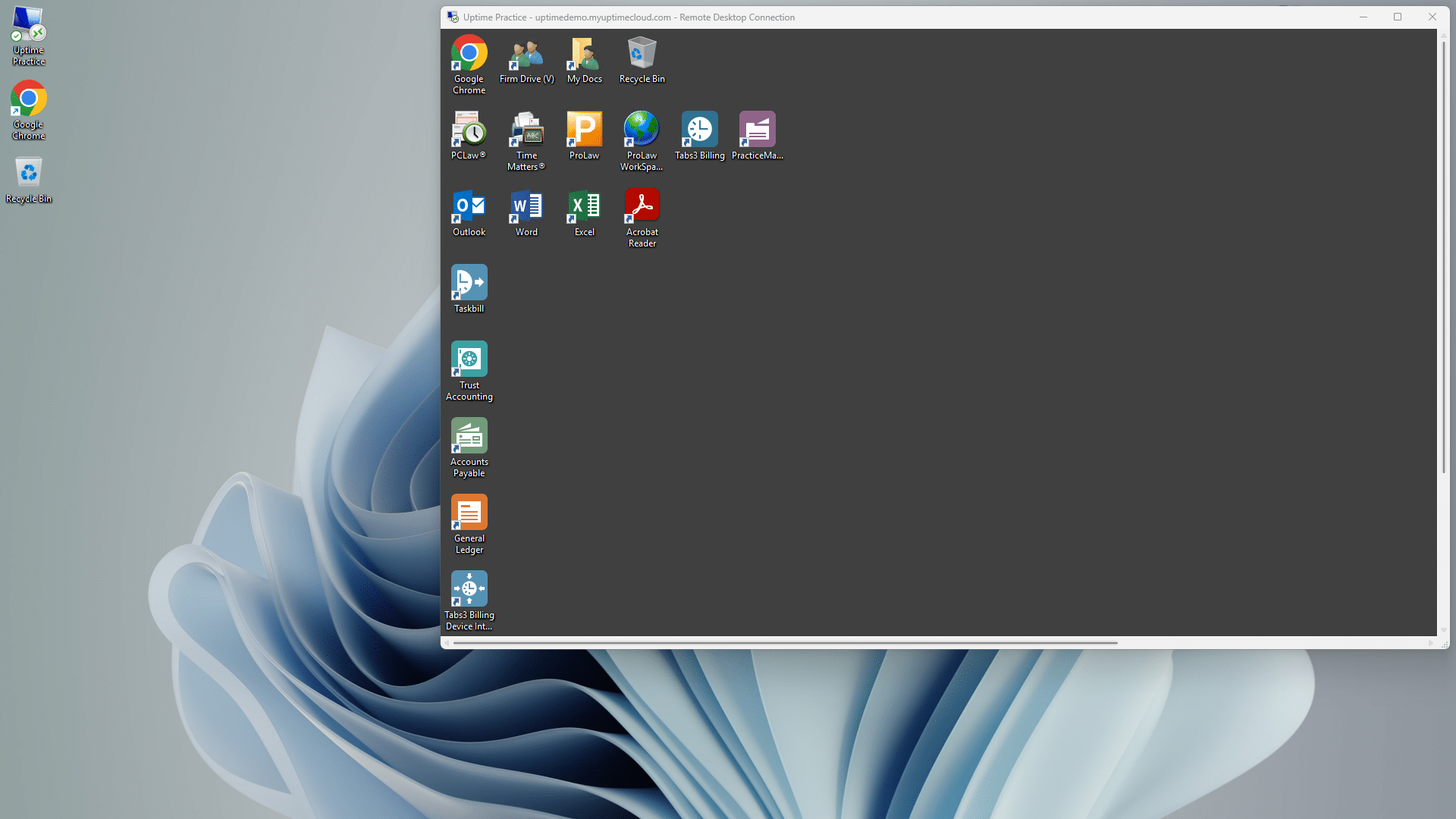
When you (or anyone in your team) logs into your Virtual Desktop, you’ll have access to all of your law firm’s software, documents, and data, including:
Virtual Desktops are a game-changer in eliminating the need to install, update, and maintain your applications on every computer within your firm. Instead, your Cloud Service Provider takes over this task, ensuring all your software stays up-to-date.
Private Cloud Demonstrated
Most Virtual Desktop platforms look, work, and function like any other (Windows) desktop.
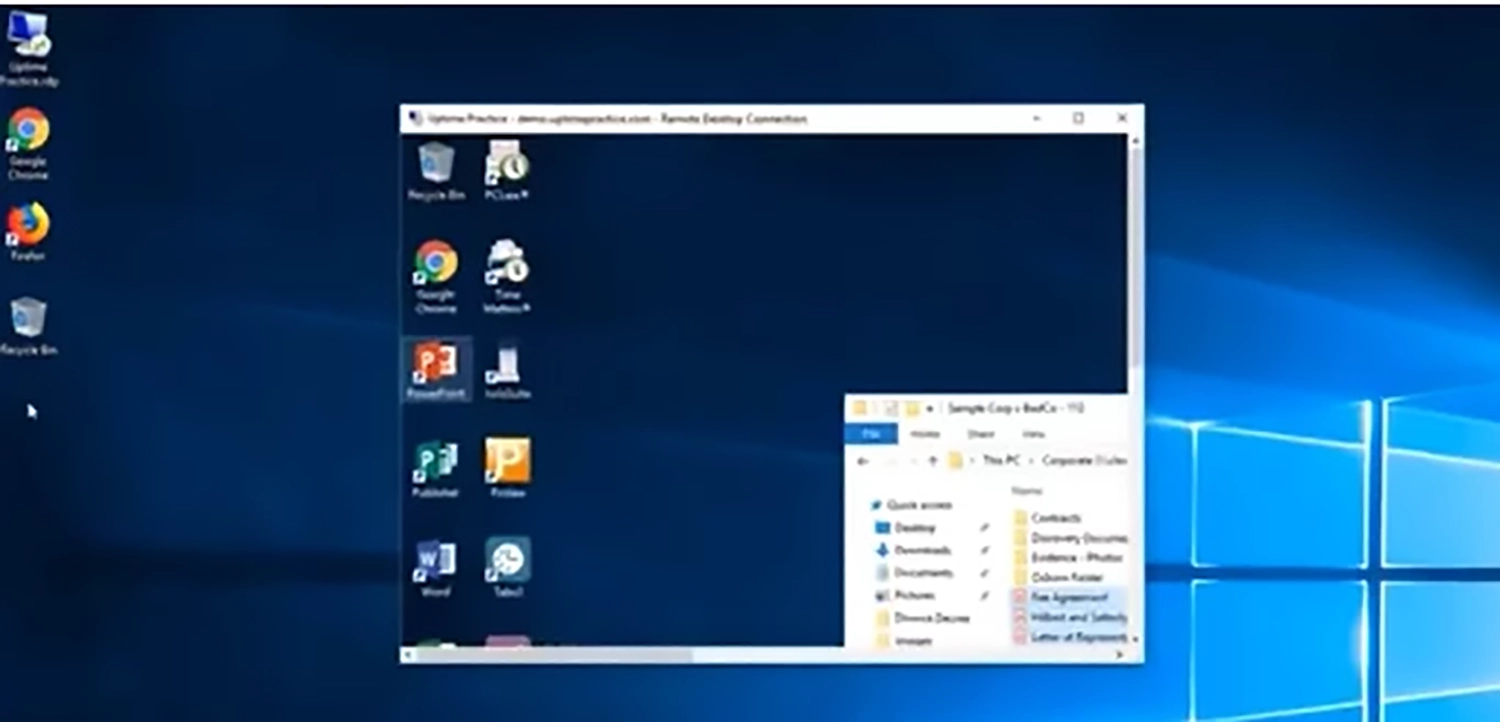
You have a desktop for shortcuts, apps, and files. You have a start menu, a Recycle Bin, and any other items or options that your firm may need. Most law firm Virtual Desktops will be standardized, with the apps and tools everyone in your firm needs, and can be additionally customized on a person-by-person basis.
By way of example, watch the demonstration video of Uptime Cloud (formerly Uptime Practice), our own cloud-based Virtual Desktop platform for law firms.
What Software Can Be Used in a Private Cloud?
With the many clear advantages of using a Private Cloud for law firms, the question becomes:
What software applications can run within a Private Cloud?
Again, specifics vary by cloud service provider, but generally, a Private Cloud can host most Windows-based software. This is beneficial for law firms who rely on a suite of professional applications, including Microsoft Office, and Adobe Acrobat, along with a comprehensive array of practice management, case management, billing, accounting, and document management applications.
An added benefit? Law firms can use Private Clouds to run software that may not traditionally be considered ‘cloud-ready.’ This includes legacy software that forms a vital part of the firm’s operations or custom-developed applications tailored specifically for the firm’s needs.
This includes today’s most popular law practice management and document management software. A Private Cloud enables law firms to take advantage of the benefits of cloud computing without abandoning their software.
Here is a list of some popular law firm software that is often successfully hosted in a Private Cloud:
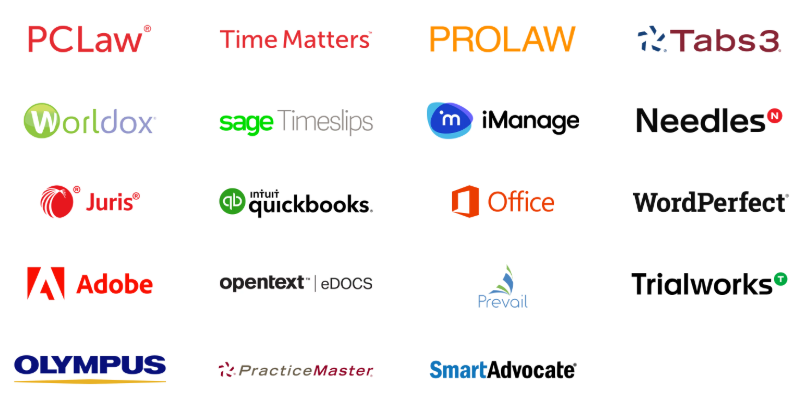
Quite a few software packages law firms use can be run in a Private Cloud.
Another benefit of using a Private Cloud is its potential to run applications in a software-agnostic environment. This means irrespective of the software’s original development platform, the Private Cloud environment could, in many cases, support it. This can significantly benefit law firms using a mixture of new and legacy systems.
Law firms should look for a Cloud Service provider with extensive experience hosting these titles and a cloud platform specifically optimized to run specific law firm applications.
Remember, a Cloud Service provider’s understanding of legal workflows, confidentiality requirements, and the specific demands of legal software is crucial. This knowledge allows them to tailor the cloud environment for optimal performance and efficiency while maintaining stringent security standards.
Should My Law Firm Move to a Private Cloud?
The advantages of a Private Cloud are numerous. By contrast to on-premise servers, a Private Cloud is:
While every law firm is unique, in general, a Private Cloud is likely the best route for your law firm if some combination of the following are true:
Cloudify Your Legal Software
Want to move your traditional premise-based software to the cloud?
Good choice. That shift offers many advantages, including increased accessibility, scalability, reliability, and security. And here’s how you can do it.
How to Make Your Legal Software a Cloud App
Take, for instance, the popular legal software, Tabs3. By default, this application is premise-based and intended to be installed and operated on a law firm’s office server. But with cloud technology, software that once required a local server can now be transformed and hosted on the cloud.
Transforming your legacy software into a cloud app can be achieved through various means. For instance, Tabs3 can be successfully moved to the cloud using a specific cloud platform, such as Uptime Cloud. With this platform, your Tabs3 software effectively becomes a web app.
This approach is particularly effective if your law firm requires Tabs3 to be hosted in the cloud and has already implemented a cloud strategy for other systems and software.
If your law firm seeks a more extensive cloud solution, you might consider opting for Private Cloud or Virtual Desktop solutions. These methods offer a more comprehensive approach to cloud adoption, hosting, and managing multiple applications and systems in a single cloud environment.
Private Cloud Costs
The cost of a law firm’s Private Cloud solution will vary based on the number of people (users) in your firm and the specific legal software your firm uses (more heavy-duty software requires more computing power).
The cost also varies based on the number of applications you’ll be hosting in the cloud and (to a lesser degree) how much data you’ll store in the cloud.
Private Cloud solutions are almost always more economical than owning and managing in-house servers.
Here’s a breakdown of some of the various cost savings:
If you compare the up-front and ongoing cost of buying, managing, maintaining, and repairing servers over a multi-year period to the predictable, straightforward per-user-per-month cost model of a Private Cloud, you’ll see that near and long-term, the Private Cloud almost always has the financial advantage.
By adding up the total up-front, monthly recurring and unplanned costs associated with both on-premise and Private Cloud solutions, you’ll find that the Total Cost of Ownership of a hosted (Private Cloud) solution is nearly always less.
I encourage you to do your own side-by-side financial comparison using our Cloud Cost Comparator.
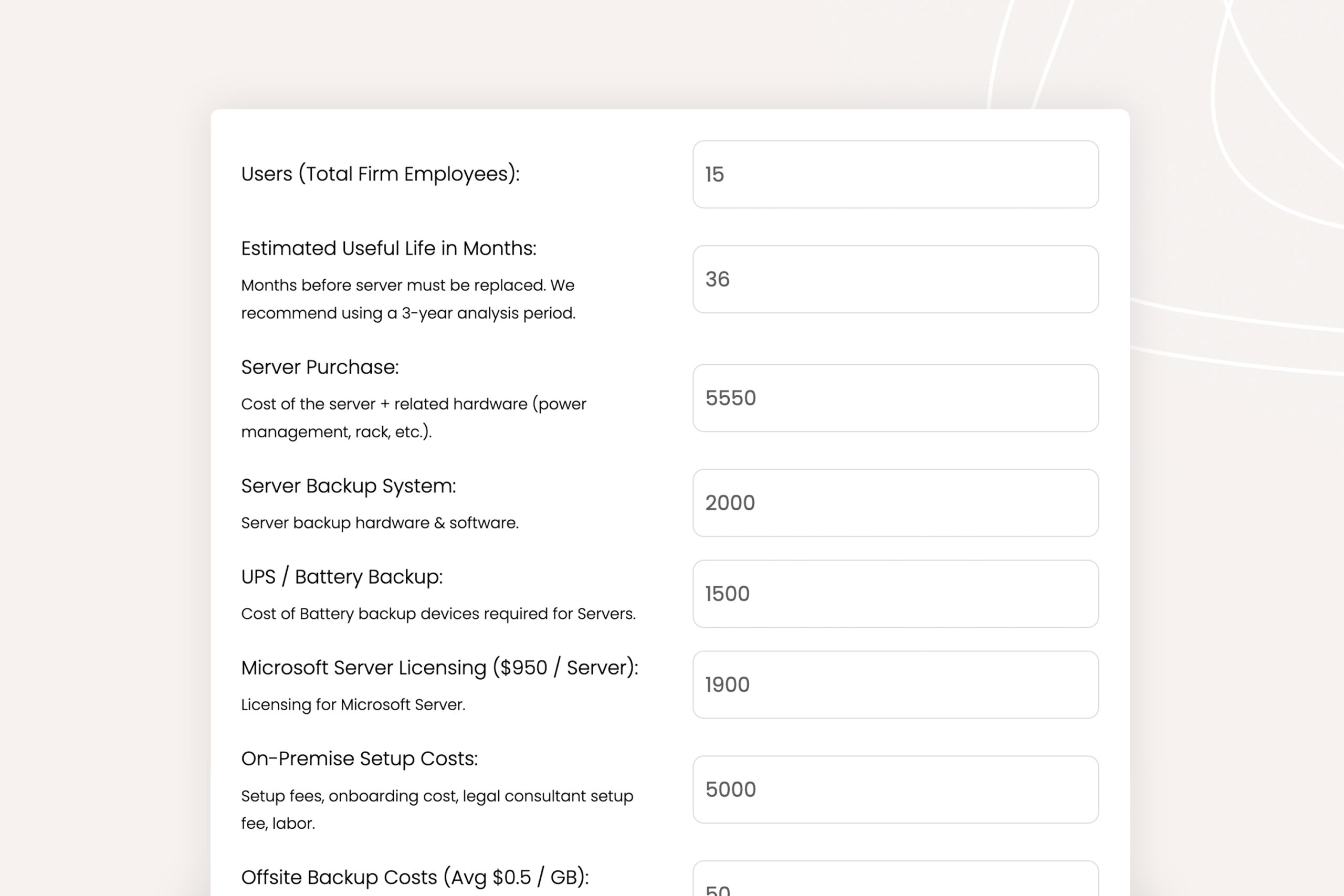
Cloud Cost Comparator:
Use our Cloud Cost Calculator to understand the costs of doing business on-prem and in the cloud.
Private Cloud Due Diligence
As you’ve now learned, a Private Cloud brings numerous benefits and advantages to law firms.
It’s important, however, that if your law firm goes this route, it finds and selects the right Private Cloud provider.
Today, many IT companies and Cloud Service providers offer Virtual Desktop and Private Cloud platforms. It’s important not only to make sure that the company you select has experience hosting and supporting the software that your firm relies on but that the company has the infrastructure and security in place to keep your data secure and your firm up and running.
Among other things, you’ll want to ensure that your chosen Private Cloud provider:
In addition to these points, it’s critical to look for the following:
Private Cloud 101 for Law Firms:
Understand Private Cloud by reviewing how law firm software evolved from desktop-based to cloud-enabled systems.
Private Cloud and Future-Proofing Your Law Firm
Future-proofing should be a consideration for all law firms. Having a software ecosystem that is infinitely scaleable and can grow with your business can save you a lot of time and money in the long run.
A Private Cloud, with its scalable and adaptable nature, can play a key role in keeping your law firm up to date.
How a Private Cloud Can Prepare Your Law Firm for Future Technological Advancements
Adopting a Private Cloud infrastructure can help make sure your law firm is ready for the future.
One of the key benefits is scalability. As your firm grows and evolves, so will your IT needs. Unlike traditional in-house servers that might require substantial capital investment to scale up, Private Cloud solutions offer the flexibility to easily adapt to your changing requirements.
And a Private Cloud infrastructure is innovation-friendly. That means it can easily accommodate new technologies like AI, machine learning, and automation tools.
The Role of a Private Cloud in Remote Working and Virtual Law Firms
The pandemic has shown us that remote working is not just feasible but often more efficient.
Private Cloud technology plays a significant role in this shift:

Potential Future Developments in Law Firm Private Cloud Technology
While it’s difficult to predict with certainty, here are a few developments we might see in Private Cloud technology:
Level up Your Law Firm’s Productivity with a Private Cloud
We covered a lot of ground.
I hope you find this Private Cloud guide for law firms useful. What questions do you still have? Post a reply in the comments section below, or get in touch with us to learn about Private Cloud solutions for your law firm.
Onward and upward.
Frequently Asked Questions

Uptime Legal’s Technology Solutions
Cloud, software, IT, and document management built for today’s law firms.