Table of Contents
Not every provider that says it works with law firms actually understands one. If your IT company treats your practice management software as an afterthought, you’ll feel it the day something breaks.
IT services for law firms cover more than fixing computers. A complete setup includes managed IT, cybersecurity, cloud access, help desk support, backup and disaster recovery, Microsoft 365 management, and legal software support.
Getting these pieces right is what managed IT services for law firms are built to do: bring every layer under one accountable relationship instead of leaving your firm to coordinate vendors on its own.
This guide breaks down each category, what it actually covers, and why legal-specific expertise changes what you should expect from the people providing it.
What Are IT Services for Law Firms?
IT services for law firms are the managed technology functions that support the firm’s daily operations, users, systems, security, software, and data access. These services help attorneys and staff work reliably across devices, applications, email, cloud platforms, legal software, and client matters.

A law firm’s IT environment usually includes several moving parts:
Good IT service coverage brings those pieces together so the firm isn’t relying on scattered tools, inconsistent support, or one person who knows where everything lives. It also helps the firm move away from reactive support, which usually starts only after something breaks.
A stronger IT service model monitors systems, maintains devices, manages security, supports users, plans upgrades, and helps prevent avoidable problems before they interrupt the firm. For law firms, that proactive approach matters. A login issue before a hearing, a broken scanner before a filing, or a software outage during billing can create much bigger problems than in an ordinary business.
The right IT services should help the firm answer:
A law firm doesn’t need every possible technology service available. It needs the right core services, delivered in a way that fits how legal work actually happens.
Core IT Service Categories for Law Firms
| Service Category | What It Covers | Primary Law Firm Risk It Helps Reduce |
|---|---|---|
| Managed IT Services | Monitoring, maintenance, device management, vendor coordination | Unplanned downtime, no ownership when something breaks |
| Cybersecurity | Endpoint protection, email security, MFA, threat monitoring | Breach, ransomware, compromised accounts |
| Cloud Services and Hosting | Hosted applications, cloud storage, secure remote access | Being locked to the office or a fragile server |
| Help Desk and Technical Support | Day-to-day troubleshooting for attorneys and staff | Lost time waiting on unresolved issues |
| Backup and Disaster Recovery | Backup coverage, restore testing, recovery planning | Data loss with no way back |
| Microsoft 365 Management | User/license management, security settings, retention | Former-user access, phishing, ungoverned sharing |
| Legal Software Support | Practice management, DMS, billing, litigation applications | Vendor finger-pointing, unresolved software issues |
Core IT Services Law Firms Need
Law firms need a clear IT service stack that supports the way legal work actually happens. The exact setup varies by firm size, practice area, software stack, and work model, but most firms should understand the same core categories. Some services keep systems stable, some protect client data, others help attorneys and staff get support quickly. Together they create the foundation for a firm that can work securely and consistently.
Managed IT Services
Managed IT services are the ongoing management of a firm’s technology environment: monitoring, maintenance, device management, patching, user support, vendor coordination, and longer-term technology planning. Managed IT should help keep systems stable before something breaks: updated laptops, secure workstations, monitored cloud environments, properly managed user accounts, recurring issues addressed early. A strong managed IT model gives the firm a clearer point of ownership instead of waiting until a problem interrupts the day.
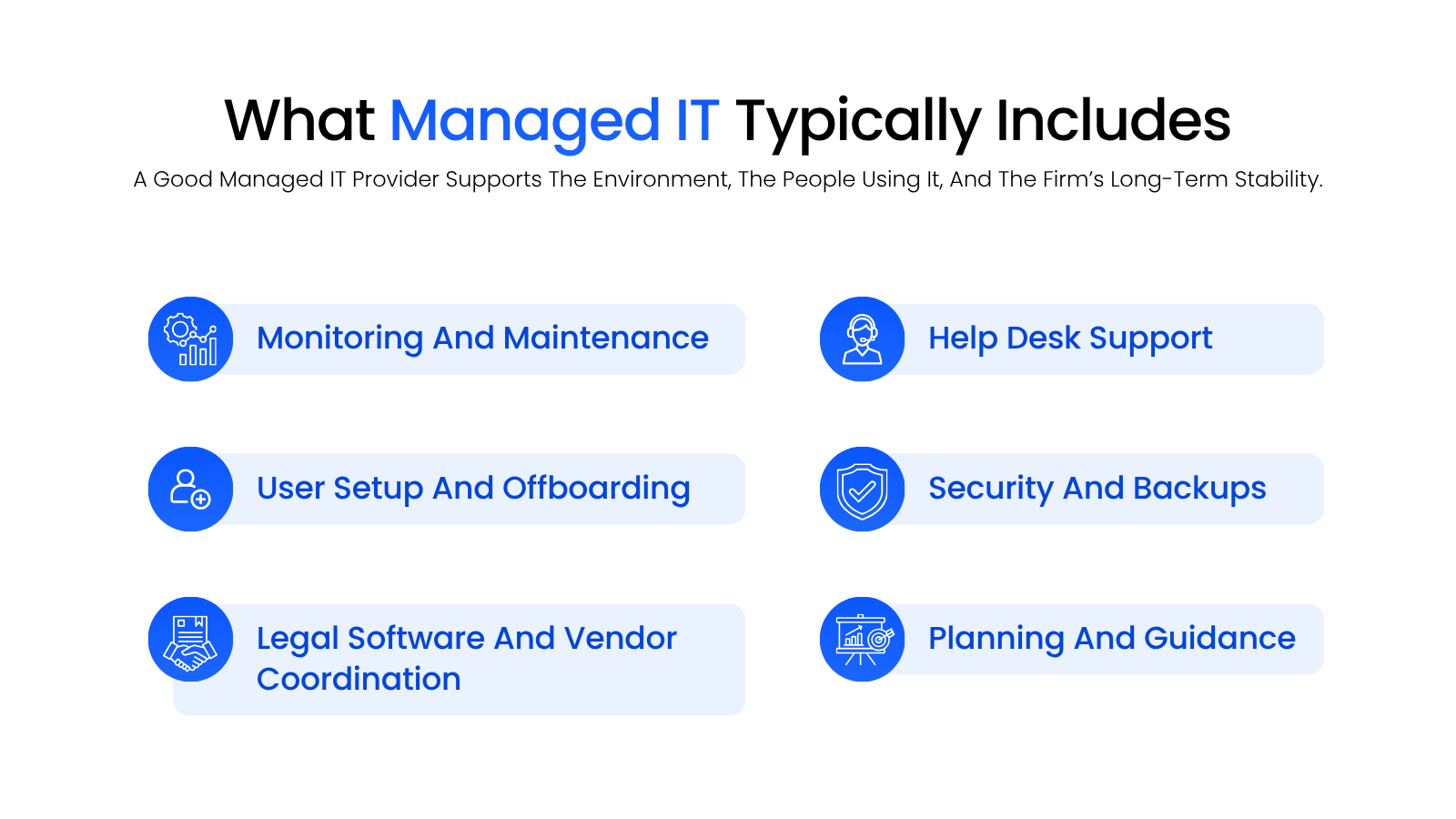
Technology problems inside a law firm rarely stay “technical” for long. Remote access issues slow down lawyers in court, billing system problems delay invoicing, and device issues keep staff from filings. Managed IT helps reduce that day-to-day friction with ongoing support, maintenance, and planning instead of last-minute fixes.
Cybersecurity for Law Firms
Cybersecurity for law firms is the set of protections that help keep client data, firm systems, and user accounts secure: tools, policies, and monitoring that reduce the risk of compromised email accounts, ransomware, unauthorized access, and data exposure.
For most firms, cybersecurity services should include:
Law firms hold privileged communications, client records, financial data, case strategy, settlement details, and confidential documents. A compromised inbox or ransomware event can quickly affect client trust, deadlines, and the firm’s ability to keep working.
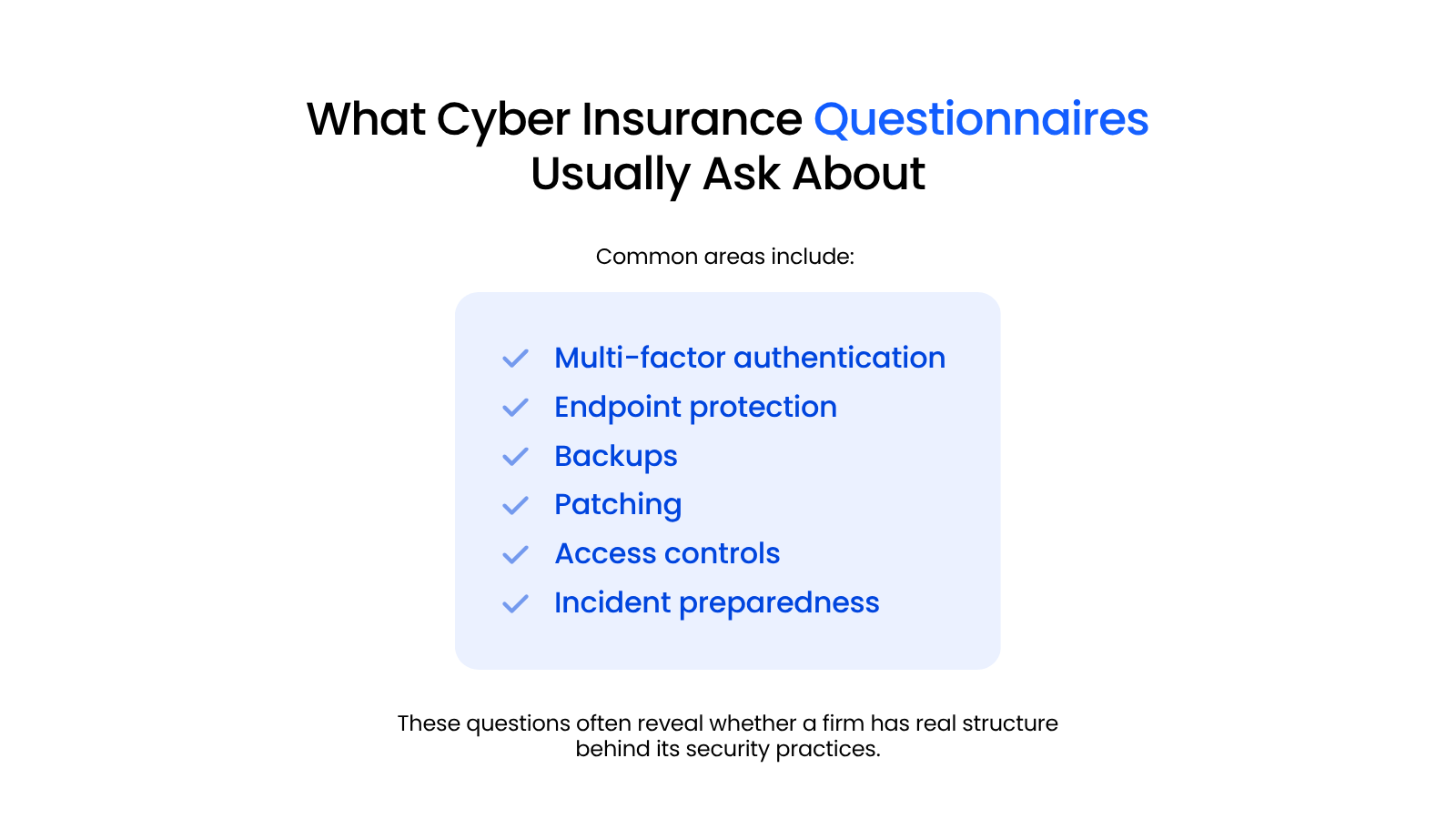
Cybersecurity also affects cyber insurance. Applications increasingly ask whether the firm has MFA, endpoint protection, backups, patching, access controls, and incident response planning documented. The practical goal: match the firm’s protections to the sensitivity of the work.
Cloud Services and Hosting
Cloud services help law firms access applications, documents, and data without depending on an office server or office-only workflow: hosted legal applications, cloud file storage, virtual desktops, secure remote access, cloud-based workspaces. For many firms, this is the move away from aging servers, fragile VPNs, and the server closet.
Cloud services should make it easier for attorneys and staff to work from the office, home, court, client meetings, or travel. This matters most when access breaks at the wrong time. A slow VPN or office-only application becomes a real operational problem when an attorney needs a matter file from court.
Cloud services also matter for legal software: hosted applications, documents, email, and Microsoft 365 need to be available across locations without clunky workarounds. Goal: the firm’s systems should be securely available where the work is happening.
Managed Cloud Services for Law Firms:
This specialized suite of technology provides flexibility, security, and useful resources for law firms. Learn more!
Help Desk and Technical Support
Help desk support is the day-to-day support layer for attorneys and staff: login problems, device issues, Outlook trouble, printer/scanner problems, Microsoft 365 questions, legal software troubleshooting. For a law firm, help desk support should cover:
A lawyer locked out before a filing, a scanner issue before a deadline, or a time and billing problem at month-end can’t always wait comfortably in a standard ticket queue. The support team needs to understand both the technical issue and the work it’s blocking.
Good help desks for law firms also reduce internal bottlenecks. Attorneys and staff should not have to guess who to ask, chase a vendor, or rely on the one person who “knows computers.” They need a clear support path.
Backup and Disaster Recovery
Backup and disaster recovery services help the firm restore data, systems, and access after something goes wrong: accidental deletion, hardware failure, ransomware, outages, corrupted files, or a larger disruption. A real backup and recovery strategy should cover more than whether files are syncing somewhere. Law firms need to know:
A firm may feel safe because files are stored in a cloud tool or synced across devices, but sync isn’t the same thing as a complete recovery plan. A bad deletion, ransomware event, or misconfiguration can sync across the environment.
For law firms, losing access to case files, email, billing systems, or legal applications near a hearing, closing, discovery deadline, or filing creates serious operational pressure. Backup and disaster recovery services give the firm a path back.
Microsoft 365 Management
Microsoft 365 management is the administration, configuration, and security management of the tools many law firms use all day: Outlook, Exchange, Teams, SharePoint, OneDrive, user accounts, licenses, security settings, access policies. For many firms, Microsoft 365 is the operational backbone supporting email, calendars, document collaboration, internal communication, file sharing, and user identity.
A managed Microsoft 365 environment should account for:
Poorly managed accounts can leave former users with access. Weak email security increases phishing risk. Messy SharePoint/OneDrive setups make documents harder to govern. Overly loose sharing settings can expose sensitive information. Microsoft 365 management should create a secure, organized environment.
Legal Software Support
Legal software support is one of the most important IT service categories for law firms. Legal work often depends on practice management systems, document management software, billing tools, accounting platforms, and litigation applications. This category can include legal software support for:
The support issue usually gets complicated because legal software rarely exists in isolation. A problem may involve the application, the workstation, permissions, Microsoft 365, a cloud environment, a database, a document folder, or a vendor-side setting, and firms can get stuck between multiple parties each pointing somewhere else.
A legal-specific IT provider should help the firm sort through those issues, coordinate with software vendors, and understand how the application fits into daily work.
Example: if a billing system stops syncing at month-end, the issue may involve the application, user permissions, Microsoft 365, the hosted environment, or the vendor’s own settings. Without legal software support in scope, the firm can spend hours coordinating while invoices sit unfinished.
Why Legal-Specific IT Services Matter
Firms searching for legal-specific IT support don’t always have the exact words for what’s missing. Mostly, they’re tired of a provider who needs the basics re-explained every time, or a relationship that never quite fits how the firm actually works.
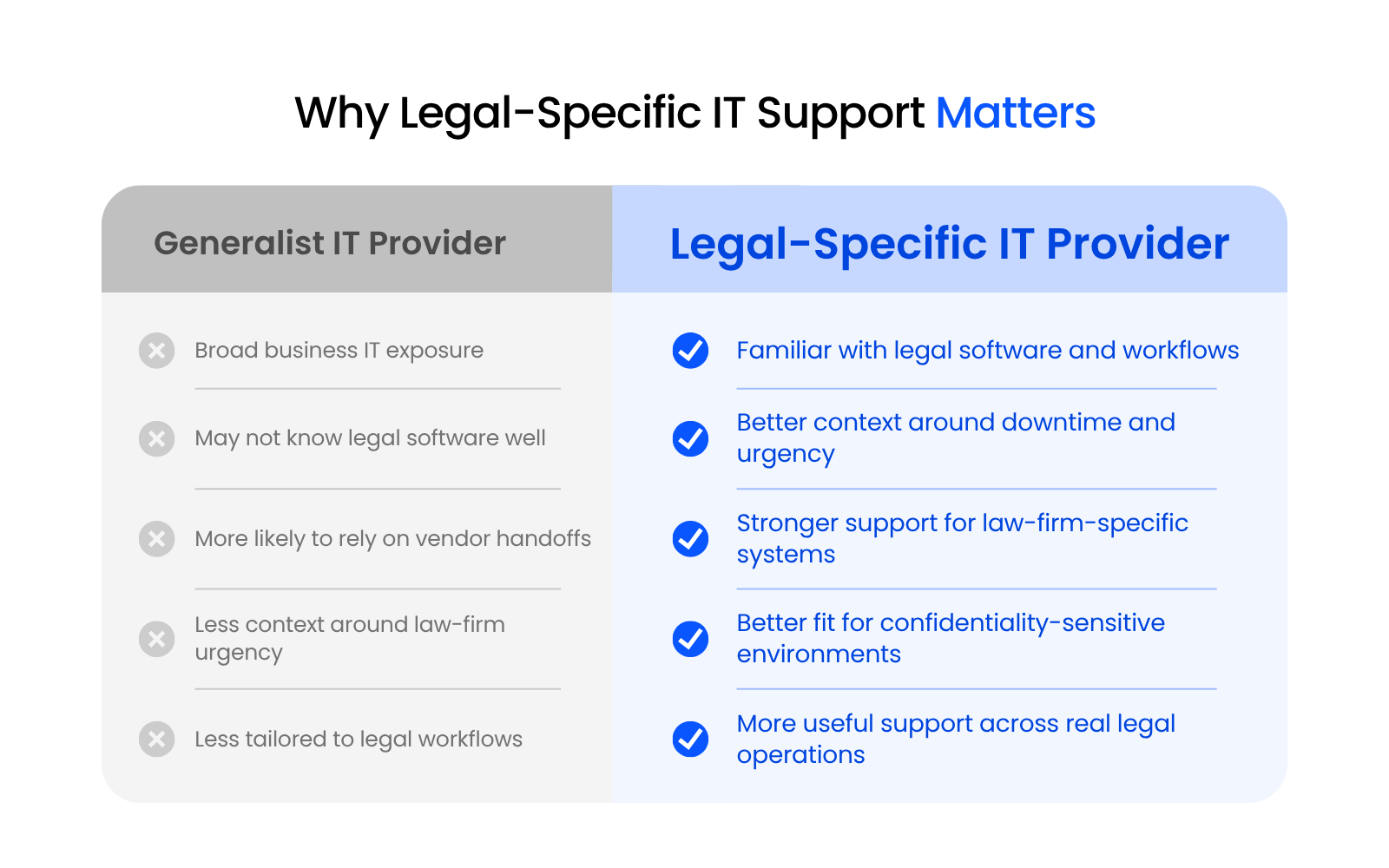
Law firms may use the same devices, cloud tools, and email platforms as other businesses, but legal work changes the stakes: systems support client confidentiality, deadline-driven work, legal software, billing, document access, and matter communication. That’s the real value of legal specialty in IT services: understanding what the technology is actually supporting.
Legal Software Adds Complexity
Legal software often sits at the center of the firm’s work: matters, documents, billing, accounting, deadlines, communication. When something breaks, the issue may involve the application, Microsoft 365, permissions, hosting, a local device, or the software vendor. Legal-specific IT support helps the firm avoid getting stuck between parties who each only understand one piece of the problem.
Confidentiality and Security Stakes Are Higher
Law firms handle privileged communications, confidential client data, financial records, case strategy, and sensitive business documents. That makes ordinary IT administration more important: user access, file sharing, email security, former employee accounts, and backups all need to be managed with the sensitivity of the work in mind.
Deadlines Change the Meaning of Support
A technology issue feels different when it blocks a filing, hearing, closing, discovery deadline, or billing cycle. Legal-specific IT support should understand why certain issues need faster escalation and why a routine-looking ticket may have a real deadline behind it.

Cost of Ignoring Specialization
What happens when a firm sticks with a generalist IT provider for too long.
Generalist vs. Legal-Specialist IT Providers: What the Difference Means in Practice
Picture a firm that just switched IT providers. The old one handled security fine but treated Clio like any other piece of software, and every ticket turned into a game of explaining the basics before getting to the actual problem. That’s usually when firms start asking harder questions before signing with the next one.
That distinction is what the checklist below gets specific about.
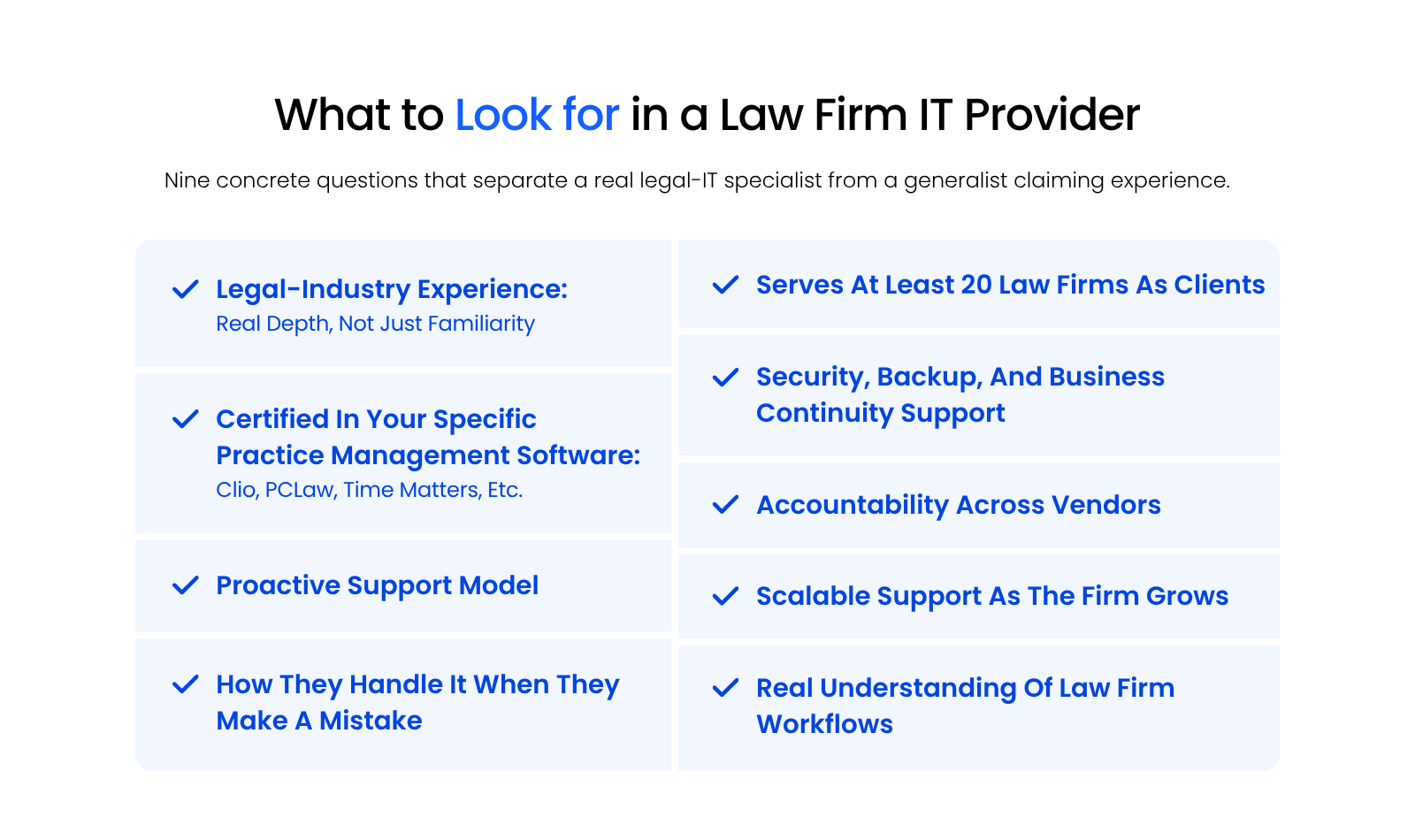
When you’re comparing types of IT providers, some generalist ones handle ordinary business technology well: devices, basic network issues, email accounts, common problems. Law firms often need deeper context, which shows up when a support issue touches legal software, Microsoft 365 configuration, client confidentiality, urgent deadlines, cloud access, or multiple vendors at once.
Two questions cut through most of the guesswork. How many law firms does the provider actually serve? Fewer than 20 real law firm clients usually means surface-level experience, not a specialization.
The second question matters just as much: is the provider certified in or deeply experienced with your specific practice management software, whether that’s Clio, PCLaw, or Time Matters? That software runs the center of your firm, so a provider who’s never touched it will learn on your clock.
Generalist vs. Legal-Specialist IT Provider Evaluation
| Evaluation Area | Generalist IT Provider | Legal-Specialist IT Provider |
|---|---|---|
| Legal Software Support | Fewer than 20 law firm clients; not certified in your practice software | 20+ law firm clients; certified in or deeply experienced with your specific software |
| Microsoft 365 Configuration | Basic setup only | Configured for secure legal workflows |
| Cybersecurity Context | Generic protections | Understands legal confidentiality stakes |
| Deadline Urgency | Standard ticket queue | Recognizes filing, hearing, and billing urgency |
| Vendor Coordination | Hands off to vendor | Coordinates across vendor and environment |
| Cloud and Legal Application Hosting | General cloud only | Hosts and supports legal-specific applications |
| Confidentiality Expectations | Standard business handling | Matched to privileged/confidential work |
A better conversation sounds more specific:
For many firms, the strongest provider is the one that can stay calm under detail: understanding the software stack, knowing which issues need escalation, coordinating with vendors, and recognizing why a “minor” access issue may have a major impact during a legal deadline.

Top Legal-Centric IT Providers for Law Firms:
Compare legal-focused IT providers and learn what to look for when evaluating support options for your firm.
Getting the Right IT Services for Your Law Firm
The right IT services do more than give you someone to call when something breaks. They build a stable, secure, and fully supported environment around the systems your firm actually uses: managed IT, cybersecurity, cloud access, help desk, backup and recovery, Microsoft 365 management, and legal software support. Skip one category, and the gap shows up somewhere else: weak Microsoft 365 management becomes a security problem, thin backup planning becomes a recovery problem, and unsupported legal software becomes an operations problem.
WHAT’S NEXT
Frequently Asked Questions

Uptime Legal’s Technology Solutions
Cloud, software, IT, and document management built for today’s law firms.