Table of Contents
Your lawyers are probably already using AI. One drafts in ChatGPT, another summarizes documents in Microsoft Copilot, and your practice-management software now has an AI feature of its own. Nobody has written down which of those tools may see client information.
ABA Formal Opinion 512 applies the Model Rules to that situation. Most of what it asks is settled before anyone types a prompt, in how a tool is configured, what its contract says and what your firm’s policy allows.
Firms we talk to often stall on AI because the partners can’t agree how far to go. The opinion turns that argument into a set of checks, and it’s the right starting point before the bigger questions about AI for law firms.
When we review a firm’s Microsoft 365 and Copilot setup, we read the opinion the way an IT provider has to: duty by duty, then setting by setting.
What Is ABA Formal Opinion 512?
The ABA’s Standing Committee on Ethics and Professional Responsibility issued ABA Formal Opinion 512, “Generative Artificial Intelligence Tools,” on July 29, 2024. It’s the committee’s first formal opinion on how lawyers use generative AI (GAI).
The opinion takes duties your lawyers already carry and asks what each one requires once a GAI tool is part of the work, without naming or ranking any product.
Which Model Rules Does Opinion 512 Apply?
Opinion 512 reads these existing duties against generative AI tools, without adding a new rule:
The opinion reads as a set of applications, which is why it’s useful as a checklist.
Is Opinion 512 Binding on Your Firm?
ABA formal opinions interpret the Model Rules, and courts and state bars treat them as persuasive guidance. Your firm answers to your own state’s rules of professional conduct and your state bar’s opinions.
Several state bars published their own AI guidance in 2024, and Opinion 512 cites them, including Florida Bar Ethics Opinion 24-1. Read your state’s guidance next to the ABA’s before you write a firm policy.
Which of Opinion 512’s Duties Depend on Your AI Tools?
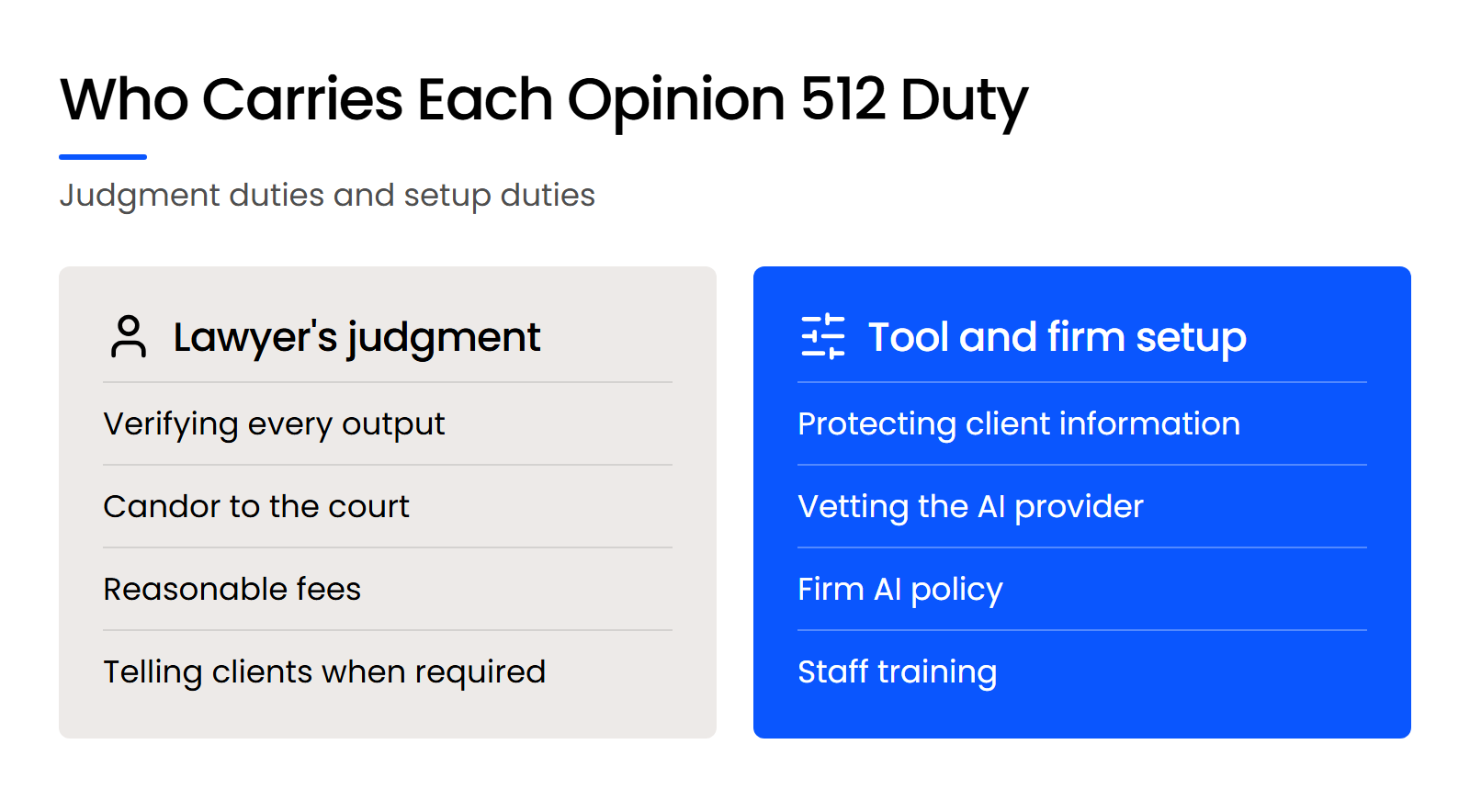
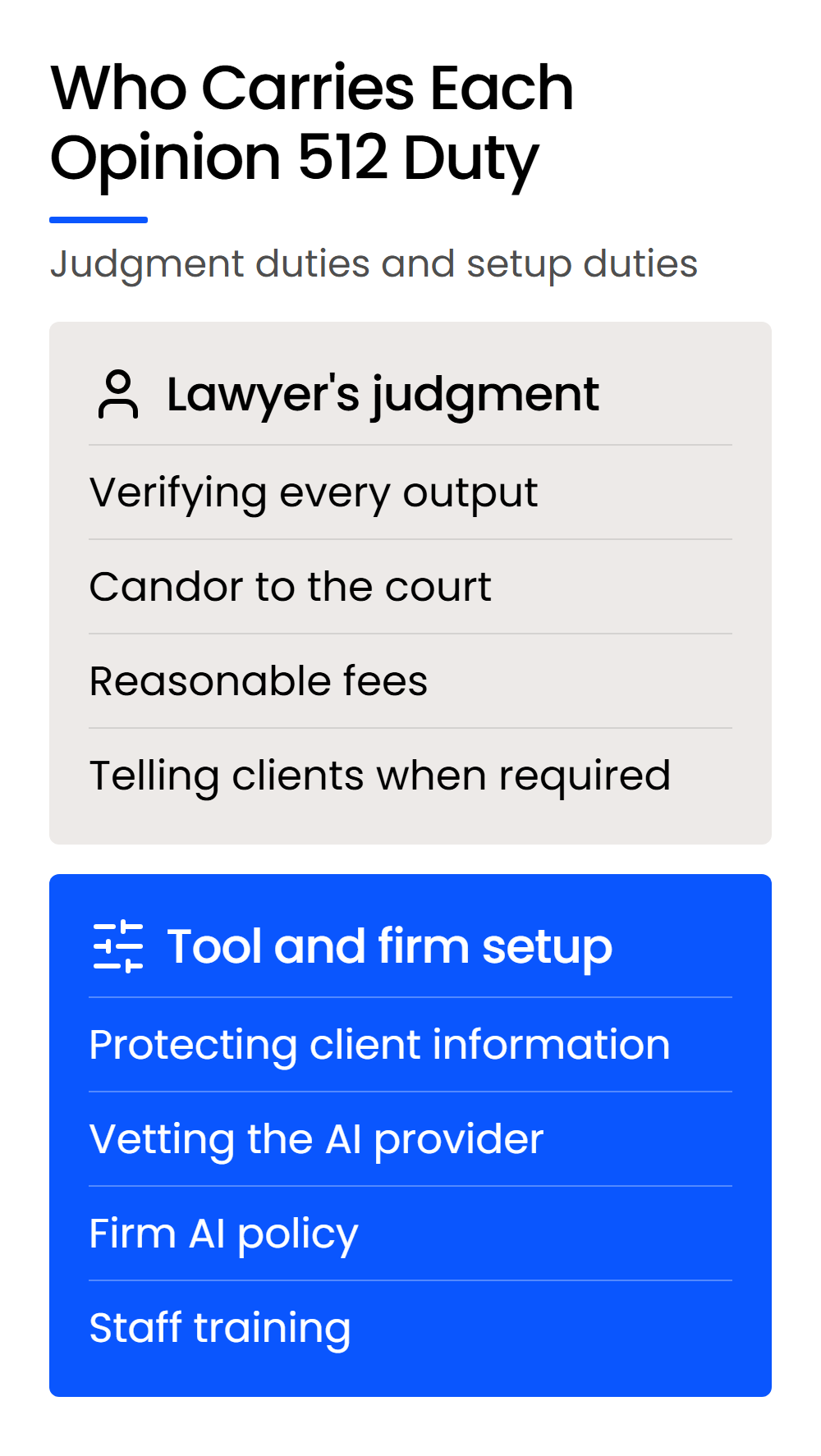
Some of Opinion 512’s duties are met by a lawyer’s judgment on the work: verifying output, candor to a court, fees and deciding when to tell a client. The rest are met in how your firm’s AI tools are set up before anyone uses them.
Competence still means checking what the tool produces. The opinion lets the level of review vary with the tool and the task, and it’s firm on where responsibility ends up: “regardless of the level of review the lawyer selects, the lawyer is fully responsible for the work on behalf of the client.”
Treat a GAI tool like a capable first-year associate. It can produce good work, it makes mistakes, and nothing it drafts goes out unread.
That review sits inside the tech-competence duty in Rule 1.1, comment 8, which shapes what bar associations expect of your firm’s technology.
The setup duties work differently. These are all settled by configuration, contract and training:
ABA Model Rule 1.6(c) already requires “reasonable efforts to prevent the inadvertent or unauthorized disclosure of, or unauthorized access to, information relating to the representation of a client.” An AI tool is one more system those efforts have to cover, alongside the rest of your firm’s data security duties.
At a small firm, nobody owns those settings by default. They stay at whatever the vendor shipped until someone changes them.

When Does Opinion 512 Require Client Consent Before Using AI?
Opinion 512 requires a client’s informed consent before you put information relating to their representation into a self-learning AI tool that could disclose it to others.
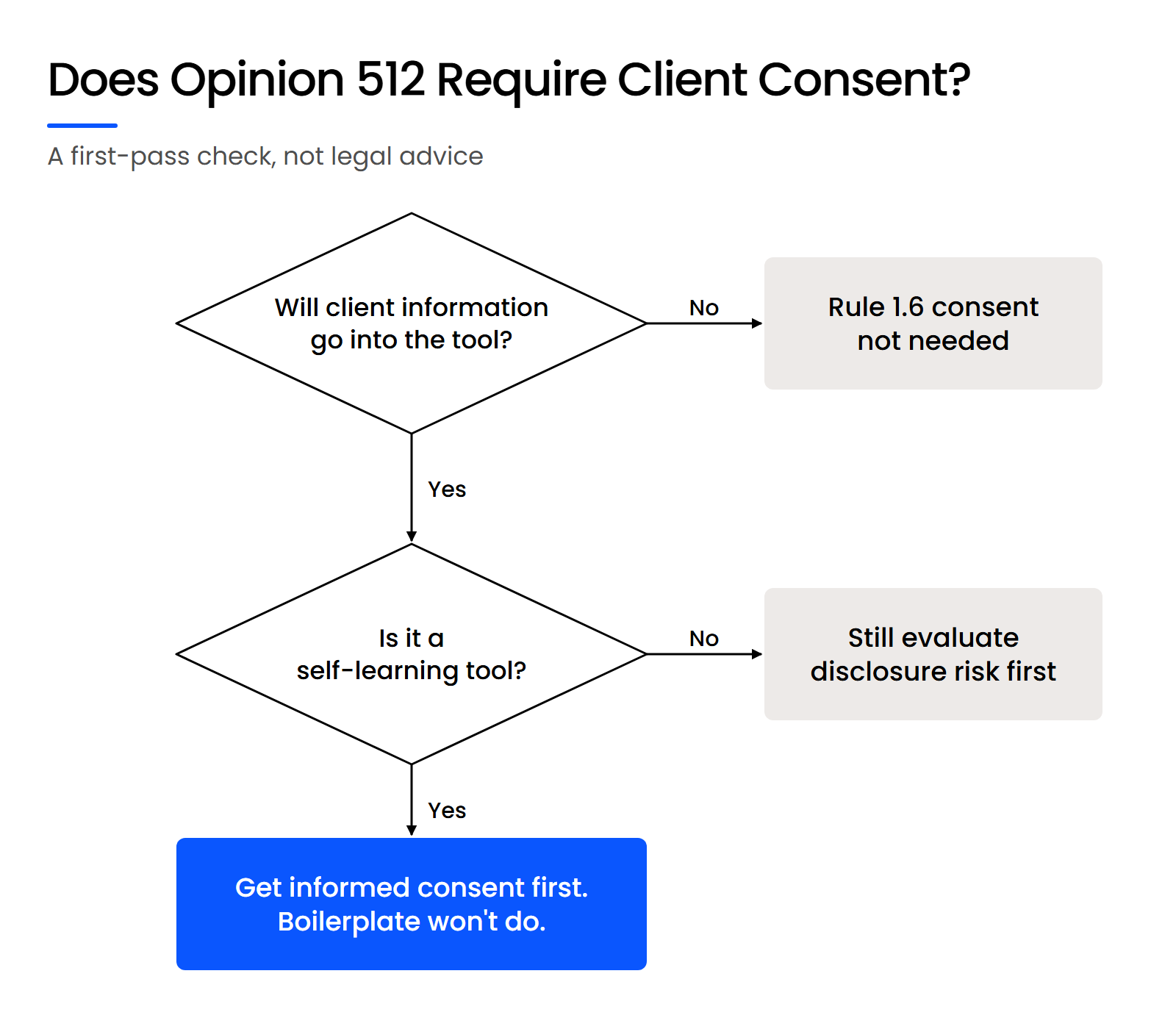
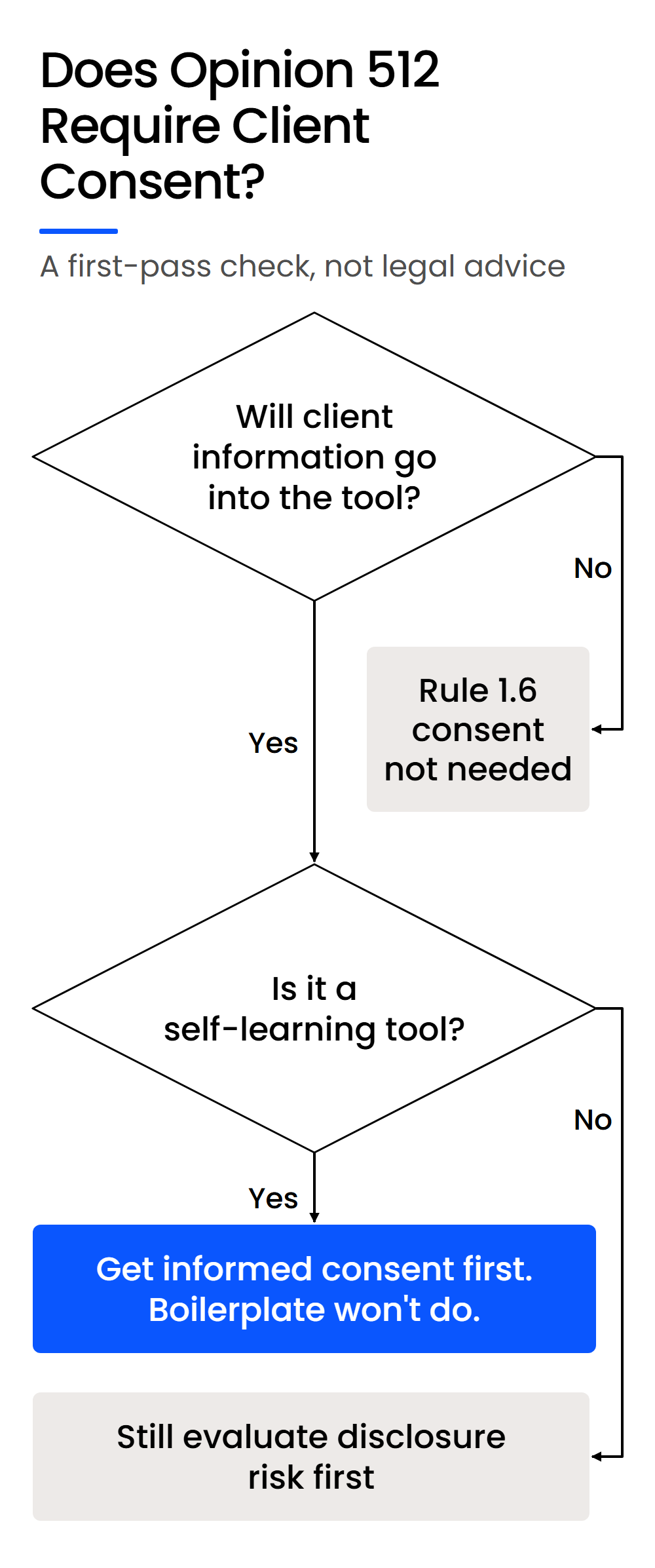
Whether a tool learns from what it’s given, and who can reach what goes into it, are facts about the tool. That’s why the same lawyer can need consent for one AI tool and not for another.
When a Self-Learning Tool Needs Client Consent
The opinion starts with a risk check: “Before lawyers input information relating to the representation of a client into a GAI tool, they must evaluate the risks that the information will be disclosed to or accessed by others outside the firm.”
For self-learning tools, it goes further: “a client’s informed consent is required prior to inputting information relating to the representation into such a GAI tool.”
Both conditions have to be true. If you use a tool for idea generation without entering client information, the opinion says client consent isn’t necessary.
That’s why “can our lawyers use ChatGPT or Copilot?” has no single answer. OpenAI’s consumer ChatGPT plans can use conversations to train its models unless a user turns that off, and its business plans, including ChatGPT Enterprise, exclude business data from training by default.
Microsoft Copilot (formerly Microsoft 365 Copilot) works inside your Microsoft 365 tenant and can surface any file a user already has permission to view.
The contract terms and the settings decide which side of the line a tool sits on, and paying for a subscription doesn’t change either one.
Why an Engagement-Letter Clause Isn’t Enough
Informed consent under the opinion means the client gets your best judgment on four points:
A general line in an engagement letter carries none of that.
If a self-learning tool needs client information to be useful, plan the consent conversation matter by matter, and write down what the client agreed to.
Can a Shared AI Tool Breach Your Own Ethical Walls?
A self-learning tool shared across your firm can surface one client’s information in answers for another matter. The opinion says the risk exists “even if the tool is used exclusively by lawyers at the same firm.”
That includes lawyers behind an ethical wall and lawyers who don’t realize an output came from another client’s file. Generic AI governance advice rarely covers it, because most businesses don’t run ethical walls.
How Do You Vet an AI Tool the Way Opinion 512 Describes?
Opinion 512 tells lawyers to read and understand every AI tool’s Terms of Use and privacy policy, or rely on someone who has, and to confirm how the tool stores, retains and protects client information, and each of those checks maps to something you can verify before rollout.
The opinion is direct about who can help: “Lawyers may need to consult with IT professionals or cyber security experts to fully understand these terms and policies as well as the manner in which GAI tools utilize information.” The checks below turn that sentence into work you can assign.
Start with an Inventory of Every AI Feature You Already Have
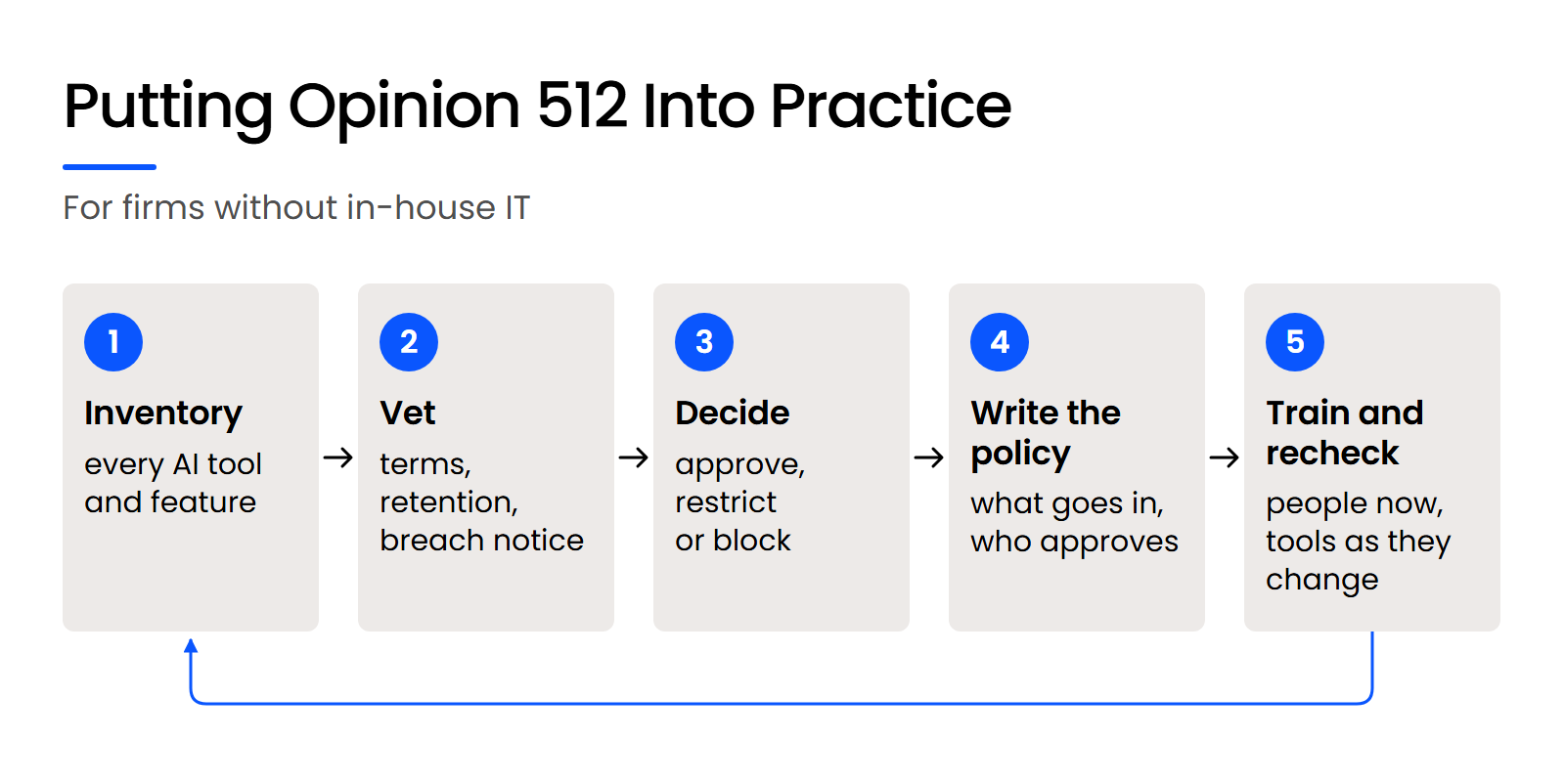
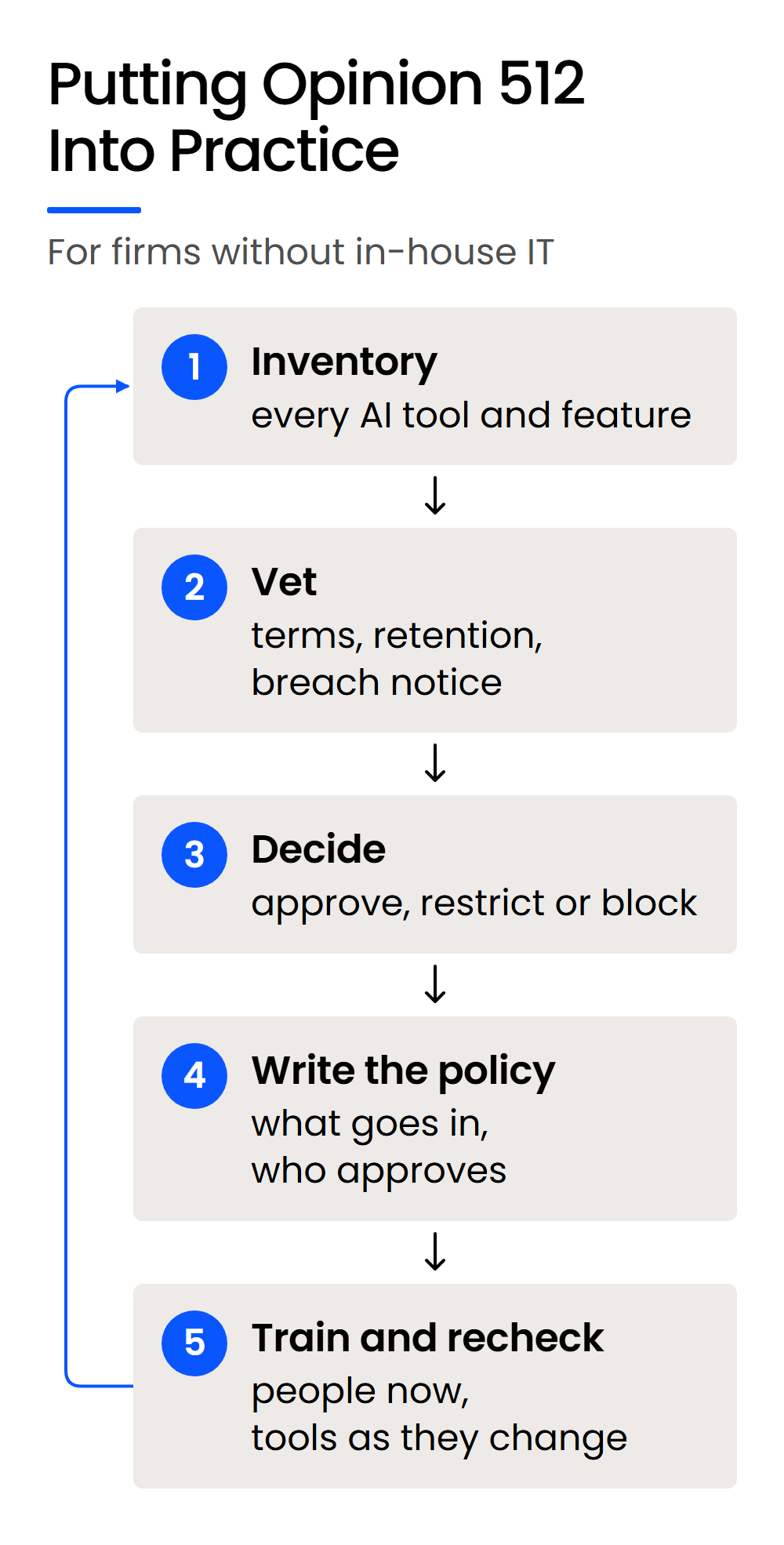
Vetting starts with a list of every AI feature already running at your firm, including ones nobody chose. Accounting, case management, document management, email and form-assembly products now ship their own AI, so a firm can be running three to five separate AI interfaces at once.
Each one that touches client information needs the same checks as the tool the partners picked.
What Opinion 512 Says to Check Before You Approve an AI Tool
As a baseline, the opinion says lawyers “should read and understand the Terms of Use, privacy policy, and related contractual terms and policies of any GAI tool they use,” or consult a colleague or outside expert who has. The table maps that baseline and the opinion’s other checks to where you’ll find each answer.
Most of those rows come from guidance the opinion carries over from cloud computing.
Lawyers should “ensure that the [GAI tool] is configured to preserve the confidentiality and security of information, that the obligation is enforceable, and that the lawyer will be notified in the event of a breach or service of process regarding production of client information.”
They should also “determine whether the [GAI tool] retains information submitted by the lawyer before and after the discontinuation of services or asserts proprietary rights to the information.” Together, those checks answer the questions firms ask most: does the vendor train on what we enter, and does it keep our data after we cancel?
Vendors change their terms, so put a review date on every approved tool and check it again when that date comes up.
What to Ask an AI Vendor Before You Sign
Turn the checklist into direct questions, and get each answer in writing in the contract:
The opinion borrows these from earlier ethics guidance on outsourcing, which lists reference checks and vendor credentials, the vendor’s security policies and hiring practices, confidentiality agreements, its conflicts check system, and access to a legal forum if the vendor breaks the agreement.
What Should a Law Firm AI Policy Cover Under Opinion 512?
Opinion 512 makes a firm AI policy a managerial duty: “Managerial lawyers must establish clear policies regarding the law firm’s permissible use of GAI,” and supervisors must make reasonable efforts to see that lawyers and staff follow them.
When partners disagree about how far to take AI, a written policy turns that disagreement into a decision the whole firm follows.
What a Firm AI Policy Needs to Name
A short policy works at a small firm if it names these points:
Keep the approved list short at first. Adding a tool later is easier than taking one away from people who already depend on it.
How to Train Lawyers and Staff on Your AI Policy
The opinion’s training suggestions cover four areas:
Start with what your own state bar says about when and how AI may be used, then walk through your approved tools.
Repeat the training as tools change. The opinion calls GAI tools “a rapidly moving target,” and a policy written for last year’s features won’t cover this year’s.
How to Enforce an AI Policy in Your Firm’s Systems
A policy holds when your systems back it up. Three controls do most of that work:
Each control turns a line in the policy into a setting someone can check.
What Does Opinion 512 Say About Fees, Client Disclosure and Court Filings?
Opinion 512 lets you bill only the time you spend with an AI tool, treats AI built into everyday software as overhead, and requires review of every AI output before it reaches a court.
These are judgment calls for the lawyer, and the opinion is specific about each:
An IT provider can tell you how a tool handles client data. Whether a specific use on a specific matter is ethical is a question for your ethics counsel or your state bar’s ethics hotline.
Where Does an IT Provider Fit, and Where Doesn’t It?
An IT provider fits where Opinion 512’s duties depend on the tool: configuration, contracts and a written policy your firm can show a client, an insurer or a bar. The gap that matters is between the settings a tool offers and the settings someone turned on.
An IT provider can check that gap: the terms, the retention settings, the permissions behind Copilot. Uptime Legal rolls out and sets up Microsoft Copilot for law firms. Whether a specific use is ethical on a specific matter stays your call, or your ethics counsel’s.
WHAT’S NEXT
FAQ

Uptime Legal’s Technology Solutions
Cloud, software, IT, and document management built for today’s law firms.