Table of Contents
You can’t throw a stick without hitting a dozen law practice management software options today, and most of them look the same from a distance. Clio Manage is the one we keep coming back to, and case management is where that case gets made or lost.
We’ve spent over a decade working with hundreds of law firms across North America, watching software decisions get made, and re-made. In that time, Clio Manage has held up in a way most “me too” practice management tools haven’t.
Here are the seven reasons Clio Manage still earns a serious look, starting with case management itself.
Introduction to Law Practice Management
Law Practice Management (LPM) software is a platform that, to varying degrees, manages each aspect of your law firm. The scope, features and capabilities of any given Law Practice Management application vary from product to product. Some products provide basic timekeeping and billing, others provide a broader array of functions, including matter management, form and document assembly, calendaring, trust accounting, and more.
Introduction to Clio Manage
If you own or manage a law firm, you’ve almost certainly heard of Clio, and you may have evaluated it before to run your practice. Clio Manage may have the largest market share of cloud-based legal practice management products, and there’s a reason for that.
Clio Manage, in our view, has struck a near-perfect balance of simplicity, with modern design sensibilities that make using their software approachable and useful, and robustness, with the tools and features that law firms need to effectively manage their practice.
Clio Manage – The Hub of Your Practice
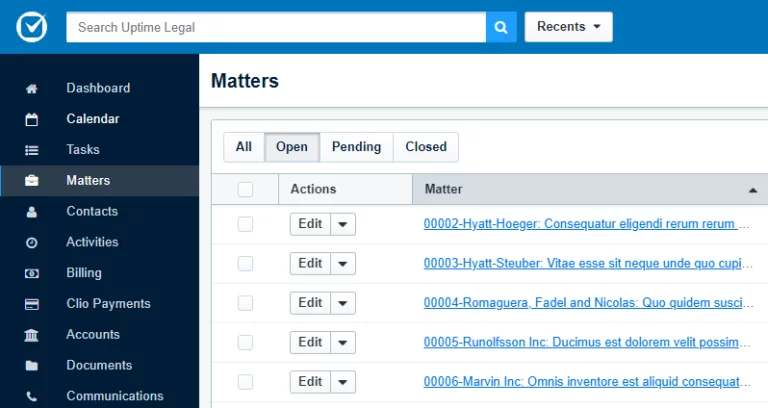
Clio Manage aims to be the functional hub of your law practice. Yes, the practical core of the Clio Manage software is management of time, billing, clients, matters, and appointments, but it’s fair to say Clio Manage is more than just law practice management software.
Clio Manage does something that, candidly, we wish more software companies did: it does what it does well, and lets integration partners handle the rest. It’s far better to have software that excels at its core purpose, even if it misses a feature or two your firm would like, than to try to “do everything” and do it poorly.
Pricing starts at $49 per user per month on Clio’s Starter plan, and that’s the only figure Clio publishes. Core, Signature, and Elite are quote-based, so plan on more than the entry number if you want the client portal, AI-assisted billing, or deeper reporting.
Let’s get specific. Here are seven stand-out capabilities of Clio Manage, starting with case management itself.
1. Excelling at Case and Matter Management
Case and matter management sits at the core of what Clio Manage does, and it’s the reason this software keeps coming up when firms compare their options. Every practice management product competing for your business covers the basics:
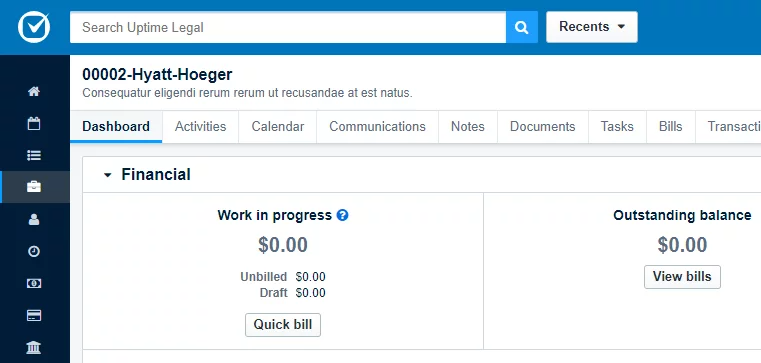
Clio Manage arguably does it better. Routine tasks ranging from creating a new client, generating an invoice, or scheduling a deadline are intuitive, easy, and robust when done in Clio Manage. These basic functions work and are frictionless to accomplish. Other products still haven’t mastered these core operations, and feel clunky or unintuitive by comparison.
For a full feature-by-feature walkthrough, see our Clio review.
2. App Directory – More Than Just Integrations
Clio Manage is probably most famous for its large network of integrations, but simply saying “Clio has a lot of integrations” is a bit reductive.
Clio Manage masters the core of running a law practice: clients, matters, billing, payment processing, calendaring, to-dos, and more. But every law firm is unique:
Many law firms also rely on more general-purpose tools, which collectively make up the firm’s total technology toolkit. Clio’s App Directory lists 250+ apps, both general-purpose and specialized, effectively extending Clio Manage’s capabilities and letting you build a system that’s tailored to your firm.
Clio Manage has also started building AI directly into the platform. On Core plans and above, it can automatically turn documents into calendar events and tasks, draft client updates, and even draft your bills, which are genuinely useful additions, not just a feature checkbox.
In this way, Clio becomes the hub of your firm’s technology, the Operating System for your law practice.

3. Clean, Intuitive User Interface
Clio Manage has a clean, easy-to-learn-and-use, almost minimalistic user interface. This is important, and here’s why.
Have you ever tried and failed to get your law firm to reliably use a new piece of software? (Only to have users fall back to their old home-brew system of spreadsheets, documents and notes?)
If so, at least some of this can likely be blamed on the software itself. Too many pieces of software, both old and new, are over-saturated, cluttered, busy, and unapproachable.
Clio Manage, by contrast, is intuitive, easy to use, and (most importantly) easy to adopt in your law firm. Things are where you’d expect them to be. Individual screens present the information relevant to that screen, and nothing more. The user isn’t overwhelmed with irrelevant information.
Law practice management software isn’t a beauty pageant, but presenting end users with a slick, clean interface dramatically helps adoption, which helps your law firm become the well-oiled machine that you (hopefully) are working to build.
4. Work Anywhere
Lawyers work from courthouse hallways, hotel rooms, and kitchen tables, and that stopped being remarkable years ago. A partner reviews a settlement draft between hearings. A paralegal pulls a client file on a snow day. Your practice management software either follows them there or it quietly becomes the reason work waits until Monday.
Clio Manage allows your firm to work anywhere, and delivers a perfectly consistent work experience whether you’re working from the office, at a client site, or from home.
When you extend your Clio Manage with other cloud-based tools, such as Office 365 and QuickBooks Online, you’ll have a team and technology platform that is independent of any one physical location and office. That’s a level of flexibility and resilience that’s worth its weight in gold.
5. Eliminate Servers, Simplify Your IT
Let’s be honest: owning servers is a headache, and managing IT is no fun.
Servers are, at best, a means to an end, and at worst, a huge and expensive headache. For small and midsize law firms, servers have always been a necessary evil: if you wanted to run a reasonably well-organized law firm and get bills out on time, you needed a server to host practice management software.
Clio Manage, along with a suite of other cloud-based tools, eliminates the need for servers altogether, and thereby dramatically streamlines and simplifies your firm’s IT.
That server sitting in your firm’s coat closet or copy room fundamentally serves about three purposes:
All of the reasons to own a server are gone once you’ve moved to an all-cloud technology stack, including Clio Manage. Servers are quickly becoming obsolete, which means your firm can finally be done with servers, upgrades, downtime, and needless IT consultants.

6. Client Communication
Being a competent lawyer is obviously important, but if you poll a random law firm client, a key factor in their positive or negative feedback is often rooted in communication.
Doing great work only matters if your client is aware of it, and Clio understands this. Clio for Clients is a secure client-attorney communication portal, and it’s live today, not a future feature. It’s included free on Clio Manage’s Core, Signature, and Elite plans, and it gives clients a way to message you securely, scan and share documents, and pay bills online.
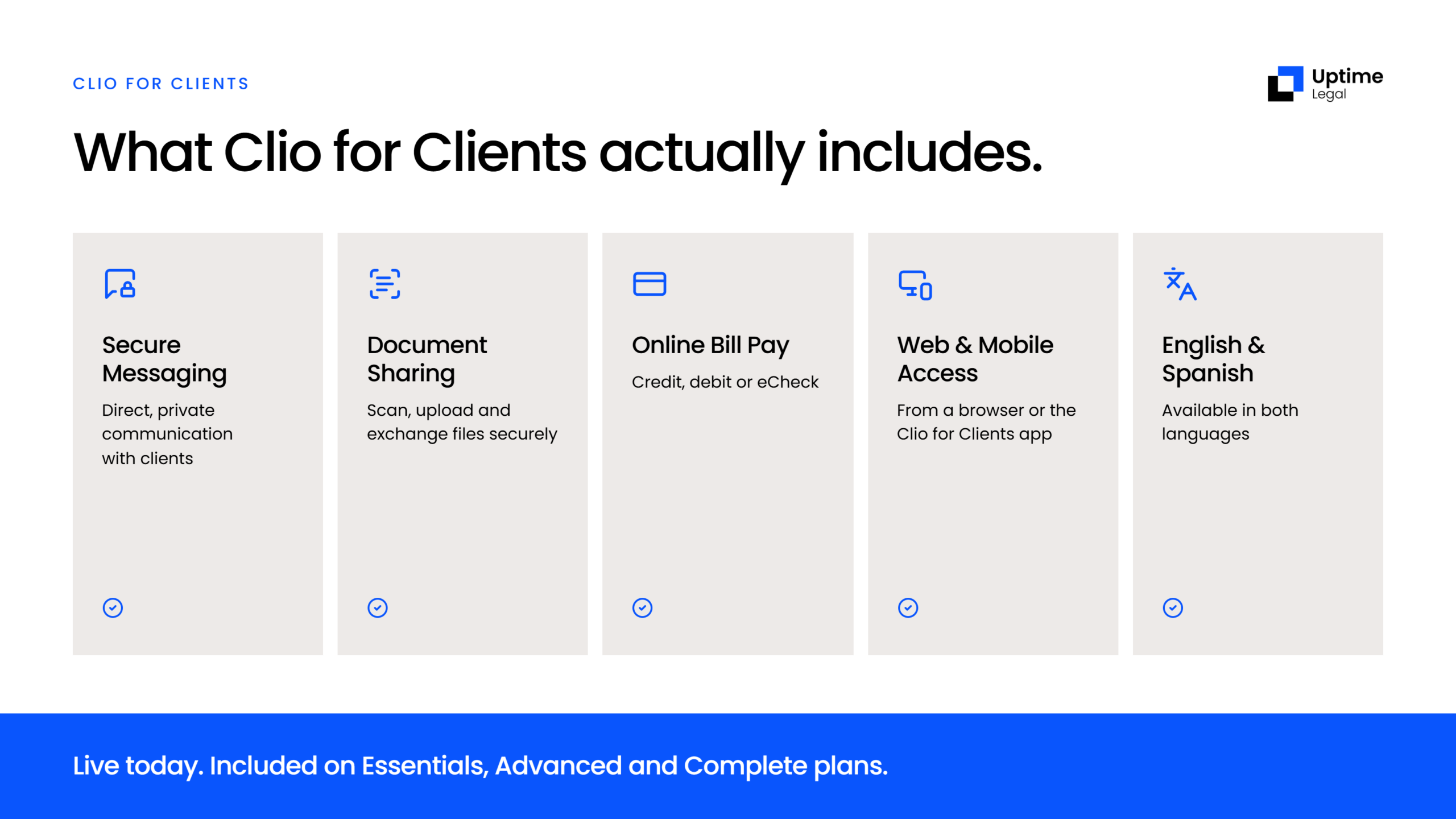
Clients can access Clio for Clients from a web browser or the dedicated mobile app, and the portal is available in both English and Spanish. It’s a real, complete communication channel, not a placeholder promise.
7. Reputation (Matters)
Lawyers are hard-wired to look to precedent when making decisions. Most law firms aren’t looking to be pioneers, but rather the security that comes with reputation and social proof.
Clio Manage is arguably the most recognized legal software today. Clio is recommended by 100+ bar associations and law societies, including all 50 US state bar associations, and it has more raving fans, law firms large and small, than any other practice management platform we’ve looked at.
Collectively, this means that law firms looking for the low-risk option should seriously consider Clio. If you want to see it for yourself, Clio offers a free trial.
Disclosure: Uptime Legal is a Clio Certified Consultant and was named Clio Partner of the Year in 2022, 2023, 2024 and 2025.
When Law Firms Should Use Clio Manage
Clio Manage is a good fit for law firms that want a modern, natively cloud practice management solution.
Clio Manage is well-suited for law firms that find alternative products trying to do too much and would prefer a focused, easy-to-use product that can be up and running quickly.
Clio Manage is especially well-suited for law firms that rely on other cloud-based tools, such as Office 365, DocuSign, OneDrive, Dropbox, QuickBooks, and others.
Complete Your Law Office in the Cloud
Are you considering Clio Manage for your law firm, or already using Clio? A strong case management core is the foundation, and the line between case management and document management decides what else your firm needs.
Uptime Legal has helped hundreds of law firms transition to the cloud and streamline their technology. More importantly, we’ve helped hundreds of law firms complete the picture when it comes to building a law office in the cloud.
Get in touch, and an Uptime Legal technology expert will help you find the right case management software and other technology tools for your law firm.
The Case for Clio Manage Holds Up to Scrutiny
Seven reasons, checked against what’s actually true today: Clio Manage still earns its reputation, and its case management core is a real strength, not just a marketing line. If your firm is comparing practice management options, that combination of substance and staying current is worth weighing.
WHAT’S NEXT
Frequently Asked Questions

Uptime Legal’s Technology Solutions
Cloud, software, IT, and document management built for today’s law firms.