Law Practice Management (LPM) software is a platform that, to varying degrees, manages each aspect of your law firm. The scope, features and capabilities of any given Law Practice Management application varies from product to product; though broadly speaking, LPM software performs the following functions.
Beyond these core features, some LPM applications provide additional functionality or focus on a particular element of law practice as a stand-out feature. These include:
In this way, LPM software sometimes overlaps with Document Management Software (DMS) and Law Firm Accounting Software.
Introduction to PCLaw
PCLaw is a popular, long-standing practice management, billing and accounting solution for small and midsize law firms. It includes lightweight practice management (clients, cases and calendars), coupled with robust time tracking, billing and accounting (including robust financial reporting). PCLaw is one of the few all-in-one solutions that doesn’t require separate software for bookkeeping and accounting.
PCLaw is server/desktop-based software, which means it can run on-premise, on your firm’s in-house servers or hosted in a Private Cloud.
A Good Fit for Firms That…
PCLaw is a good fit for law firms that:
The Company
PCLaw was originally developed by an independent company. The product was later acquired by LexisNexis. In 2019, LexisNexis and LEAP Software created a joint venture, where the PCLaw software continues to be developed and supported.
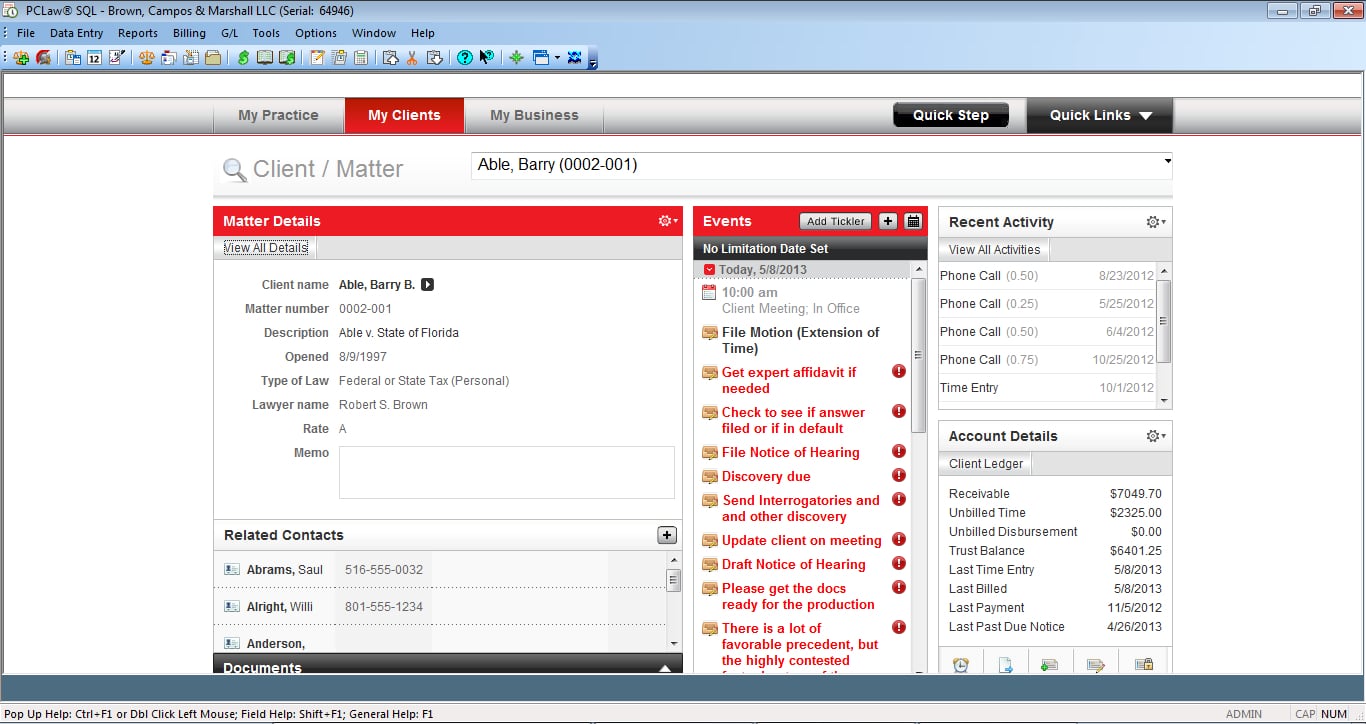
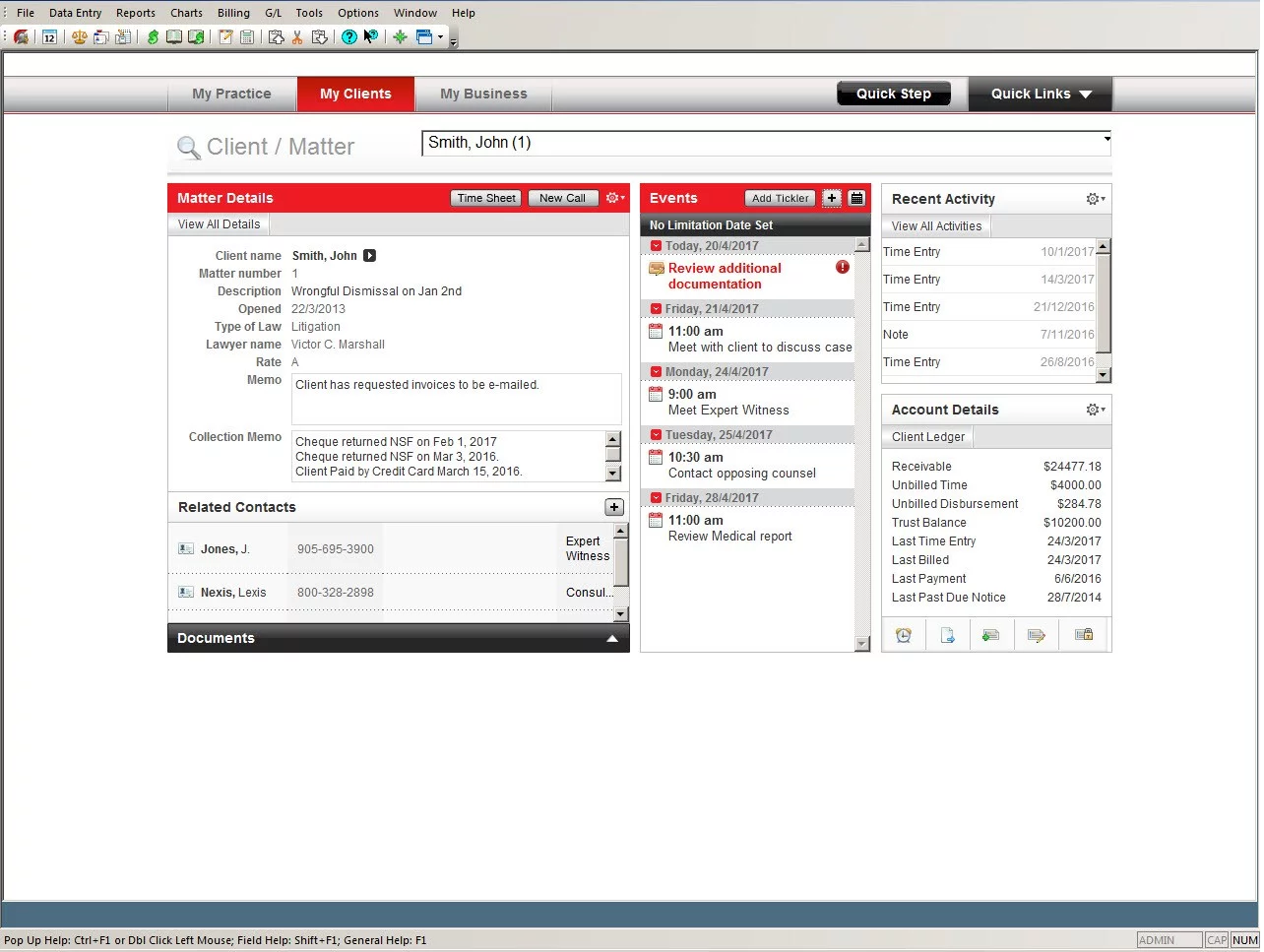
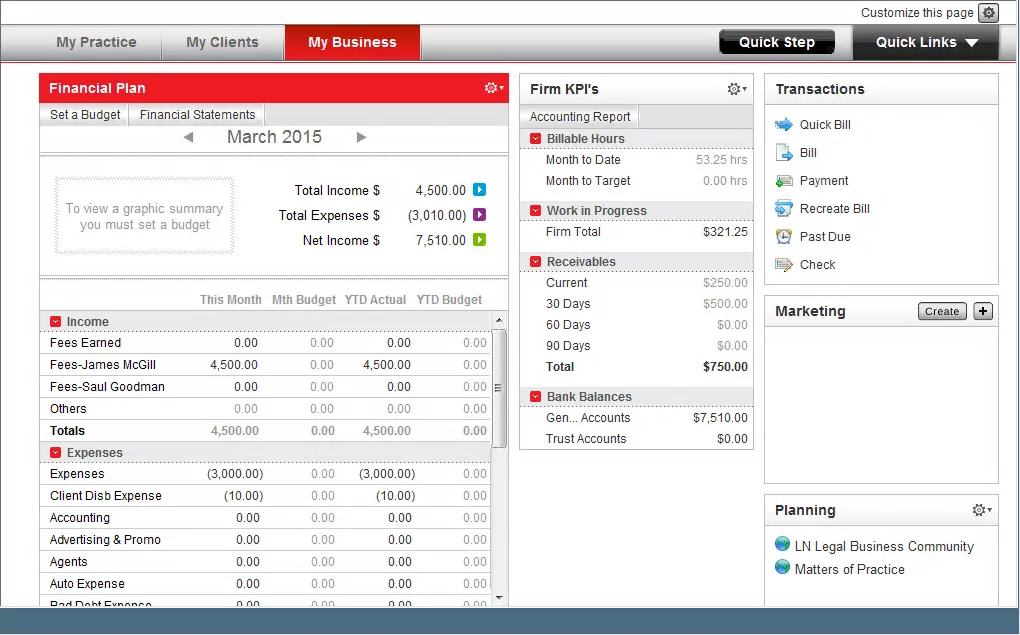
See PCLaw in Use
PCLaw has a straight-forward user interface. The accounting aspects of each case is often front-and-center within the various screens in PCLaw.
PCLaw Stand-Out Features
PCLaw Support: How to Get Help with PCLaw:
PCLaw is a LexisNexis legal practice management and accounting tool with multiple support options, including LexisNexis, certified consultants, and IT professionals. Here’s how to pick.
PCLaw Annual Maintenance Plan (AMP)
PCLaw can be subscribed to as a monthly Subscription-Based License or purchased as a perpetual license with an Annual Maintenance Plan.
With an SBL or AMP, your firm is entitled to:

LEAP: Complete Review, Features, Pricing:
Read our complete review of LEAP, including a feature overview and pricing information.
Outsourced IT for Law Firms:
Outsourced IT provides law firms with expert support, enhanced security, and operational efficiency — helping them stay competitive.
Complete Feature List
User Feedback
We’ve aggregated and curated feedback from PCLaw users, consultants, and online sources.
PCLaw Software Pricing
PCLaw in the Cloud
PCLaw is desktop/server-based software, which means you can run it on your firm’s in-house, on-premise servers, or hosted in a Private Cloud.
Hosting PCLaw in the cloud should be done only with capable, experienced cloud providers, and only with PCLaw Authorized Hosting Partners.
Running PCLaw in secure Private Cloud, via a Virtual Desktop platform, gives your law firm the advantages of the cloud, without having to maintain servers and deal with IT headaches.
Advantages of PCLaw in the Cloud
Ready to Get PCLaw in the Cloud?
At Uptime Legal, we host PCLaw and other legal software for hundreds of law firms across North America.
Get in touch with our team to learn more about PCLaw in the cloud for your law firm.


Uptime Legal’s Technology Solutions
Cloud, software, IT, and document management built for today’s law firms.