Table of Contents
Firms searching for a tabs3 review usually want one thing: a straight answer on whether Tabs3 and PracticeMaster still hold up.
PracticeMaster runs the front office: clients, matters, calendaring, and tasks. Tabs3 runs the back office: billing, business accounting, and trust accounting. Together, they’ve been a fixture in legal practice management for decades.
That puts them in a crowded field. If you’re comparing legal practice management software, Tabs3 and PracticeMaster are a name that keeps coming up.
This review covers the full feature list, real pricing considerations, verified user feedback, and a straight verdict on who should choose it and who shouldn’t.
What Does Law Practice Management Software Cover?
This is a complete review of Tabs3 and PracticeMaster, covering the full feature list, pricing, real user feedback, and a straight verdict on fit. Before getting into specifics, it helps to know what law practice management (LPM) software actually covers.
LPM software manages each core aspect of your firm’s day-to-day operations. Broadly speaking, LPM software performs the following functions.
Beyond these core features, some LPM applications provide additional functionality or focus on a particular element of law practice as a stand-out feature. These include:
In this way, LPM software sometimes overlaps with Document Management Software (DMS) and Law Firm Accounting Software.
A Good Fit for Firms That…
Tabs3 and PracticeMaster, by ProfitSolv, are collectively a suite of law practice management and accounting software. Both applications work stand-alone, but most firms purchase and run them together, which is why this review refers to the pair collectively as “Tabs3 and PracticeMaster.”
PracticeMaster covers the front office: client and contact management, matter management, calendaring, and other case-facing capabilities. Tabs3 covers the back office: legal billing, business accounting, and trust accounting. Both are server/desktop-based, so your firm can run them on-premise or hosted in a Private Cloud.
Tabs3 and PracticeMaster are a good fit if your firm needs comprehensive billing and accounting, including trust accounting, alongside a sophisticated way to manage clients and cases. Since one suite handles both front-office and back-office functions, it works well if you don’t want to manage your practice and your accounting in separate software.
The Company
Both Tabs3 and PracticeMaster were developed by Software Technology, Inc. (STI), which is also the parent company of CosmoLex.
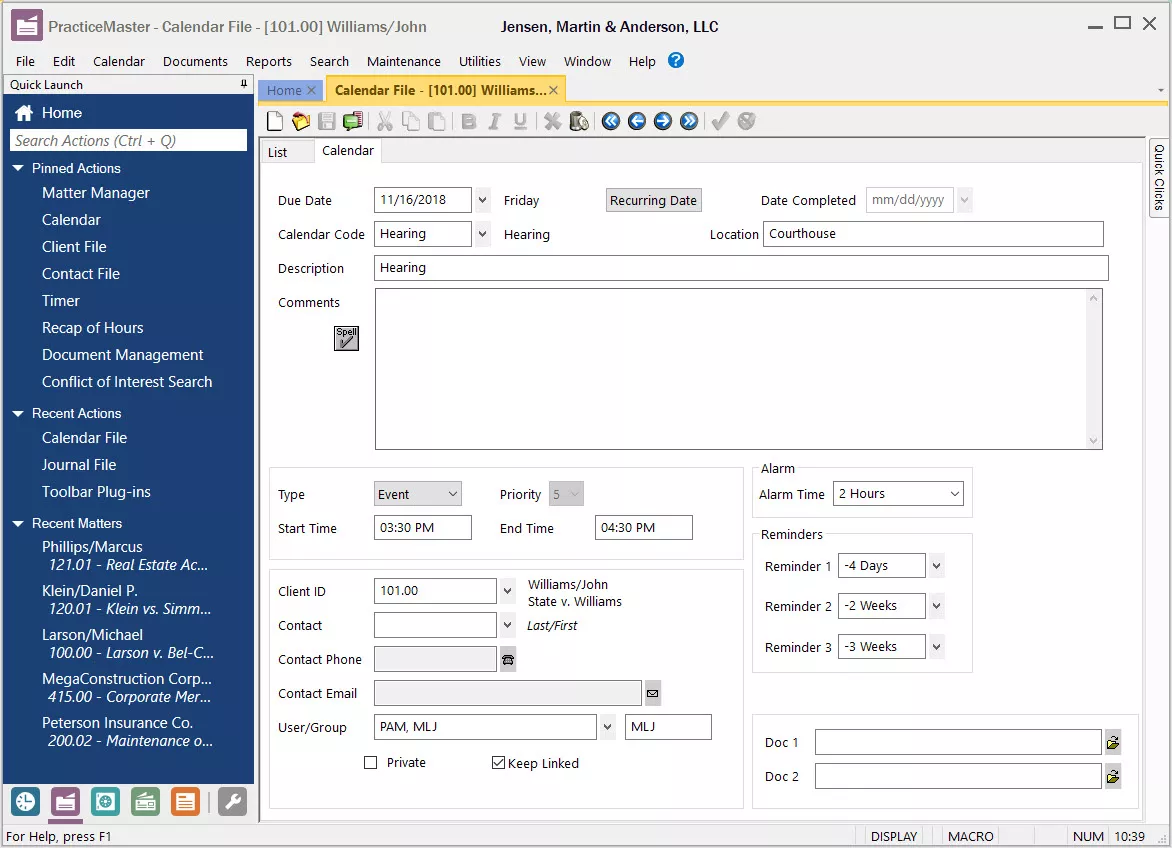
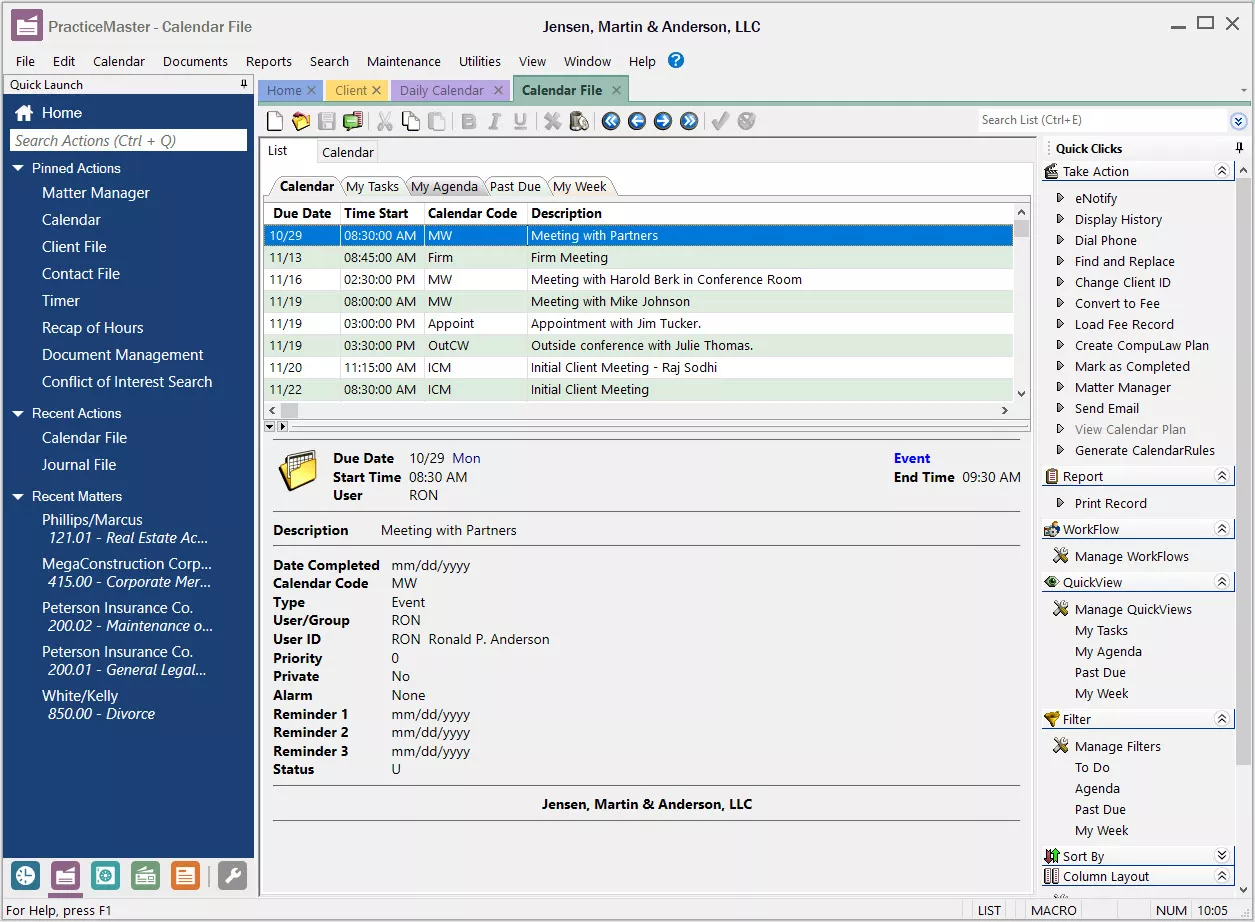
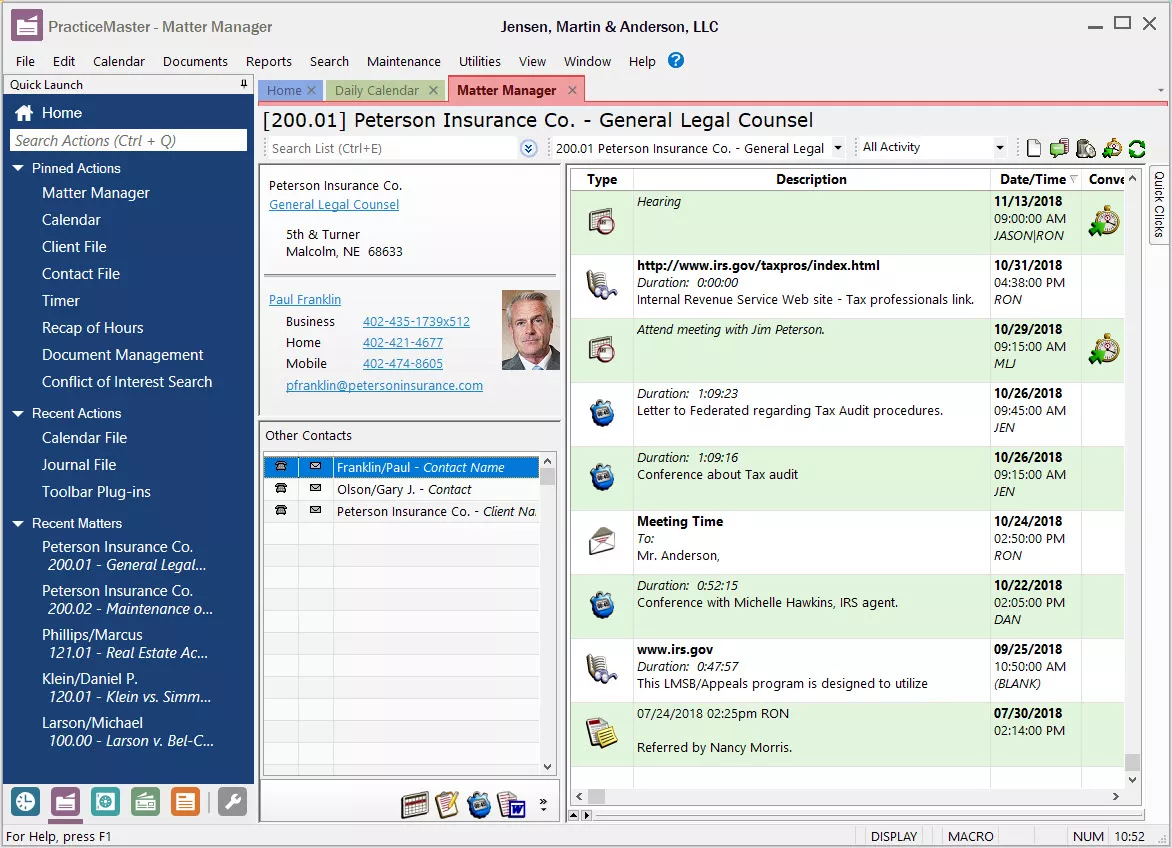
See Tabs3 & PracticeMaster in Use
Tabs3 and PracticeMaster have intuitive interfaces that integrate closely enough that the pair often feels like a single application.
Tabs3 & PracticeMaster Stand-Out Features
Tabs3 and PracticeMaster’s most distinctive strengths go beyond the core feature set above. Three stand out.
Modular and End-to-End Law Practice Software
Tabs3 and PracticeMaster are separate applications, and in that way are modular in nature. They can be used independently for firms that need only front-office or back-office capabilities, or together for an end-to-end law practice platform.
Network of Authorized Consultants
Tabs3 and PracticeMaster have an authorized consultant program and a large network of independent legal software consultants who can help your firm maximize your investment in the software.
Integration for Document Management
Tabs3 and PracticeMaster handle your firm’s accounting and case management, respectively. For firms that need comparable document management, the suite integrates with Worldox, which your firm can also run hosted through Worldox in the Cloud.
Complete Feature List
Here’s the complete list of Tabs3 and PracticeMaster’s core practice management functions.
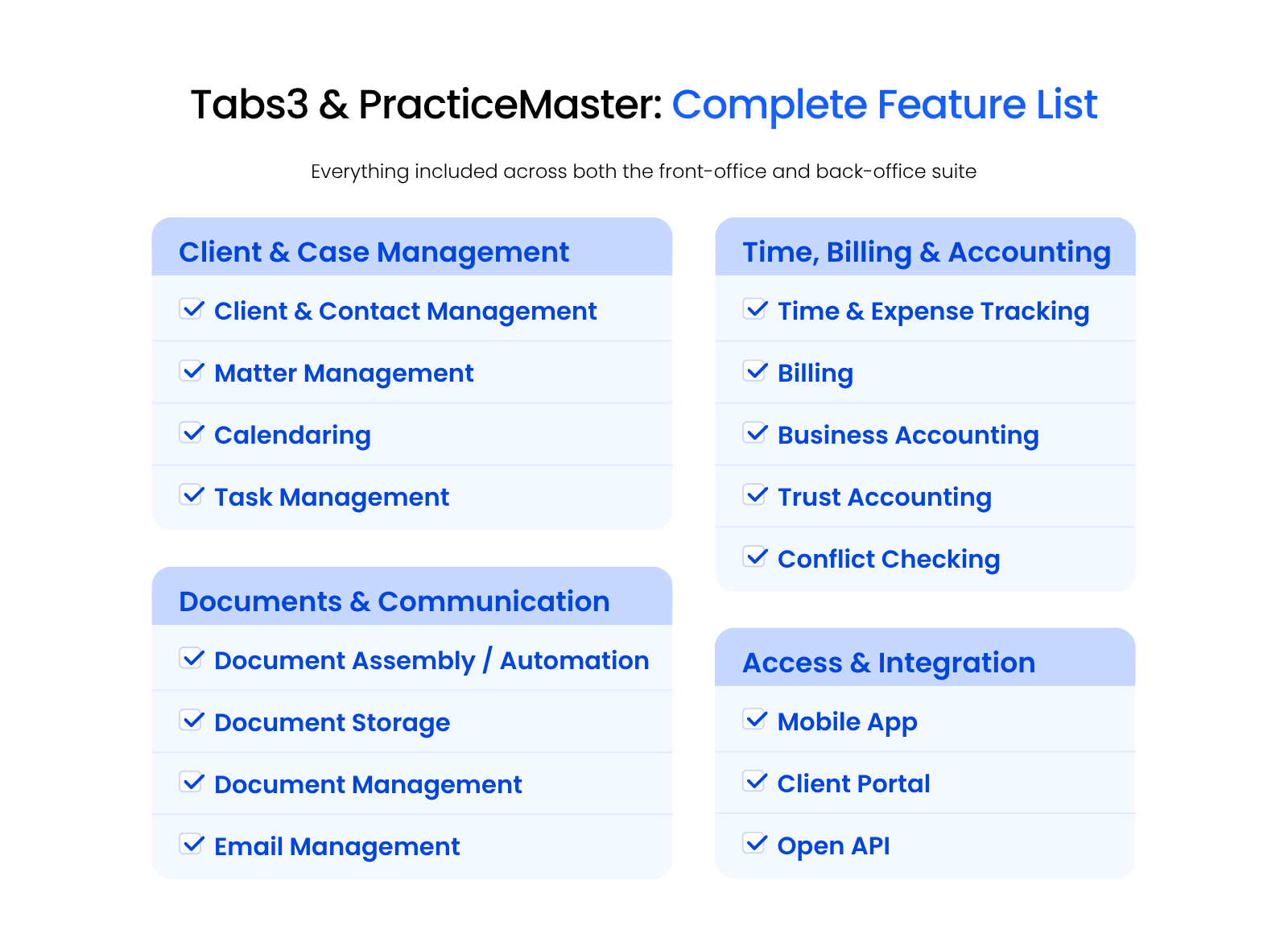
Each feature is broken out in full below.
User Feedback
We’ve aggregated and curated feedback from Tabs3 and PracticeMaster users. This feedback is made up of feedback from our clients, legal technology consultants and online user feedback.
“I Highly Recommend Tabs3.” — Tracy, Rembolt Ludtke, LLP
“We use Tabs for our timekeeping and billing, the Tabs3 Connect is a great feature for attorneys to enter their time on the go. The General Ledger and Accounts Payable software integrate well with each other and with Tabs, so that saves on duplication of work. Practice Master has great features and is a great database for containing the information needed for our clients.”
“We’re a Satisfied Customer.” — Katherine, Hirst Applegate, LLP
“We have used Tabs3 for billing since before I started (16 years ago), but we used another practice management software for a while before switching to PracticeMaster. We recently made the change from the basic version to the Platinum version. The price difference was the hurdle, but the features in Platinum are valuable. Support has been very good over the years.”
“Cumbersome and Outdated” — Attorney, Small Law Firm
“It is very difficult to navigate and hard to learn if you are not trained well, and especially if you do not have significant bookkeeping experience. It does seem to have lots of features and capabilities. However, many of them are not easily found, or require too many steps to be efficient. There seem to be lots of unnecessary steps added to very basic requests. The whole program has an outdated, unaesthetic appearance.”
“Easy to Use.” — Nicole, Haddon, Morgan and Foreman, P.C.
“Good timekeeping reports and billing statements. It streamlines billing and conflict checks. Creates uniformity for invoices and statements overall look is clean and polished. However, there are too many steps to set up a new client, there are close to 9 tabs that need to be viewed in order to generate a new file.”
Verdict: Is Tabs3 & PracticeMaster Right for Your Firm?
User feedback tells a consistent story. Firms praise Tabs3 and PracticeMaster for tightly integrated billing, accounting, and case management, the same strengths this review has walked through. The most common complaint is a steep learning curve and a dated interface, especially for firms without dedicated bookkeeping experience.
Two things beyond the feature list and the reviews above are worth weighing. Tabs3 and PracticeMaster’s authorized-consultant network means your firm isn’t limited to whatever support the software vendor itself provides. A broad ecosystem of independent specialists exists for setup, customization, and training, something newer legal software entrants haven’t had time to build.
The second is longevity. Tabs3 and PracticeMaster have been actively developed and refined for decades, with a large, established user base whose real-world feedback has shaped the product. The 16-year customer quoted above isn’t an outlier; firms that have run this software for over a decade are common in this space.
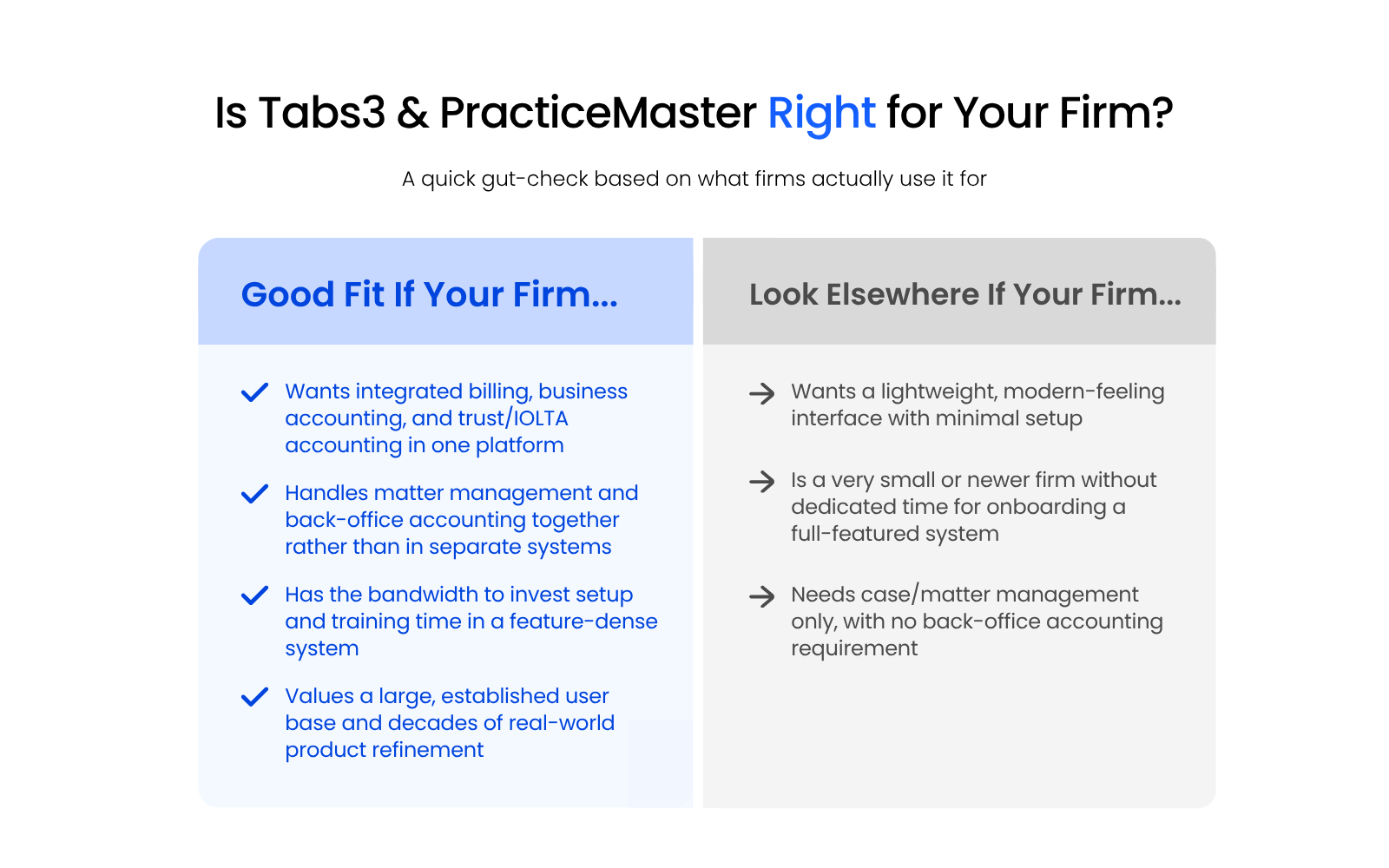
Put together, Tabs3 and PracticeMaster are a good fit if your firm wants integrated billing, business accounting, and trust accounting in one platform, and you’re comfortable investing setup and training time in a feature-dense system. They’re not the best fit if your firm wants a lightweight, modern-feeling interface with minimal setup.
Tabs3 & PracticeMaster Software Pricing
Pricing information here comes from Tabs3’s own published pricing page, plus intel from customers and consultants.
Final pricing depends on your firm’s number of timekeepers and users, and volume discounts are available. See the vendor’s price calculator for a quote specific to your firm.
Tabs3 and PracticeMaster in the Cloud
Tabs3 and PracticeMaster are desktop and server-based software, so you can run them on your firm’s in-house, on-premise servers, or hosted in a Private Cloud.
Running Tabs3 or PracticeMaster in a secure Private Cloud, through a Virtual Desktop platform, gives your firm the advantages of the cloud without maintaining servers or dealing with IT headaches.
Should You Host Tabs3 and PracticeMaster in the Cloud?
Hosting Tabs3 and PracticeMaster in a Private Cloud keeps the software your firm already relies on, while removing the burden of maintaining servers yourself. It adds security benefits like encryption and Multi-Factor Authentication, along with more predictable uptime than most firms manage with in-house hardware.
At Uptime Legal, we host Tabs3, PracticeMaster, and other legal software for law firms across North America. If your firm has already chosen Tabs3 and PracticeMaster and wants the full picture on hosting, see what hosting Tabs3 with Uptime Legal costs and how migration works.
Deciding If Tabs3 and PracticeMaster Belong on Your Shortlist
Tabs3 and PracticeMaster earn their spot for firms that want integrated billing, business accounting, and trust accounting without switching between separate systems, especially firms comfortable investing time in a feature-dense platform. The authorized-consultant network and decades of real-world use back that up, even with an interface some users call outdated.
If your firm has already chosen Tabs3 and PracticeMaster and you’re now deciding where to run it, that’s a different question than the one this review answers. Start with Tabs3 in the Cloud.
WHAT’S NEXT
Frequently Asked Questions

Uptime Legal’s Technology Solutions
Cloud, software, IT, and document management built for today’s law firms.