Table of Contents
Tabush Group is a credible choice for a New York law firm. It says it has specialized in the legal industry for more than 25 years, it runs its own private cloud, and it has people who can come to your office in Manhattan.
If you’re weighing Tabush alternatives, the useful question is fit.
Fit comes down to two decisions: whether you keep a hosted desktop like Tabush’s Boxtop or move to Microsoft 365, and whether you need IT staff who can be in your office. Most lists of Tabush competitors skip both, and several name providers based far from New York.
This guide gives you a sourced profile of Tabush, the criteria that separate providers of managed IT services for law firms, and a shortlist grouped by fit.
We publish this page and we’re one of the providers on it. So we’ve included where Uptime Legal fits, and where another provider is the better choice.
Why Do Law Firms Look Beyond Tabush?
The reasons to look beyond Tabush are about fit: a different delivery model, a different level of on-site coverage, prices you can see before a sales call, or contract terms you can read before you sign.
None of those is a complaint about Tabush’s service, and this page doesn’t make any.
Cost measured against actual use is one place the question starts.
One small-firm post on Reddit’s r/LawFirm community shows the gap between what a firm pays and what it uses can be wide.
Four practical questions decide whether any provider still fits your firm:
If Tabush answers all four the way your firm needs, keep it. If it doesn’t, the rest of this page shows who else fits.
What Does Tabush Group Offer, and Which Firms Is It Right For?
Tabush Group is a privately held managed IT and cloud provider headquartered in Manhattan that leads with law firms but also serves accounting, finance, real estate, construction and not-for-profit organizations.
Everything below comes from Tabush’s own published pages, linked so you can check it.
Which Industries Does Tabush Serve?
Law comes first in how Tabush presents itself. Its homepage title reads “Managed IT Service Providers for Law Firms,” and 15 of the 23 client stories on its case-study page are about law firms.
Its other pages list financial services, accounting, real estate, construction and not-for-profit clients, which it describes as firms of roughly 20–500 employees. Tabush is also active in several regional Association of Legal Administrators chapters.
What Is Boxtop, Tabush’s Hosted Desktop?
Boxtop is Tabush’s hosted desktop, also called desktop-as-a-service: your applications and files run on a virtual desktop in Tabush’s data centers instead of on the computers in your office. Tabush’s Boxtop page says it runs in “our own private cloud, which we’ve owned and operated since 2003,” built on VMware Horizon.
Each user gets a dedicated virtual desktop, and thin clients are included in the subscription. Tabush’s compatibility list for Boxtop includes legal applications such as NetDocuments, PCLaw, Time Matters and ProLaw.
How Does Tabush Support and Price Its Service?
Tabush assigns a vCTO, a virtual chief technology officer who plans your IT with you, to every client, and its law-firm page says the team meets with your leadership quarterly. Its help desk runs 7am to 8pm Eastern on weekdays, with after-hours support for business-critical issues.
On-site support covers Manhattan and the tri-state area, including Long Island, Westchester, northern New Jersey and Connecticut, plus Greater Boston from its Quincy office. Tabush also offers Guardian, a managed security operations service, and Edge, a co-managed option for firms that keep their own IT staff.
Pricing is a flat monthly fee per user, with no per-ticket fees. Tabush doesn’t publish its prices or its contract terms; it quotes each firm.
Tabush is a strong fit if your firm wants:
If those match your priorities, use the rest of this page to confirm the fit.
What Two Questions Should Decide Your Shortlist?
Two questions decide most of your shortlist: whether your firm keeps a hosted desktop or moves to Microsoft 365, and whether you need IT staff who can come to your Manhattan office.
Answer both before you compare providers, and you won’t spend time on ones that could never fit.
Should You Keep a Hosted Desktop or Move to Microsoft 365?
Keep a hosted desktop if your firm runs desktop legal software, such as PCLaw, Tabs3, Time Matters, ProLaw or Juris, that was built to run on a Windows computer.
A hosted desktop puts that software and your files on servers your provider runs, so your attorneys reach the same desktop from the office, from home or from court.
Move to Microsoft 365-native IT if your core applications already run in the cloud. Some firms find a virtual desktop costly or cumbersome and would rather work directly on their own computers, with files in Microsoft 365.
The choice between a hosted desktop and cloud-hosted applications comes down to which programs your firm can’t work without, and which of those run only on Windows.
Do You Need People on Site in Manhattan?
If your firm wants an IT team that can walk into your office, your shortlist is the providers with New York offices.
If remote support with occasional dispatched engineers is enough, national legal IT providers become options again.
A hosted desktop reduces how much of your IT lives in the office. Printers, network equipment and laptops still need in-person work from time to time, so ask every provider who comes on site, how quickly, and whether they’re the provider’s own staff.
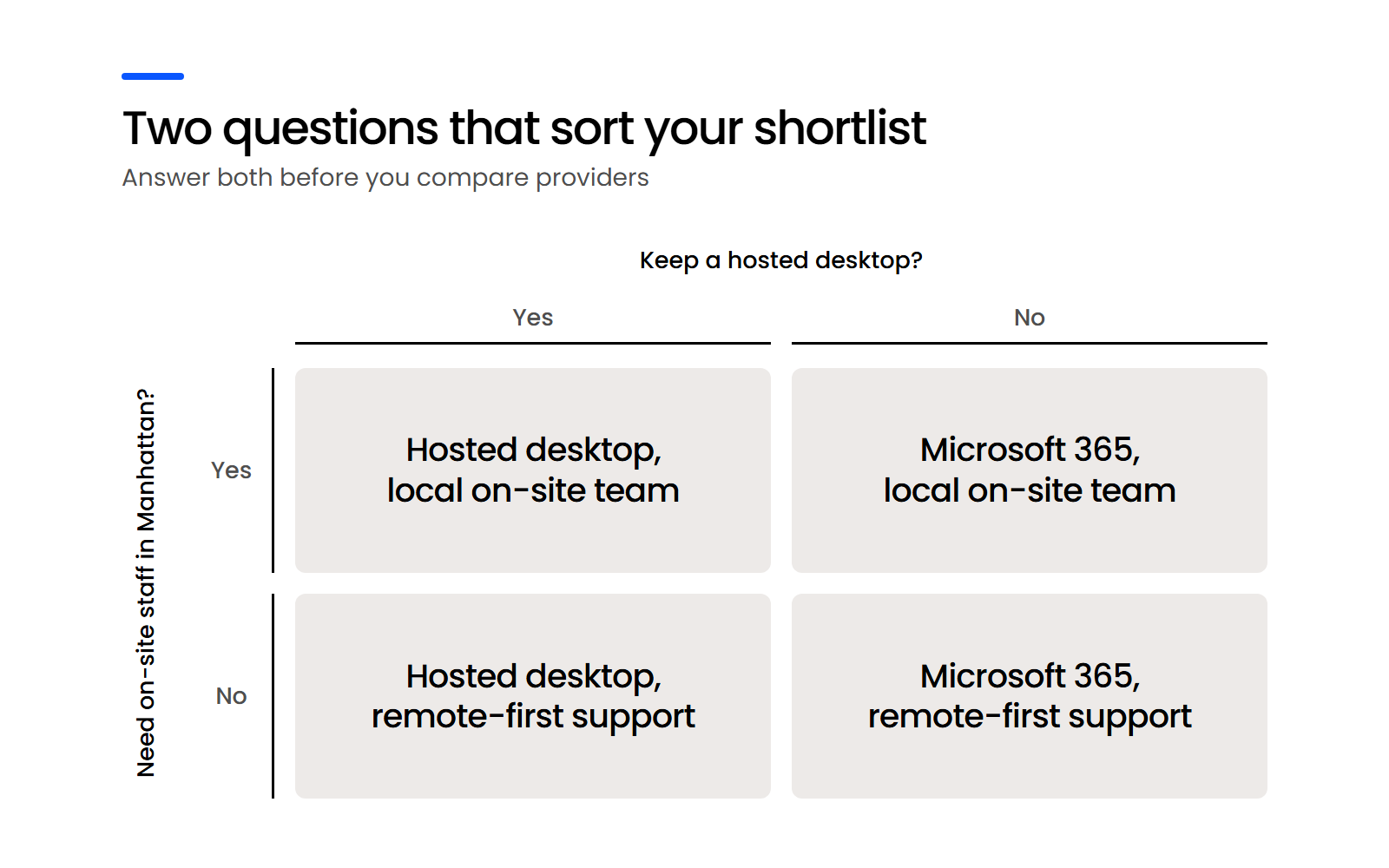
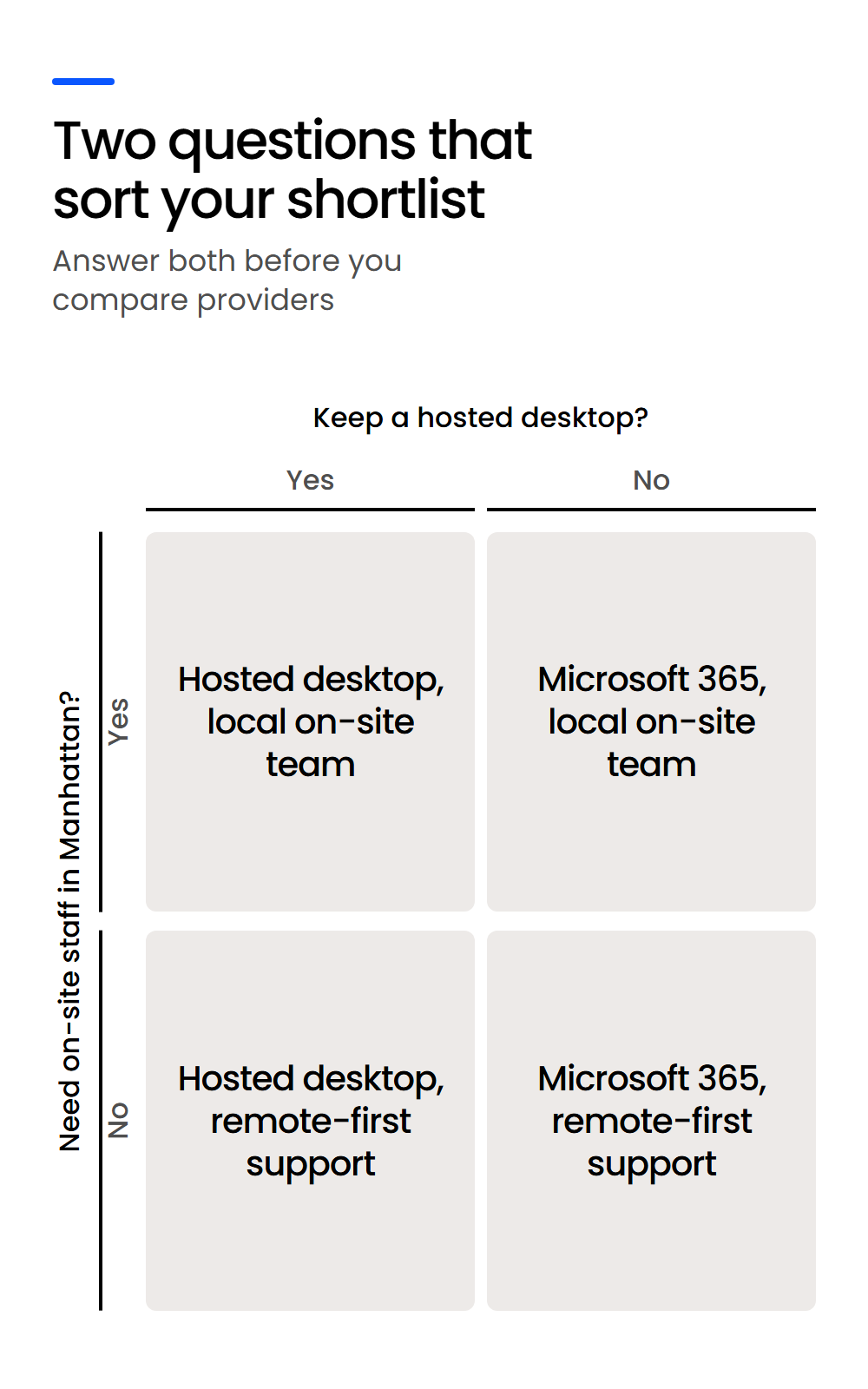
Once you know which quadrant you’re in, the comparison below narrows quickly.
How Should You Compare Tabush Alternatives?
Compare Tabush alternatives on eight things you can check:
Ease and depth both count. As one boutique firm owner put it in a review on Clutch, they wanted a provider that was easy to work with but “robust enough to keep up with the most challenging IT issues, confidentiality requirements and threats that all companies face today.”
The table compares Tabush with seven alternatives using each provider’s own public pages, checked in October 2026. “Not stated” means we didn’t find it published, which is worth asking about on the call.
Two rows deserve more than a table cell: security credentials, and how you leave.
What Security Credentials Should a Legal IT Provider Show?
Ask whether a provider holds a SOC 2 report for its own operations, or whether it’s pointing to the SOC 2 audit of the data centers it uses. A SOC 2 report is an independent auditor’s review of a company’s security controls.
According to Comment [1] to ABA Model Rule 5.3, lawyers with managerial authority must make reasonable efforts to ensure the firm has “measures giving reasonable assurance that … nonlawyers outside the firm who work on firm matters act in a way compatible with the professional obligations of the lawyer.”
A provider’s own audit report is one piece of evidence your firm can use to show that supervision.
An audit only means something when someone independent runs it.
Here’s where the providers in this comparison stand, in their own words:
Whichever provider you’re considering, ask to see the report and check whose name is on it.
Can You Leave a Provider and Take Your Data with You?
Get the contract term and the exit process in writing before you sign.
In Ethics Opinion 842, the New York State Bar Association’s ethics committee advises lawyers to investigate “the storage provider’s ability to purge and wipe any copies of the data, and to move the data to a different host, if the lawyer becomes dissatisfied with the storage provider or for other reasons changes storage providers.”
Published terms vary widely across this group:
Ask each provider for its standard term, its exit process, and who holds your Microsoft 365 licenses, because licenses held by a provider are one more thing to move when you switch IT providers.
If your firm keeps an internal IT person, a co-managed arrangement splits the work: Tabush offers this as Edge, and Innovative Computing Systems, CompassMSP and Dataprise describe co-managed options too.
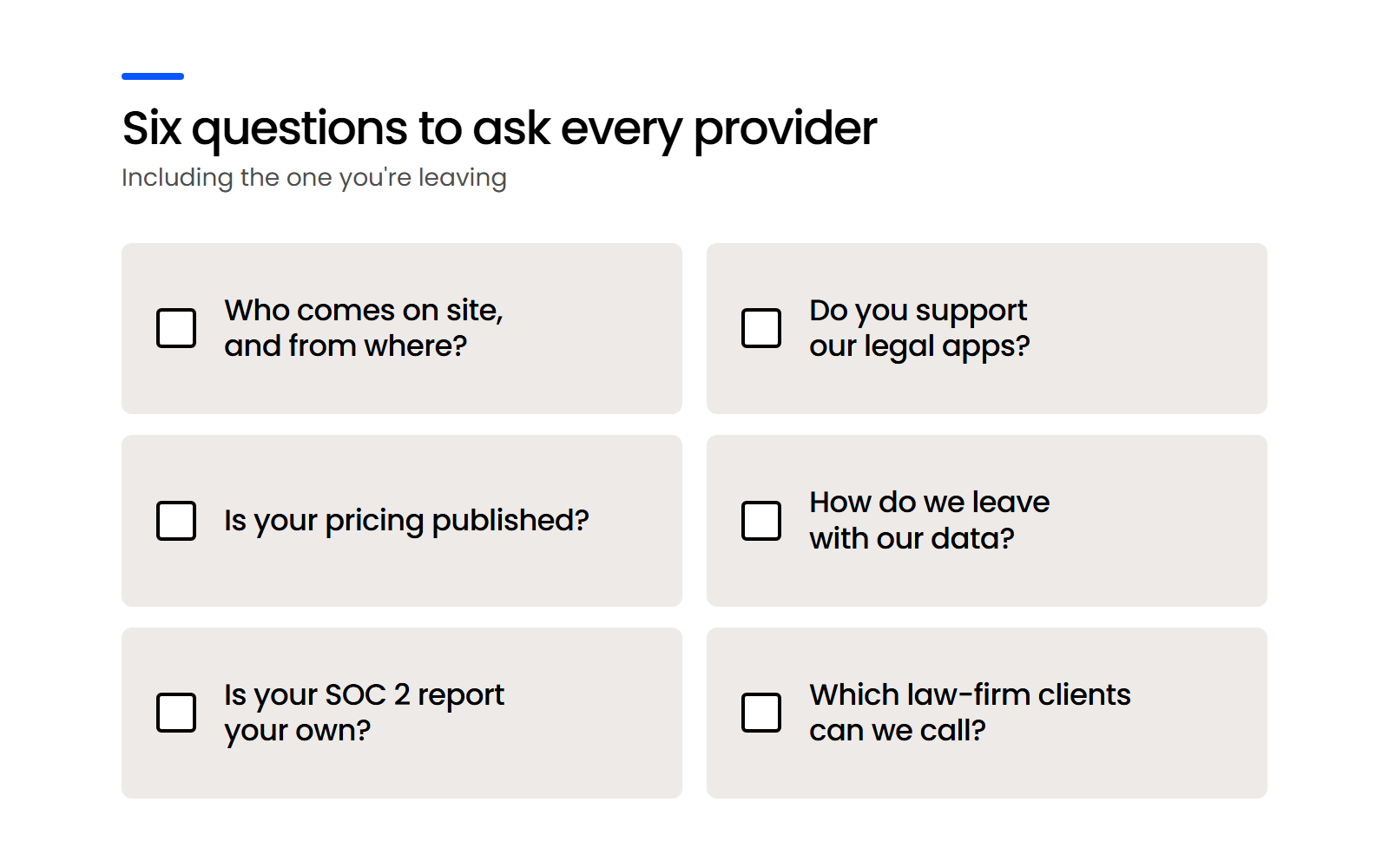
Take that list into every call, including the one with your current provider.
Which Legal IT Providers Are Real Alternatives to Tabush in New York?
The legal IT providers that are real alternatives to Tabush for a New York firm fall into three groups: NYC-based legal specialists, NYC-based providers with a legal practice, and hosted-desktop providers that serve firms remotely. The first two groups answer yes to on-site staff in Manhattan; the third answers yes to keeping a hosted desktop.
Which New York Providers Focus on Law Firms?
These four have New York offices and lead with law firms, though they differ in size and support model:
Each runs a different model, so the comparison table and the questions above tell you more than the label “legal-focused” does.
Which New York Providers Serve Law Firms Alongside Other Industries?
Two larger providers have New York City offices and dedicated legal pages while serving many other industries:
Both were acquired by private equity firms (CompassMSP by Agellus Capital in 2025, Dataprise by Trinity Hunt Partners in 2020), so ask who you’ll work with day to day and what’s changed since.
Which Providers Offer a Hosted Desktop like Boxtop?
If keeping a hosted desktop is your priority, four providers run the same model, delivered remotely rather than from a New York office:
Several names on popular Tabush competitor lists aren’t New York providers. Accesspoint serves the UK legal market from Romford and was bought by iomart in 2023; CloudScale365 combined with two other firms in July 2026 to form Forte Technologies, headquartered in Irving, Texas; and Lawgistics is based in Carlsbad, California, with a homepage built around California markets.
Whichever group you shortlist from, check the claims with the people who’d know.
When you’re choosing a legal IT partner, ask every provider on your shortlist for law-firm references close to your firm’s size, and call them.

When Is Uptime Legal the Right Alternative to Tabush?
Uptime Legal fits New York firms that want a legal-only provider with published per-user pricing and month-to-month terms, and it’s the wrong choice for firms that need an IT team with a Manhattan office. We’ve held ourselves to the same standard as every other provider on this page.
When Is Uptime Legal the Right Choice?
Choose Uptime Legal if these matter most to your firm:
Switching is a planned project. Go-live comes within 10 weeks of kickoff, after discovery, planning and your approval of the implementation plan, and the cutover itself happens in one day, with our team staying on afterward to catch the devices and applications that discovery missed.
When Should You Choose Another Provider over Uptime Legal?
Choose another provider if any of these describes your firm:
If one of those rules us out, start with the shortlist above.
Start with the Delivery Model, Then Check What Each Provider Publishes
Tabush is a strong fit for firms that want a hosted desktop and an IT team in Manhattan. If that isn’t your firm, two answers reshape the shortlist: whether you keep a hosted desktop, and whether you need people on site.
Then compare what each provider will put in writing: its price, its contract term, how you’d leave with your data, and whose SOC 2 report it’s showing you. The providers that answer those plainly are the ones worth a reference call.
WHAT’S NEXT
Frequently Asked Questions About Tabush Alternatives

Uptime Legal’s Technology Solutions
Cloud, software, IT, and document management built for today’s law firms.