Table of Contents
If your firm keeps its books in QuickBooks, the trust question arrives with the first retainer. QuickBooks for lawyers handles the general ledger, the operating account and the reports your accountant wants. Trust money is different, and QuickBooks wasn’t built to keep a client trust account in line with bar rules on its own.
That gap matters because client money is the one part of a law firm’s books with professional-conduct rules attached: ABA Model Rule 1.15 and each state’s version of it. Each client’s funds have to stay separate, and your records have to reconcile to the bank.
Most firms close the gap by pairing QuickBooks with legal billing or practice management software that keeps a ledger for every client. Firms already on QuickBooks Desktop often host it rather than replace it.
We see firms run both setups, and the right one comes down to how much client money you hold and how you bill.
Accounting vs. Practice Management Software: Which Tool Does What?
Practice management software runs your clients, matters and time; billing software turns that time into invoices; and accounting software like QuickBooks keeps the general ledger. A single product can do all three, or your firm can split them across two or three tools.
Is QuickBooks Enough for a Law Firm?
For your firm’s general books, yes. QuickBooks handles the general ledger, the operating account and the financial reports your accountant needs. For a client trust (IOLTA) account, QuickBooks needs help: it doesn’t enforce trust-accounting rules, so most firms pair it with legal billing or trust software that keeps a ledger for each client.
QuickBooks handles
What it doesn’t do
The confusion starts because “legal accounting” gets used for all three jobs at once. Here’s how the work divides:
Many practice management tools cover time, billing and the client trust ledger, then hand the general ledger to accounting software like QuickBooks. Trust accounting is the job that sits between the tools, and it’s the one QuickBooks handles least well on its own.
QuickBooks Online vs. QuickBooks Desktop: Which Editions Can a Law Firm Buy?
Intuit stopped selling new QuickBooks Desktop Pro Plus and Premier Plus subscriptions to US buyers after Sept. 30, 2024, so a firm choosing QuickBooks today picks between QuickBooks Online and QuickBooks Desktop Enterprise. Firms that already subscribe to QuickBooks Desktop Pro Plus or Premier Plus can keep renewing.
QuickBooks Online Plans Differ Mainly by User Count
QuickBooks Online is Intuit’s web-based edition, with four core accounting plans that differ mainly in how many users they include and how much reporting they offer. It runs in a browser, so there’s nothing to install and Intuit handles the updates.
Each step up adds users and more reporting, so the plan your firm needs depends mostly on how many people work in the books.
QuickBooks Desktop: Enterprise Is the Only Edition New US Firms Can Buy
QuickBooks Desktop Enterprise is the only Desktop edition a new US firm can buy, and firms already on QuickBooks Desktop Pro Plus or Premier Plus can keep renewing. QuickBooks Desktop is installed software, so it needs a server or a hosted environment to share one company file across your team.
Firms stay on QuickBooks Desktop for two reasons: years of history in an existing company file, and reports or integrations their bookkeeper has built around it. Neither is a reason for a new firm to choose QuickBooks Desktop over QuickBooks Online.
Can QuickBooks Handle Law Firm Trust (IOLTA) Accounting?
QuickBooks can track a client trust (IOLTA) account with careful setup, but it doesn’t enforce trust-accounting rules on its own, so the checks fall to your firm. That’s the part of a law firm’s books where general accounting software and bar rules meet.
What the Trust Rules Require
ABA Model Rule 1.15 requires a lawyer to hold client funds separately from the lawyer’s own property and to keep complete records of them. The model text suggests keeping those records for five years after the representation ends.
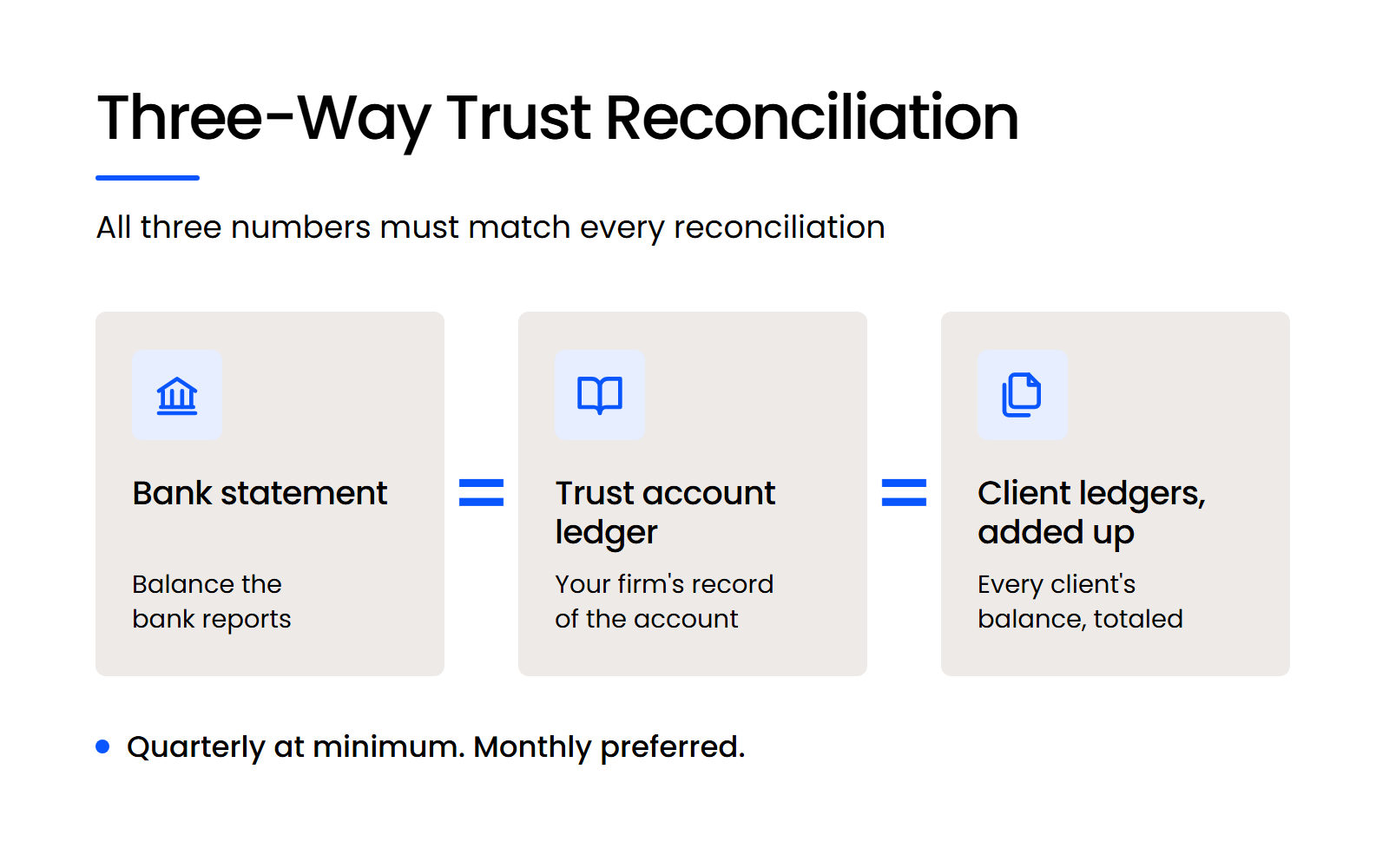
The ABA Model Rules on Client Trust Account Records treat quarterly reconciliation as the minimum and monthly reconciliation as the preferred practice. The check is a three-way reconciliation: the bank statement, your trust account ledger and the total of every client’s ledger must all show the same balance.
Each state adopts its own version of these rules, with its own reconciliation schedule and record requirements. Check your state bar’s trust-account rule before you design your process around the ABA’s model.
What QuickBooks Can Do with the Right Setup
QuickBooks can hold a separate trust bank account, a matching liability account and a sub-ledger for each client. With QuickBooks set up that way, a deposit into trust raises both the bank balance and what your firm owes that client, and a payment out of trust lowers both.
The setup works only if everyone who touches it follows it every time, because QuickBooks records what you enter without checking it against trust rules.
What QuickBooks Won’t Do on Its Own
QuickBooks wasn’t designed around trust-accounting rules, and three gaps follow from that:
Reviewers who moved off QuickBooks for trust work describe the same gaps. A Software Advice reviewer at a small law practice wrote in 2020 that “Quickbooks is not designed for a law practice with multiple trust accounts so it was a nightmare to use and reconcile.”
A firm with light, simple trust activity can make QuickBooks work if someone runs the checks QuickBooks won’t, in a disciplined monthly reconciliation routine. Another small-practice reviewer on Software Advice put the limit plainly: “Quickbooks is good accounting software, but far too complex for trust accounting. And Quickbooks doesn’t have built in rules to help you remain bar compliant.”
If your firm holds client funds regularly or runs more than one trust account, keep the trust ledger in legal billing or trust software and let QuickBooks keep the books.
Desktop, Hosted or Online: How Should Your Firm Run QuickBooks?
There are three ways to run QuickBooks: QuickBooks Online in a browser, QuickBooks Desktop on your own server, or QuickBooks Desktop hosted by a cloud provider. Which one fits depends on what else your firm runs, so start from a list of your billing, accounting and other legal software.
QuickBooks Online Fits Most New and Small Firms
QuickBooks Online runs in a browser with nothing to install, and it fits most new and small firms. Your team signs in from any computer, and Intuit applies updates for you.
QuickBooks Desktop on Your Own Server Is the Least Practical Option
Installing QuickBooks Desktop on an office server is the least practical option, because your firm maintains the server and staff can’t easily work from anywhere. The setup involves QuickBooks Database Server Manager, a shared folder for the company file and an install on every user’s computer.
Hosted QuickBooks Desktop Keeps Your History and Adds Remote Access
Hosting QuickBooks Desktop with a cloud provider keeps years of company-file history and adds remote access without a server in the office. This route suits firms already on QuickBooks Desktop, or buying QuickBooks Desktop Enterprise, that don’t want to rebuild their books in QuickBooks Online.
What Does QuickBooks Do Well for a Law Firm, and Where Does It Fall Short?
QuickBooks handles a law firm’s general books well, and its limits show up wherever legal-specific accounting starts: client trust ledgers and legal billing formats. The table sets the two side by side.
The left column is why QuickBooks stays in so many firms: it’s what your accountant knows and what tax season runs on. The right column is the work legal billing and practice management software exists to do.
Should You Pair QuickBooks with Legal Billing Software?
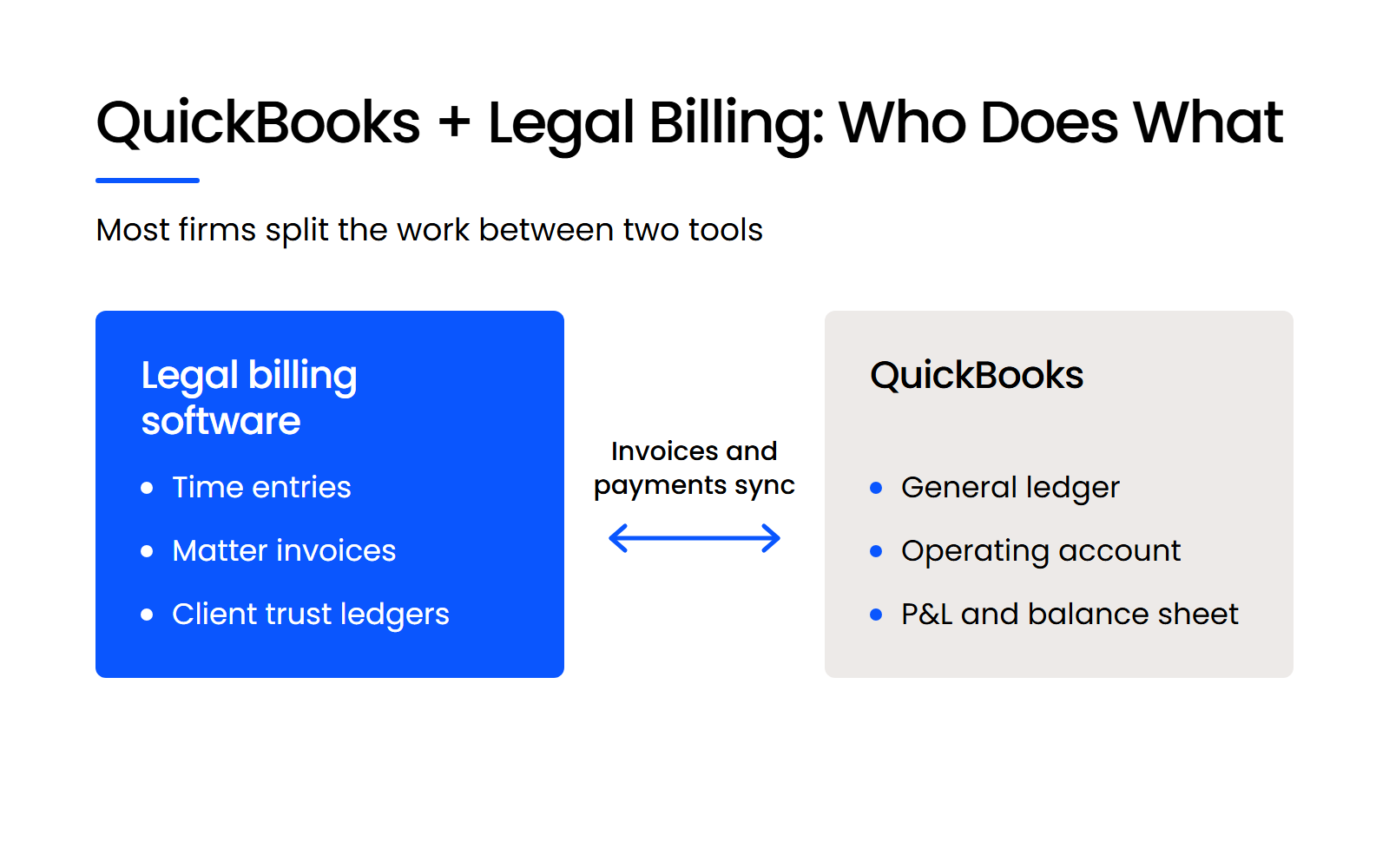
Yes, if your firm holds client funds, bills by matter or has more than one timekeeper: legal billing software keeps the time, invoices and trust ledgers, and QuickBooks keeps the general ledger. Invoices and payments sync from the legal tool into QuickBooks, so your accountant still works in the system they know.
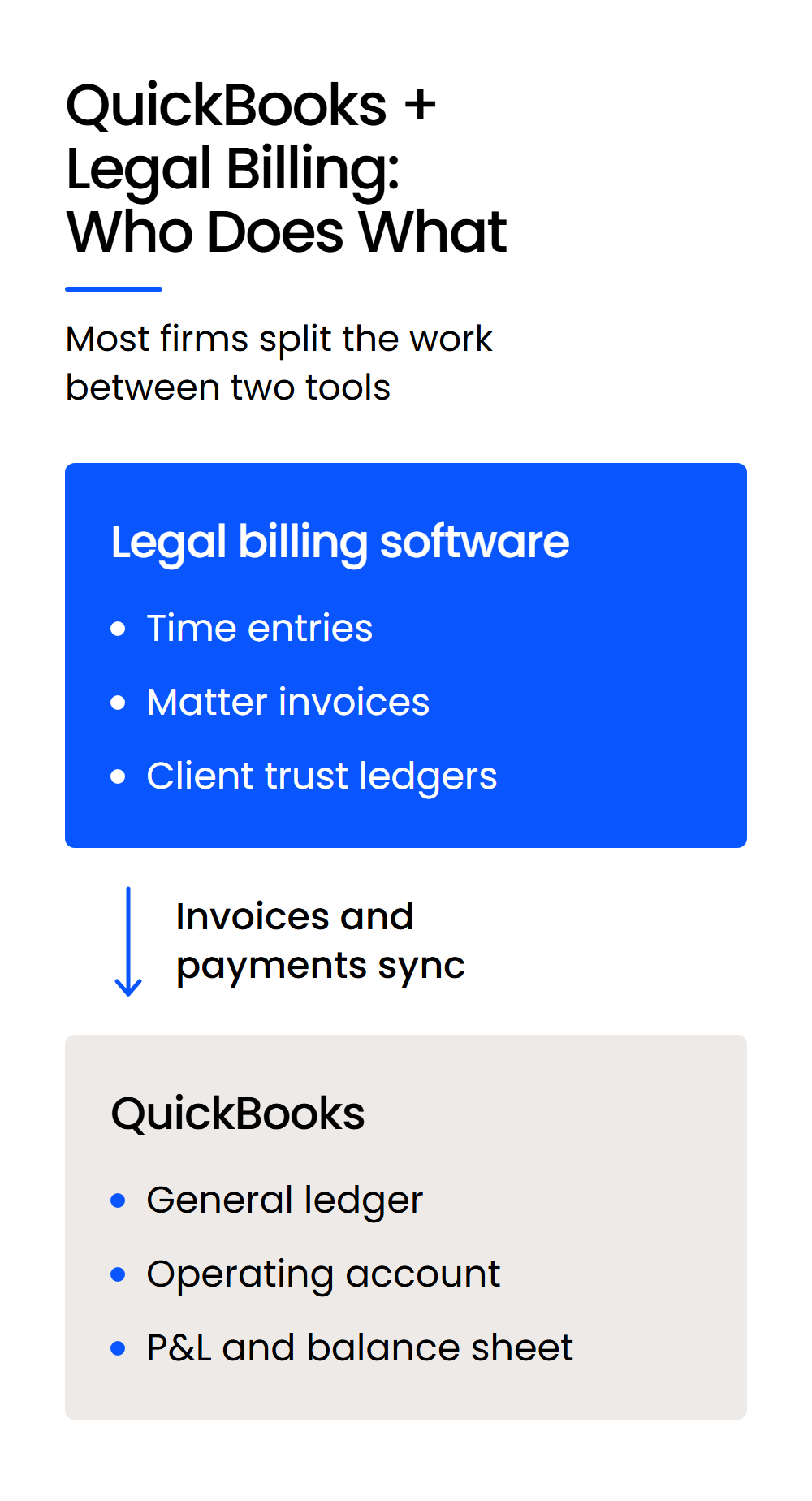
The pairing earns its cost once any of these apply to your firm:
Whoever chooses that pairing should know your trust-accounting rules and how your firm bills, which is a different skill from maintaining servers.
Legal billing and practice management tools that list a QuickBooks Online integration include:
Each supports different QuickBooks Online plans, and MyCase and PracticePanther don’t integrate with QuickBooks Desktop, so confirm your plan and edition before you commit.
A small legal services firm’s reviewer on Software Advice described the common result: “I still use Quickbooks for my regular accounting but it is not well suited for trust accounts.”
How Much Does QuickBooks Cost a Law Firm?
QuickBooks Online list prices run from $38 a month for Simple Start to $340 a month for Advanced (prices checked October 2026), and most law firms also pay for legal billing or trust software.
Intuit was offering 50% off the first three months when we checked, which brought Simple Start to $19 a month during that period. QuickBooks Desktop Enterprise has its own pricing page, with annual subscriptions starting at $2,210 a year for the Gold plan.
The real monthly cost for most firms is QuickBooks plus a legal billing or trust tool. Budget for both before comparing QuickBooks against legal software that includes its own accounting.
Can You Run QuickBooks Desktop in the Cloud?
Yes, a cloud provider can host QuickBooks Desktop, including Enterprise, on its own servers in a private cloud, and your team opens it through a virtual desktop from anywhere. Your company file and its history stay intact, so nobody has to rebuild the books.
Hosting changes three things for a firm already on QuickBooks Desktop:
Uptime Legal, founded in 2005 and named to the Inc. 5000 eight years in a row, hosts QuickBooks Desktop, including Enterprise, for law firms. We move the company file, set up each user’s virtual desktop and support QuickBooks Desktop in the cloud day to day.
A legal-specialist host also supports the billing and trust software QuickBooks syncs with, so one team can see both sides when a sync fails. Hosting is one of four setups that suit different firms, depending on whether you hold client funds and how many people bill time.
QuickBooks Alone, Paired or Replaced: Which Setup Fits Your Firm?
Your firm’s QuickBooks setup should follow two facts: whether you hold client funds, and how many people bill time to matters. The table below is a starting point; check your state’s trust rules before you act on it.
Legal-specific law firm accounting software such as Juris, PCLaw or Tabs3 is built around legal trust accounting, which is why it fits the third row.
Use QuickBooks for the Books and Legal Software for the Trust Account
QuickBooks for lawyers is a sound choice for the general ledger, the operating account and the reports your accountant needs. The trust account is where it needs help.
A solo practice holding no client money can run on QuickBooks Online alone. Once you hold retainers or settlements, pair QuickBooks with legal billing or trust software that keeps a ledger for every client and makes the monthly reconciliation routine. If you’re already on QuickBooks Desktop, hosting keeps your history and adds remote access.
WHAT’S NEXT
Frequently Asked Questions

Uptime Legal’s Technology Solutions
Cloud, software, IT, and document management built for today’s law firms.