Table of Contents
If your firm runs on All Covered, or is close to signing, you’re weighing a provider that markets a help desk built for law firms. So the useful question when you compare All Covered alternatives is fit: a legal practice inside a national provider, or a provider whose whole business is law.
That choice decides who runs your practice management and billing software, who picks up when something breaks at night, and what your contract says when you want to leave.
Each of those can be checked before you sign anything, from what providers publish or by asking them directly. The same checks apply whether you’re replacing a provider or choosing managed IT services for law firms for the first time.
We’re one of the alternatives, a provider that works only with law firms, so every claim here about All Covered and the others comes from what they publish themselves.
What Is All Covered, and Does It Specialize in Law Firms?
All Covered is the IT services division of Konica Minolta: a managed service provider (MSP) that works across seven industries and runs a dedicated legal practice with its own help desk for law firms.
Everything in this section is All Covered’s own description of itself, as published in October 2026.
Who Owns All Covered?
Konica Minolta owns All Covered and runs it as its IT services division.
All Covered’s website lists seven industries it serves: Commercial, Finance, Government, Healthcare, Education, Legal and Enterprise.
What Does All Covered Offer Law Firms?
All Covered’s legal practice is built around the Lawyer’s Help Desk™, which it describes as “a help desk staffed by engineers who already know your practice management, billing, and litigation software.”
According to its own pages, All Covered:
So All Covered does specialize in law firms, through a dedicated legal practice inside a provider that also serves six other industries.
Why Do Law Firms Look for All Covered Alternatives?
Law firms usually start looking at alternatives to any IT provider, All Covered included, after a specific trigger.
The common ones are:
The questionnaire trigger puts a deadline on a gap your firm can’t close alone.
A frustrated firm is often dealing with a fit problem: a legacy billing application that needs specialized hosting isn’t hosted that way, or the environment was built for a different size or shape of firm.
Before comparing providers, list your billing, accounting, document management and case management software, and note which of it is web-based and which needs hosting.
That inventory tells you what any replacement has to support.
A Legal Practice Inside a National MSP, or a Provider Built Only for Law Firms?
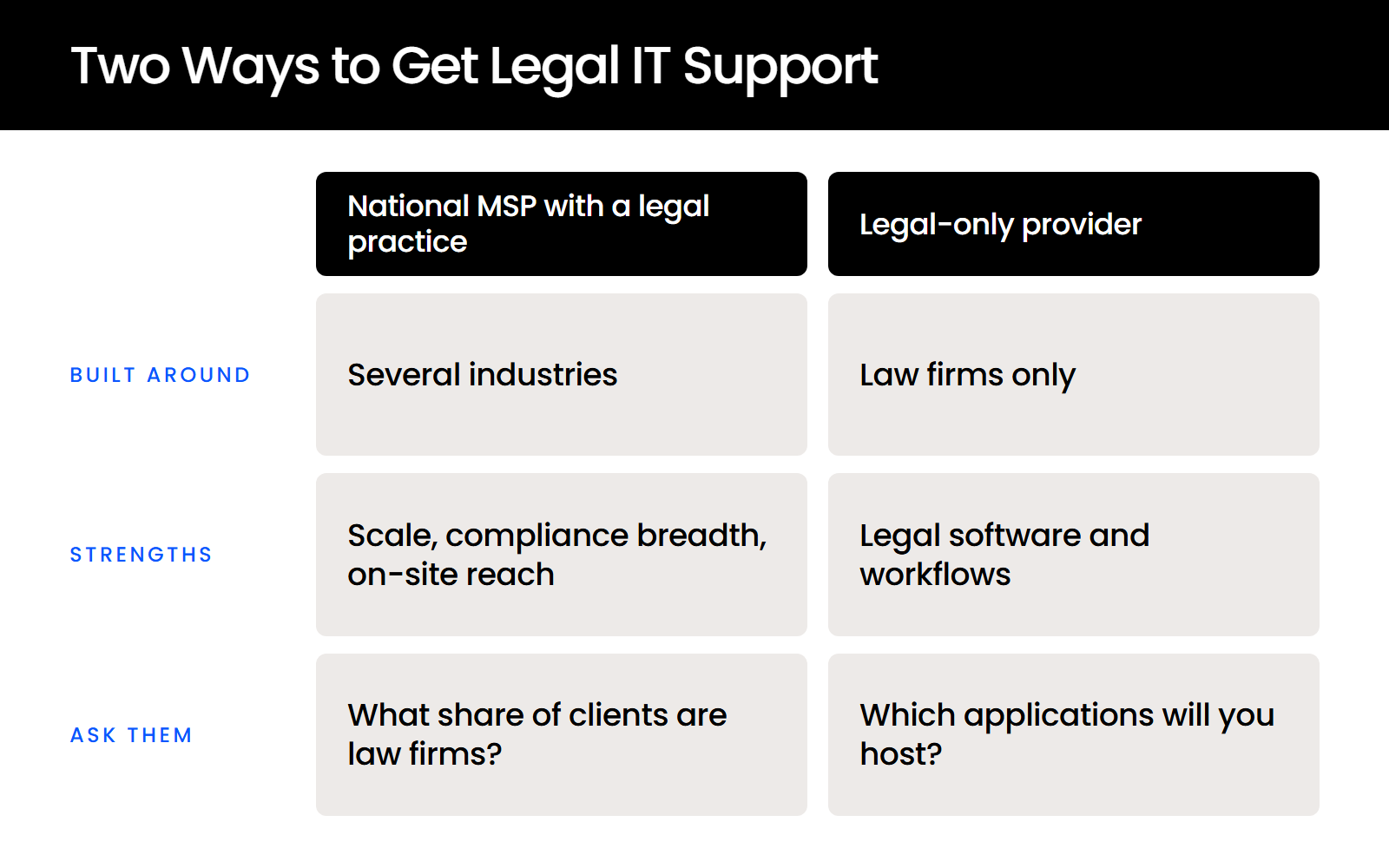
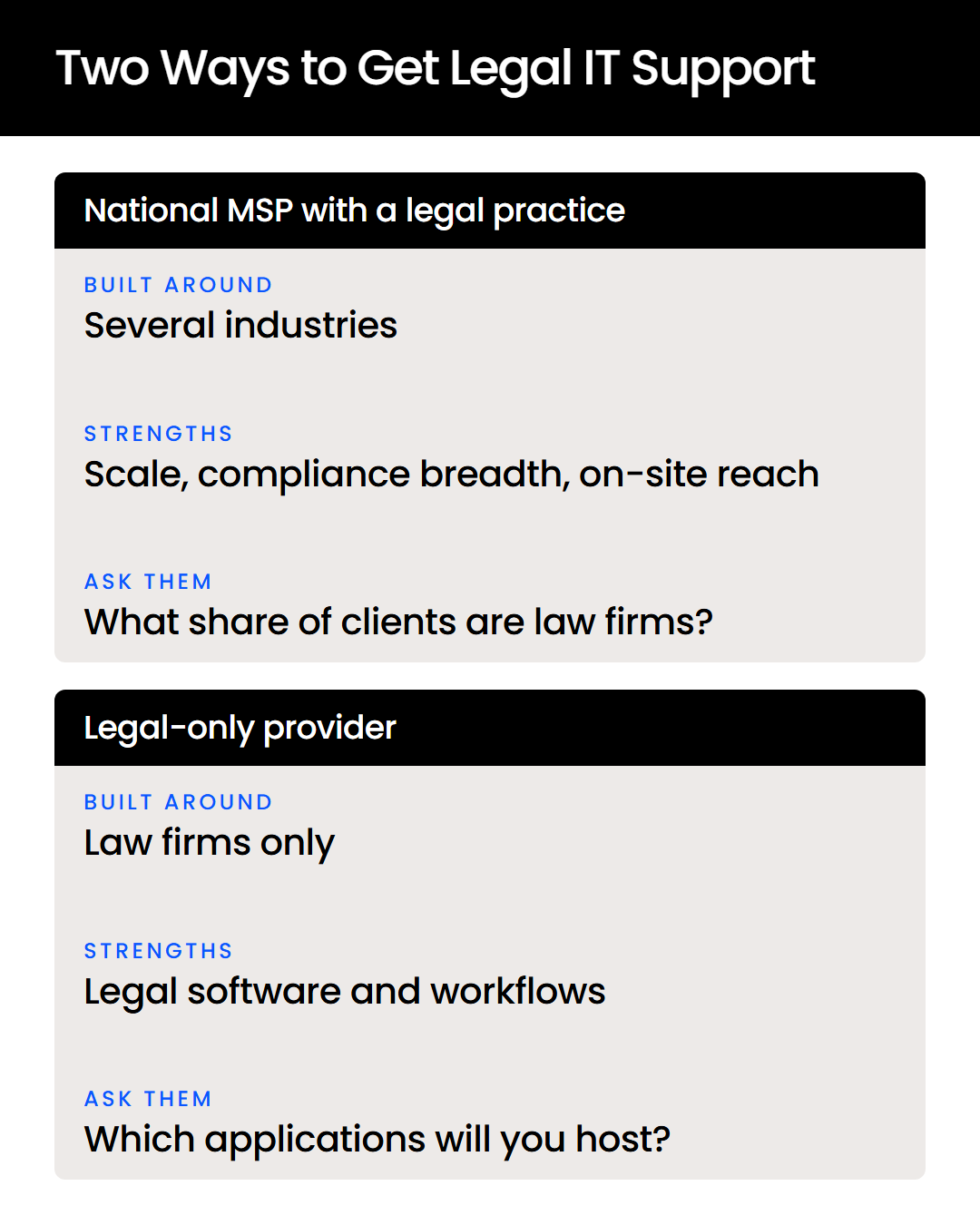
Both models can support a law firm well: a national MSP with a legal practice brings scale, broader compliance work and on-site reach, and a legal-only provider builds its whole staff, process and application stack around law firms.
What a National MSP with a Legal Practice Brings
A national MSP with a legal practice serves law firms alongside other industries, with legal support delivered through a dedicated team or help desk.
All Covered, Dataprise and CompassMSP each list legal among several industries on their own websites.
The model’s strengths come from size:
A firm with healthcare or government clients may need that breadth.
What a Legal-Only Provider Brings
A legal-only provider works with law firms and nothing else, so every engineer, process and support queue is built around law firms and the applications they run.
The trade-off is breadth. A legal-only provider won’t bring the cross-industry compliance experience a national MSP builds from serving healthcare, finance and government clients.
Why the Model Matters More at a Law Firm
A law firm has no middle-management layer to run an IT project or supervise a vendor, so the provider’s model shapes your day-to-day more than it would at a business the same size.
Lawyers bill time, and the IT relationship usually lands on one office manager who already handles HR, accounting, payroll and vendors, often with little IT experience.
With nobody inside the firm supervising the vendor, the provider has to own problems end to end, including the legal applications. When comparing IT providers, read each one’s industries menu to see which model it is, and ask what share of its clients are law firms.
What Are the Alternatives to All Covered for Law Firms?
The alternatives to All Covered fall into four types: legal-only national providers, other national MSPs with a legal practice, legal application hosting specialists, and local MSPs. Uptime Legal publishes this guide and is one of the options listed; every entry below is the provider’s own published description as of October 2026.
Each type suits a different firm:
The five checks in the next section tell you which of these fits your firm.
How Do You Compare All Covered with Its Alternatives?
Five checks separate All Covered from its alternatives, and you can verify each one yourself:
According to the ABA’s comment on Model Rule 5.3, a lawyer using an outside service “must make reasonable efforts” to make sure it fits the lawyer’s professional obligations.
How far that goes depends on factors including the provider’s “education, experience and reputation” and “the terms of any arrangements concerning the protection of client information,” and the five checks below are a practical way to look at both.
Is Law the Whole Business or One Industry?
A provider’s industries list shows whether law is its whole business or one practice among several. All Covered lists seven industries and Dataprise lists legal among seven of its own, while Afinety and Uptime Legal say they work only with law firms and Frontline describes itself as dedicated to the legal industry.
How to verify: read the provider’s industries page, then ask what share of its clients are law firms.
Will They Host and Own Your Legal Software?
A help desk that knows your practice management software is different from a provider that hosts the application, secures access to it and fixes it when it breaks. Afinety, Abacus Private Cloud and Uptime Cloud all host legal applications for law firms.
How to verify: ask which of your applications the provider will host, then check the software vendor’s own hosting or certified-partner page for the provider’s name.
How Long Is the Contract, and What Do You Get When You Leave?
Contract length and exit terms decide how easily you can switch providers if the fit turns out to be wrong. Uptime Manage, Uptime Legal’s managed IT service for law firms, runs on month-to-month terms with no long-term contract, and All Covered doesn’t publish its standard term, so ask for it.
How to verify: read the term, renewal and termination clauses before you sign, and ask what documentation you’ll receive when you leave.
Who Answers After Hours?
“24/7” can mean that your systems are monitored around the clock or that a person answers your call, and the difference shows when something breaks at night. Three providers word it differently:
How to verify: ask who answers a call at 2 a.m., and at what level of seniority. Uptime Legal’s own staff answer its after-hours calls.
Does Their SOC 2 Report Cover the Provider Itself?
A SOC 2 report, an independent CPA’s examination of a service provider’s controls over security and related areas, can cover the provider itself or only the data center it uses, so the wording matters. All Covered and Afinety both state SOC 2 Type II certification.
How to verify: ask for the provider’s current SOC 2 Type II report, not a logo, and check whose name is on it.
When Is All Covered the Right Choice?
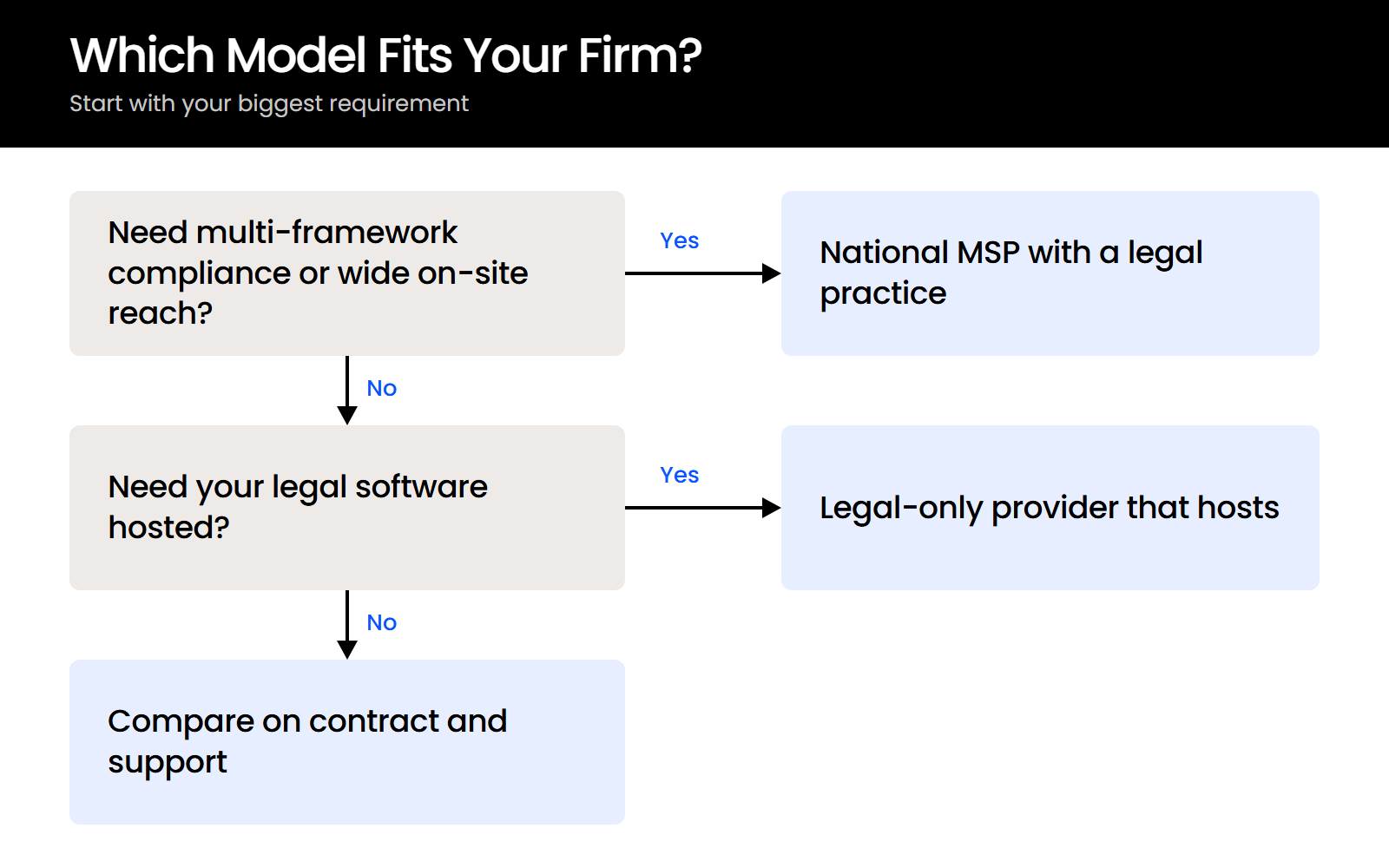
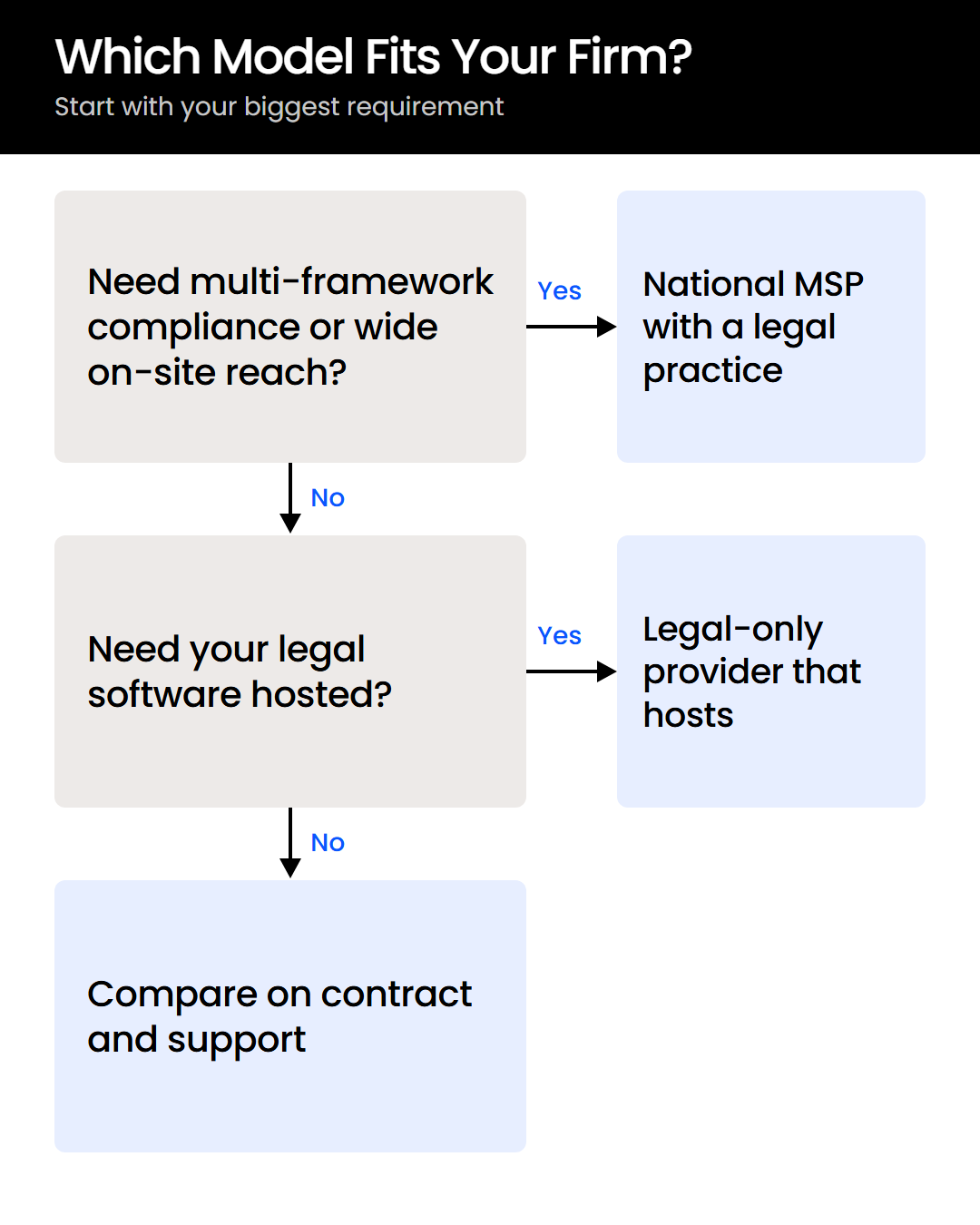
All Covered is the stronger fit when your firm needs one national provider for multi-framework compliance work, wants on-site visits as part of the service, or requires its provider’s own SOC 2 Type II report. Each of those is a reason to stay or to choose it:
If your priority is hosted legal applications and a provider whose whole staff works only with law firms, a legal-only provider is the closer fit.
Where Does Uptime Legal Fit?
Uptime Legal fits a firm that wants a provider working only with law firms, on month-to-month terms, with legal applications hosted in Uptime Cloud. According to uptimelegal.com, that includes:
Switching IT providers follows a planned sequence:
Uptime Legal isn’t the right fit for a firm that needs one provider across several non-legal businesses, or one that requires its provider’s own SOC 2 report.

Choose the Model That Fits How Your Firm Works
All Covered gives law firms a dedicated legal practice inside a large national provider. A legal-only provider gives you a company built entirely around law firms, and neither is the right answer for every firm.
The five checks tell you which one fits yours, and each can be verified before you sign: the industries a provider serves, who hosts your legal software, what the contract binds you to, who answers at night, and whose SOC 2 report you’re shown.
Run them against your current provider first, then against anyone you’re considering.
WHAT’S NEXT
Frequently Asked Questions

Uptime Legal’s Technology Solutions
Cloud, software, IT, and document management built for today’s law firms.